
LinkedIn post feeds
Display recent posts from a personal profile or company page in a grid or single-column layout, including images, videos, PDF documents, and engagement counts.

LinkedInEmbed lets professionals, companies, careers teams, and agencies add LinkedIn feeds, profile and company cards, jobs, recommendations, certifications, or projects to websites. Users paste a public LinkedIn URL, customize the widget, and embed it with a short snippet.
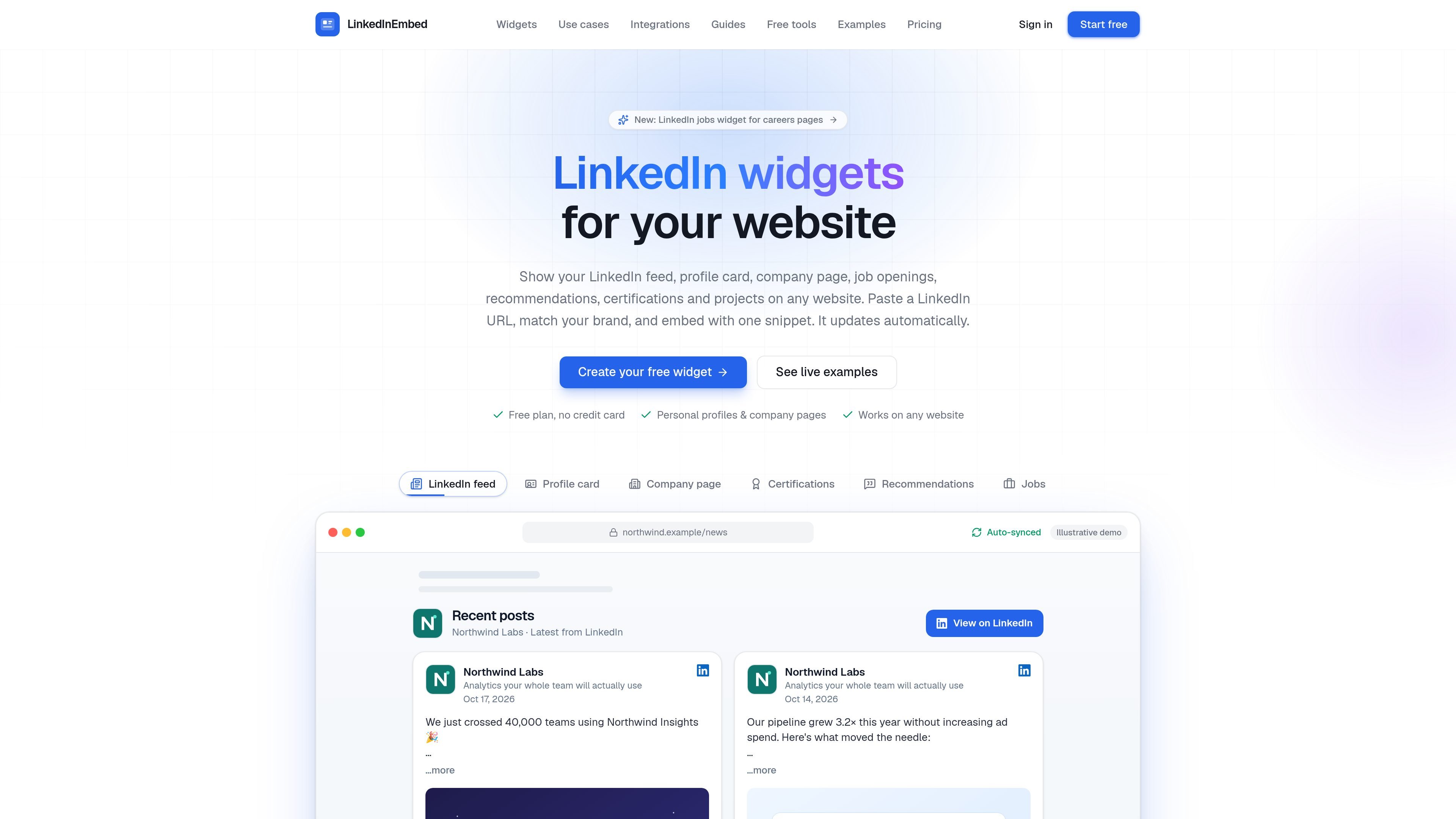
LinkedInEmbed is a no-code service for placing LinkedIn content on websites. It converts a public LinkedIn personal profile or company page into an embeddable feed, profile card, company card, jobs list, recommendations display, certifications grid, or projects section.
Users paste a LinkedIn URL, select a widget, configure its layout and styling in a live preview, and copy one embed snippet to their site. Widgets are designed for responsive layouts and automatically refresh their LinkedIn data according to the selected plan, so site owners do not need to repaste code when content changes.
Display recent posts from a personal profile or company page in a grid or single-column layout, including images, videos, PDF documents, and engagement counts.
Create a profile card with a photo, headline, current company, skills, and past experience, with a link to the full LinkedIn profile.
Present company branding, follower and employee counts, about text, company details, specialties, and a Follow on LinkedIn button; an optional Visit website button is also available.
List a company's newest LinkedIn job openings with location, workplace type, and posting date, with Apply links opening the role on LinkedIn.
Reuse LinkedIn recommendations, certifications, and projects as website content, including recommendation details, credential issuers and dates, or project descriptions, dates, and skills.
Adjust themes, colors, fonts, layouts, section visibility, and widget width in a live preview, then embed the result with a short snippet or iframe.
Add a profile card, selected posts, certifications, and projects to a portfolio or personal site so visitors can review professional background and work without leaving the site immediately.
Place a company card and current company posts on a business website to provide organizational context, show recent activity, and direct visitors to LinkedIn through the Follow button.
Use a company page card, team posts, and a jobs list on a careers page to present employer information, workplace updates, and open roles in one website experience.
Create branded widgets for multiple client websites from one account, then use paid-plan view and click analytics when reporting widget engagement to clients.
Paste a public LinkedIn profile or company page URL into LinkedInEmbed, choose a widget type, customize its appearance in the live preview, and copy the generated embed snippet into your website. The service provides platform guides for WordPress, Elementor, Wix, Webflow, Squarespace, Shopify, Framer, Weebly, HTML, and React/Next.js.
The service supports personal profiles and public company pages, including showcase pages. Available widget types include feeds, profile cards, company page cards, jobs, recommendations, certifications, and projects.
Widgets refresh automatically after the plan's refresh interval. The Free plan refreshes every 72 hours, Pro every 24 hours, and Essentials every 30 minutes; updated data is fetched in the background when a visitor loads the widget after that interval.
The Free plan includes one LinkedIn profile or company page source and one widget, with no credit card required. It includes all listed widget types and customization, but displays a Powered by LinkedInEmbed link.
A widget view is counted when the embedded widget appears on a visitor's screen; dashboard previews do not count. Click analytics are available on Pro and Essentials, while Free includes the widget without view and click analytics.

Blinked is a free Chrome extension for LinkedIn outreach that helps users research leads, draft personalized messages, and manage follow-ups inside LinkedIn. It is local first, with outreach data kept in the browser rather than on Blinked’s servers.

Sumora is an autonomous outreach agent for finding, qualifying, warming, and booking leads through LinkedIn and Instagram. It helps users manage replies from one inbox while keeping final sends under review.

IconAudit is a web-based LinkedIn audit tool that scores a profile across six pillars and 30+ signals, then returns a personalized action plan. It helps professionals review how their LinkedIn presence may affect visibility, authority, and leads.

PostGod is a LinkedIn ghostwriting tool that helps professionals draft posts in their own voice. The site says you can generate free posts, then continue with a paid subscription for ongoing post creation.

Mockin is an AI career toolkit for UX/UI and Product Designers that combines resume checking, portfolio review, LinkedIn checking, job matching, and mock interview practice. It helps users improve application materials and practice structured interview answers before applying or interviewing.

SocialKaptan is a desktop app for AI-assisted LinkedIn and Instagram growth that runs locally on your computer with your own accounts. It helps users automate engagement, warm outreach, and post publishing without relying on shared cloud logins.