
AI Voice Input
Speak a task naturally and let the app interpret dates, priorities, categories, contacts, amounts, and reminders into a structured entry.
MindDraft is an AI productivity app that turns spoken or typed thoughts into organized tasks on iPhone, iPad, and Apple Watch. It helps users capture reminders, surface next actions, and track subscriptions without manual task formatting.
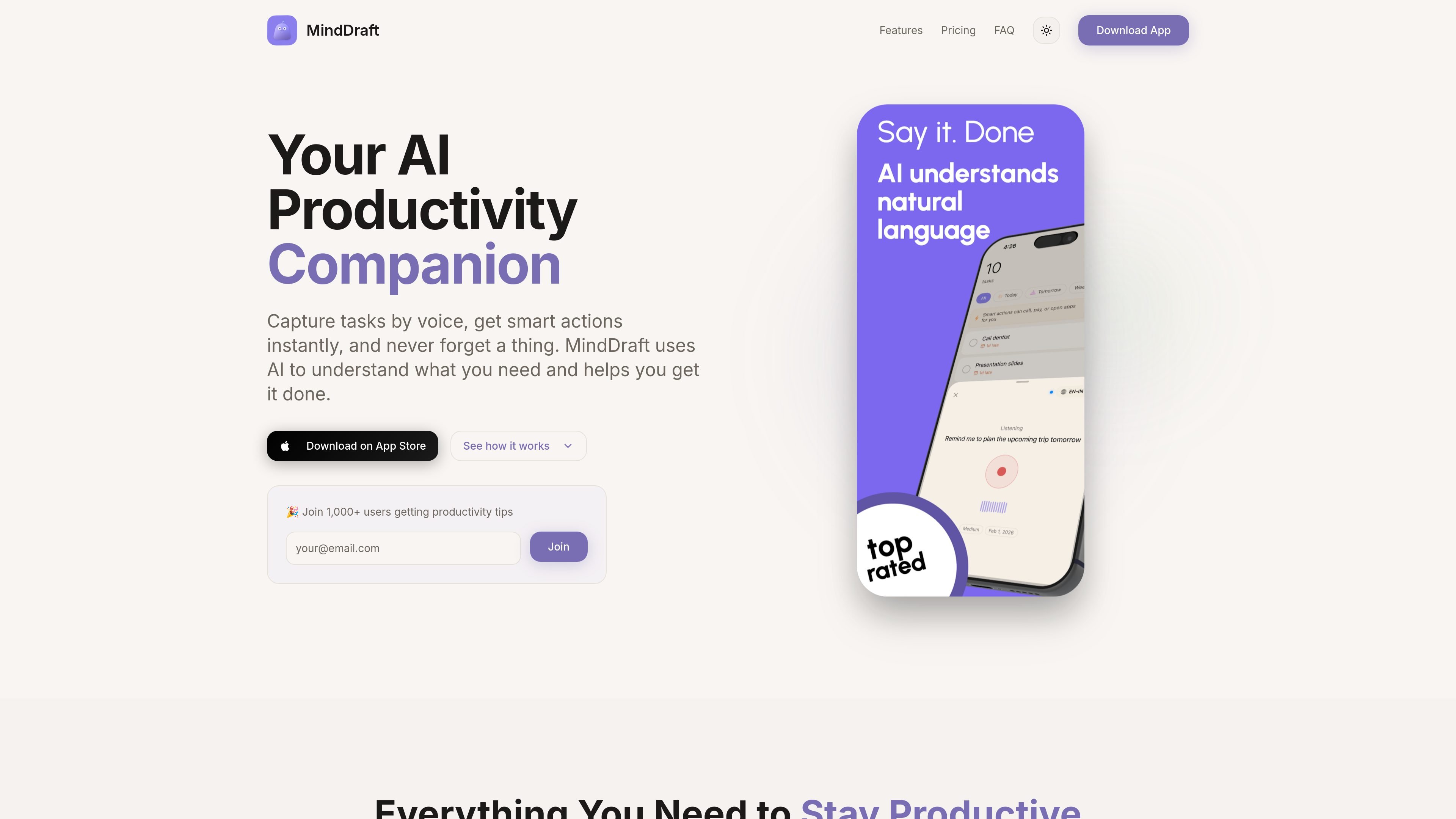
MindDraft is an AI-powered productivity app for iPhone, iPad, and Apple Watch that turns spoken or typed thoughts into structured tasks. Its core job is to capture what you need to do, organize it automatically, and make the next action easy to take.
The app focuses on task capture, action shortcuts, and personal organization. It can recognize natural-language requests such as calls, payments, meetings, and reminders, then present relevant actions, views, and tracking tools around those tasks. Basic use is available for free, while Pro adds features such as iCloud sync, subscription tracking, premium themes, and Apple Watch support.
Speak a task naturally and let the app interpret dates, priorities, categories, contacts, amounts, and reminders into a structured entry.
Task entries can surface one-tap actions like calling, paying, emailing, or navigating, so the next step is visible inside the task itself.
Track subscriptions and monthly spend in one place, with alerts before renewals and a view of recurring expenses.
Use focus mode with a built-in timer, plus Live Activities on the Lock Screen and Dynamic Island to keep a task in view.
Switch among Timeline, Calendar, Category Grid, and Priority views to organize work in the format that fits the task list.
Sync tasks through iCloud across iPhone, iPad, and Apple Watch, with widgets and watch access for quick capture and review.
Capture errands, calls, and reminders by voice while you are away from a keyboard, then let the app turn them into structured tasks with dates and categories.
Open a task that mentions a call, payment, or location and use the built-in action buttons to complete the next step without switching apps.
Use the subscription tracker to monitor recurring services and get renewal reminders before charges hit your account.
Switch to a calendar, timeline, or priority view when you want to review a day’s work, sort by urgency, or plan around deadlines.
Enter focus mode with a timer when you need a single task in view and want the app to keep you on track during deep work.
Yes. MindDraft offers a free tier with unlimited tasks and basic features. Pro is available as a paid subscription for users who want features such as smart actions, live activities, premium themes, subscription and finance tracking, iCloud sync, and more.
You tap the microphone and speak naturally. The app uses AI to interpret the request, extract details such as dates, amounts, and contacts, and turn the result into a structured task.
Smart Actions detect actionable parts of a task and surface context-specific buttons, such as call, pay, or navigate actions when those tasks are present.
Yes. The app stores tasks locally and works offline after they have been created. AI processing needs an internet connection, but the core task list remains available without one.
Tasks are stored locally on your device, and optional iCloud sync is used for Pro users. The privacy policy says MindDraft does not sell personal data or use it for targeted advertising.
put·here is a local-first spatial workbench for macOS that helps people collect notes, links, images, and files on visual canvases, then connect, search, write, and research from the same workspace. Optional AI can organize related material and return web findings with sources.

Flunkey is a voice-first productivity layer for Windows that converts speech into text, AI-assisted outputs, and remembered context. It is built for users who want to capture ideas and actions without leaving the app they are working in.

Contextbergは、画面・入力・ブラウザ・AIエージェントの利用履歴をローカルで記録し、MCP経由でClaude CodeやCursorなどに作業コンテキストを渡すデスクトップアプリです。中断した作業の再開、過去ログの検索、日次レビューに利用できます。

Yattayo: Slider To-Do Board is a productivity app that turns tasks into a physical-style slider board with sticky notes, widgets, reminders, and iCloud sync. It helps people who want a more tactile way to manage to-dos and, in Premium, recurring habits.

recall is an AI flashcard app that turns reading and notes into study cards through Claude, ChatGPT, or another MCP client. It uses one-time lifetime access pricing and spaced repetition review.

at8pm is an iPhone journaling app that locks each day’s entry after a chosen time so it can’t be edited later. It supports text, voice, photos, locations, and quick video notes, with private iCloud syncing and optional Face ID lock.