
Keep earlier notification text
Preserve notification text that arrived before a message was edited or deleted. If an edit generates another notification, it can be saved as a separate entry.

NotiKeep saves iPhone notification text so you can read messages without opening the source app and preserve earlier text when messages are edited or deleted. It also provides search, organization, alerts, privacy controls, and export options through a Shortcuts-based capture workflow.
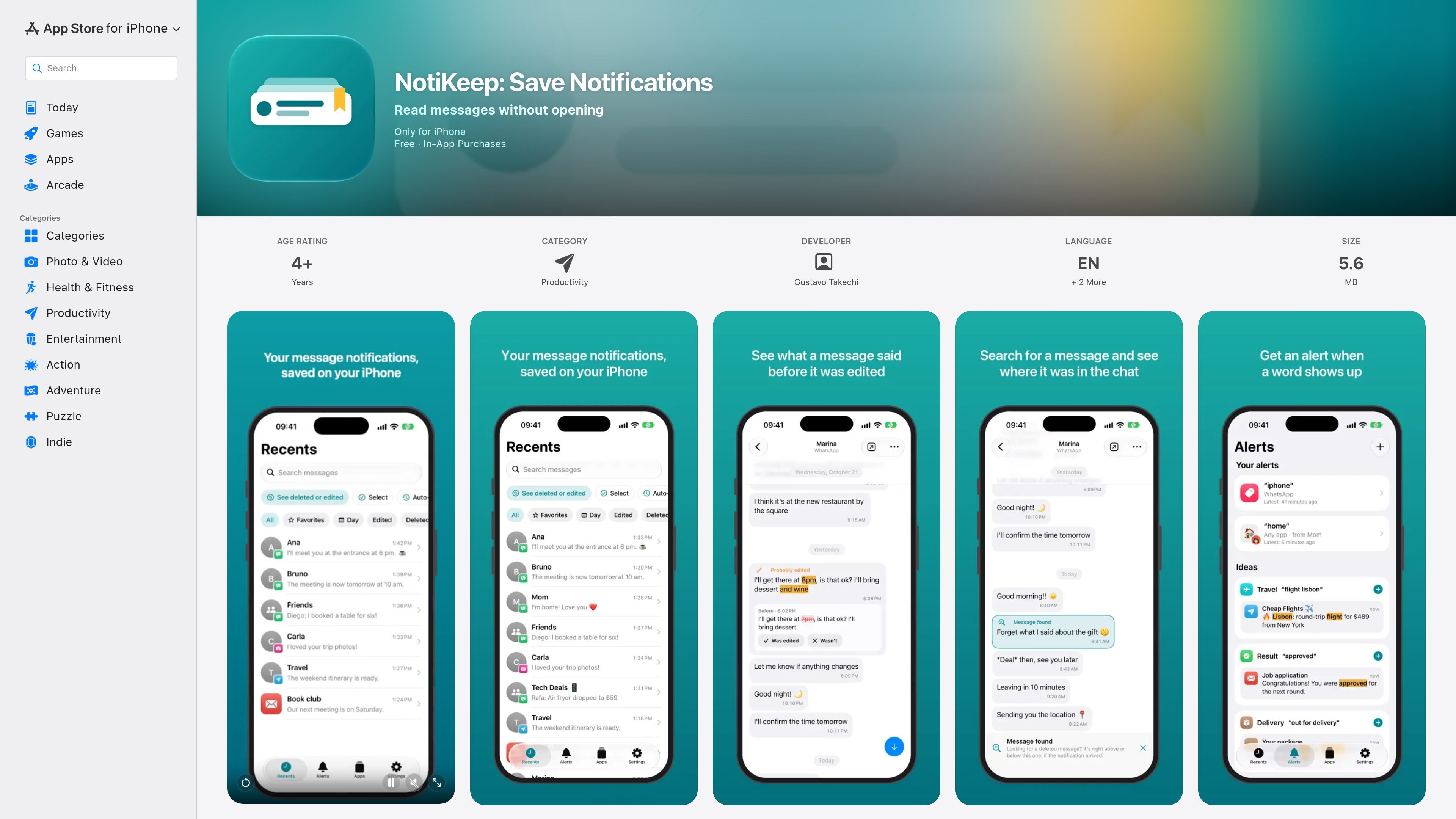
NotiKeep is an iPhone productivity app that saves notification text so users can read it later without opening the source app. It is designed for situations where a message may be edited or deleted after its notification arrives, while also providing a searchable history organized by app and conversation.
The app captures notifications through a personal automation in Apple Shortcuts, so it only preserves text received after setup and cannot recover earlier messages or archive media. Saved content stays on the iPhone; users can protect access with Face ID or a passcode, choose how long history is retained, and exclude conversations they do not want to save.
Preserve notification text that arrived before a message was edited or deleted. If an edit generates another notification, it can be saved as a separate entry.
Browse saved notifications in NotiKeep without opening the source messaging app or sending a read receipt through it.
Organize entries by app and conversation, search text without accent-sensitive matching, and use favorites, calendar navigation, and filters by app, conversation, and date.
Create alerts for a chosen word or phrase, including when it appears among many notifications or while Focus is enabled. The listing states that one alert is available on the free plan.
Use Show Latest Notification to surface the latest saved message in a NotiKeep notification, with access through a separate shortcut, the Action Button, Back Tap, or Siri. Shaking the open iPhone also opens the latest conversation with Pro.
Export saved notification data as JSON for free; Pro adds CSV and PDF export while subscribed. Face ID or passcode protection, configurable history retention, and exclusions for conversations are also available.
Save a notification before opening a conversation so the text can be reviewed later without triggering the source app's read receipt.
Keep the earlier notification text available when a sender changes or removes a message. Users can review highlighted differences and confirm or undo a probable-edit label.
Use search, conversation grouping, date navigation, and favorites to locate a notification from a busy stream of saved messages.
Set a keyword or phrase alert for notifications that matter, including alerts that may appear while Focus is enabled.
Export saved entries as JSON, CSV, or PDF depending on plan when a readable record is needed outside the app.
NotiKeep requires iOS 27 or later and a personal automation in Apple Shortcuts. Its tutorial guides users through adding the capture shortcut, enabling the automation, and testing that capture works.
Only notification text received after setup can be saved. NotiKeep cannot recover messages from before setup, and it cannot archive photos, videos, or audio.
The free plan lets you read notifications from one source app without a time limit. Other apps may still be captured, but their contents remain locked. Pro unlocks all apps and additional features; exact prices are not provided on the available product page.
No. NotiKeep does not automatically detect edits or deletions. It can preserve notification text that was saved before a message changed or was deleted, and similar later messages can be marked as probably edited for user confirmation.
Saved notification contents remain on the iPhone, and the app does not require an account or show ads. Optional usage analytics do not include messages, names, or search terms according to the App Store listing.

Flunkey is a voice-first productivity layer for Windows that converts speech into text, AI-assisted outputs, and remembered context. It is built for users who want to capture ideas and actions without leaving the app they are working in.

Contextbergは、画面・入力・ブラウザ・AIエージェントの利用履歴をローカルで記録し、MCP経由でClaude CodeやCursorなどに作業コンテキストを渡すデスクトップアプリです。中断した作業の再開、過去ログの検索、日次レビューに利用できます。

Yattayo: Slider To-Do Board is a productivity app that turns tasks into a physical-style slider board with sticky notes, widgets, reminders, and iCloud sync. It helps people who want a more tactile way to manage to-dos and, in Premium, recurring habits.

recall is an AI flashcard app that turns reading and notes into study cards through Claude, ChatGPT, or another MCP client. It uses one-time lifetime access pricing and spaced repetition review.

at8pm is an iPhone journaling app that locks each day’s entry after a chosen time so it can’t be edited later. It supports text, voice, photos, locations, and quick video notes, with private iCloud syncing and optional Face ID lock.

Notewarp is an AI note-taking tool that turns voice notes, uploads, or pasted text into cleaner notes, transcripts, summaries, and action items. It helps people capture rough ideas quickly and then edit, export, or share the result.