UStackUStack
Notta Desktop Privacy Mode icon

Notta Desktop Privacy Mode

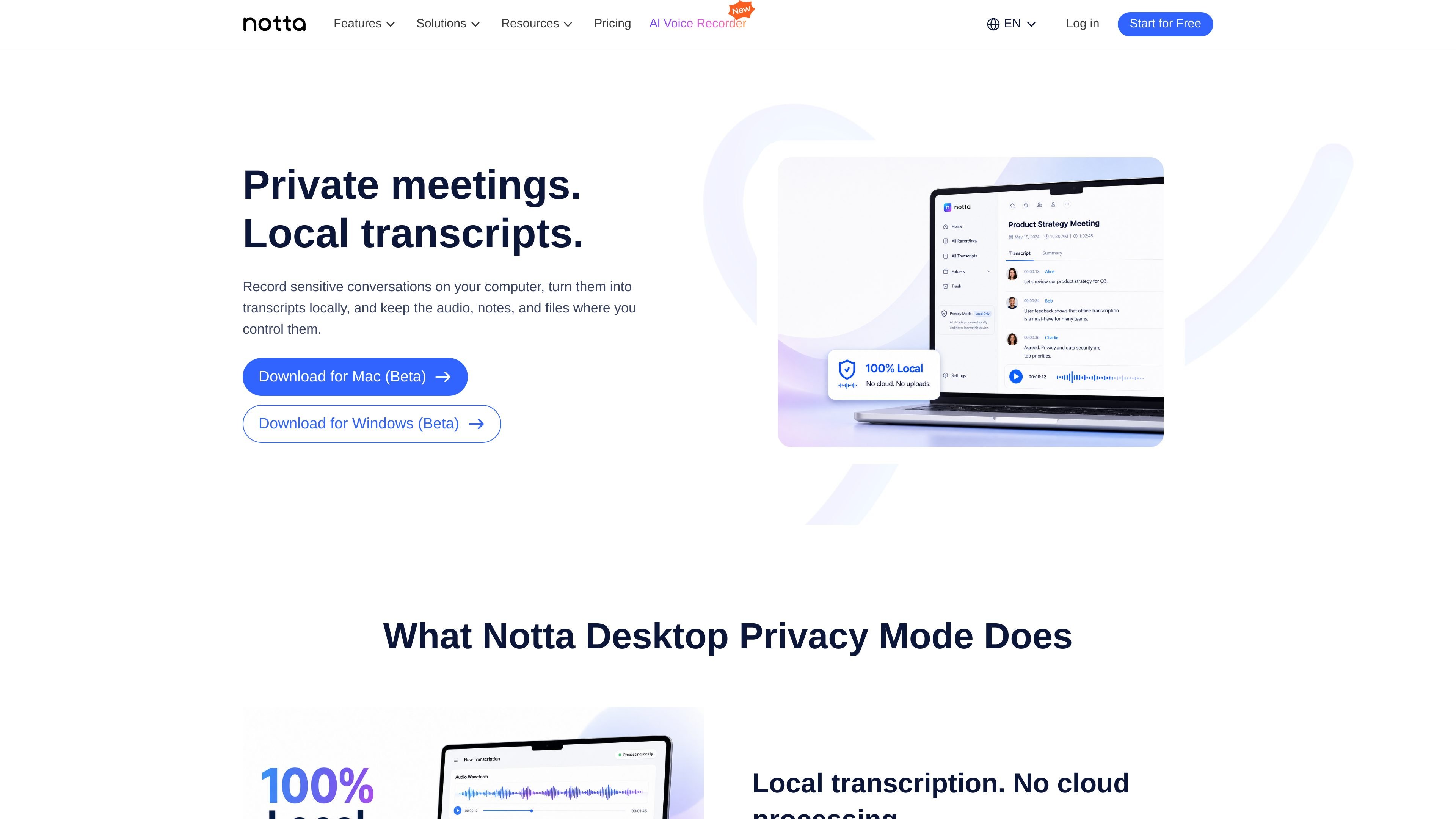
Notta Desktop Privacy Mode is a local transcription workflow that records and transcribes audio on your computer instead of sending it to the cloud. It is designed for sensitive meetings and offline use, while still allowing users to switch back to standard Notta workflows when needed.

Notta Desktop Privacy Mode

Private offline transcription in Notta Desktop

Notta Desktop Privacy Mode is a local transcription workflow inside Notta Desktop. It records and transcribes on your computer, keeping audio, transcripts, folders, and related files in local storage instead of sending them to cloud transcription.

The page positions Privacy Mode for sensitive meetings and other situations where the recording workflow needs to stay under local control. It is presented as an alternative to Notta’s standard cloud transcription workflows, with the tradeoff that local setup and device resources still matter for long sessions.

What Privacy Mode does

Local transcription, not cloud processing

Privacy Mode processes transcription on your computer rather than sending meeting audio to cloud transcription. That makes it suitable when a company policy or the sensitivity of the content rules out cloud processing.

Local storage for audio and transcripts

Recordings, transcripts, folders, and related data are saved in a local folder on your computer, so private meeting files stay organized on the device you control.

Unlimited local transcription usage

Privacy Mode is designed for longer sessions such as interviews, workshops, and review meetings, and it avoids consuming cloud transcription minutes for local use.

Works offline after setup

After setup, Privacy Mode can transcribe without an internet connection. Internet may still be needed for login, app updates, and standard Notta cloud workflows.

Switch between local and cloud workflows

Notta lets you choose between Privacy Mode and standard cloud transcription, so you can use the local workflow for sensitive content and the cloud workflow when sharing or accuracy is the priority.

Desktop app access

Privacy Mode is available in Notta Desktop, with download links shown for Mac (Beta) and Windows (Beta).

When Privacy Mode fits

  • Legal and finance reviews

    Use Privacy Mode for contract reviews, pricing discussions, audits, and case updates when you want a searchable transcript but do not want meeting audio routed through cloud transcription tools.

  • Research interviews

    Record interviews locally before quotes, notes, or raw data are cleaned, coded, or shared. This keeps raw research material on the device during the early analysis stage.

  • Teams with recording restrictions

    Use a local transcription workflow when company policy restricts external meeting bots, cloud recorders, or cloud transcription services.

  • Long workshops and review sessions

    Privacy Mode can support long recordings such as workshops and review sessions where you want local transcription without cloud minute limits.

  • Mixed local and cloud workflows

    If a meeting is less sensitive and you want standard Notta cloud workflows, you can switch away from Privacy Mode rather than staying in the local mode for every recording.

Pros and Cons

Pros

  • Keeps recordings and transcripts on the user’s computer instead of uploading audio for cloud transcription.
  • Can transcribe without an internet connection after initial setup.
  • Supports unlimited local transcription usage on the Pro plan, without consuming cloud transcription minutes.
  • Useful for sensitive meetings, interviews, workshops, and policy-constrained team workflows.
  • Still allows users to switch back to standard cloud workflows when sharing or higher accuracy is needed.

Cons

  • Privacy Mode is available in Notta Desktop and appears as a separate workflow rather than the default Notta Desktop experience.
  • Local transcription accuracy depends on the chosen model, language, audio quality, accent, background noise, and vocabulary.
  • Long recordings still depend on your computer’s memory, CPU, available storage, and app stability.

FAQ

What is Privacy Mode in Notta Desktop?

Privacy Mode is a local transcription mode inside Notta Desktop. It records and transcribes on your computer, and keeps recordings, transcripts, and related files in local storage.

Is Notta Desktop the same as Privacy Mode?

No. Privacy Mode is one mode inside Notta Desktop. Notta Desktop also supports other workflows, including Bot-Free Recording and standard cloud-based Notta workflows.

How do I turn on Privacy Mode?

Download Notta Desktop, sign in to your Notta account, switch from Cloud Mode to Privacy Mode in the top-left corner, and download the offline ASR Engine when prompted. Then you can start recording or transcribing locally.

Does Privacy Mode upload my audio to the cloud for transcription?

No. In Privacy Mode, transcription is processed locally on your computer, so your audio does not need to be uploaded for cloud transcription.

Can Privacy Mode work without internet?

Once Privacy Mode is set up, it can transcribe locally without an internet connection. You may still need internet for login, app updates, or other Notta cloud workflows.

Quick Facts

Product
Notta Desktop Privacy Mode
Category
Transcription software
Platform
Desktop app for Mac and Windows
Workflow
Local/offline transcription with local storage
Source domain
notta.ai
Related plans
Pro plan includes unlimited local transcription usage

Альтернативы Notta Desktop Privacy Mode

QuickQuill icon

QuickQuill

QuickQuill is a macOS dictation and transcription app that runs locally on the device. It helps users record meetings, transcribe audio, generate summaries, and export notes without using a cloud service.

Speech to Text Converter icon

Speech to Text Converter

Speech to Text Converter is a browser-based transcription tool for live dictation and uploaded audio or video files. It offers a free tier for short tasks and a Pro plan for unlimited transcription, AI summaries, translation, speaker identification, and advanced exports.

Dictato icon

Dictato

Dictato is a Mac dictation app that transcribes speech into text in any app using an on-device, offline workflow. It supports multiple transcription engines, optional cleanup and translation, and a one-time purchase license.

Ringg AI icon

Ringg AI

Ringg Parrot STT V1 is a real-time speech-to-text API for voice AI agents, contact centers, and transcription workflows. It supports Hindi, English, and code-mixed speech, with a playground for evaluation and production access handled by Ringg AI approval.

Tactiq icon

Tactiq

Tactiq is an AI note taker for Google Meet, Zoom, and Microsoft Teams that transcribes meetings live and turns them into summaries, action items, and follow-up outputs. It is built around a Chrome extension and supports team workflows through sharing and integrations.

Sanota icon

Sanota

Sanota is an app that turns spoken memories, reflections, and interviews into clear written stories. It supports personal storytelling, family history, and shared memories, with guided prompts and subscription pricing.