
Broad sensitive-data detection
Detects sensitive values in pasted text, including names, emails, phone numbers, IBANs, social security numbers, addresses, IDs, medical information, passwords, API keys, and company-specific terms.

ONYRI Sanitize is a browser-based tool that anonymizes sensitive text and tables before you send them to an AI assistant, then restores the response locally. It helps individuals and teams use AI with less risk of exposing private, financial, or company data.
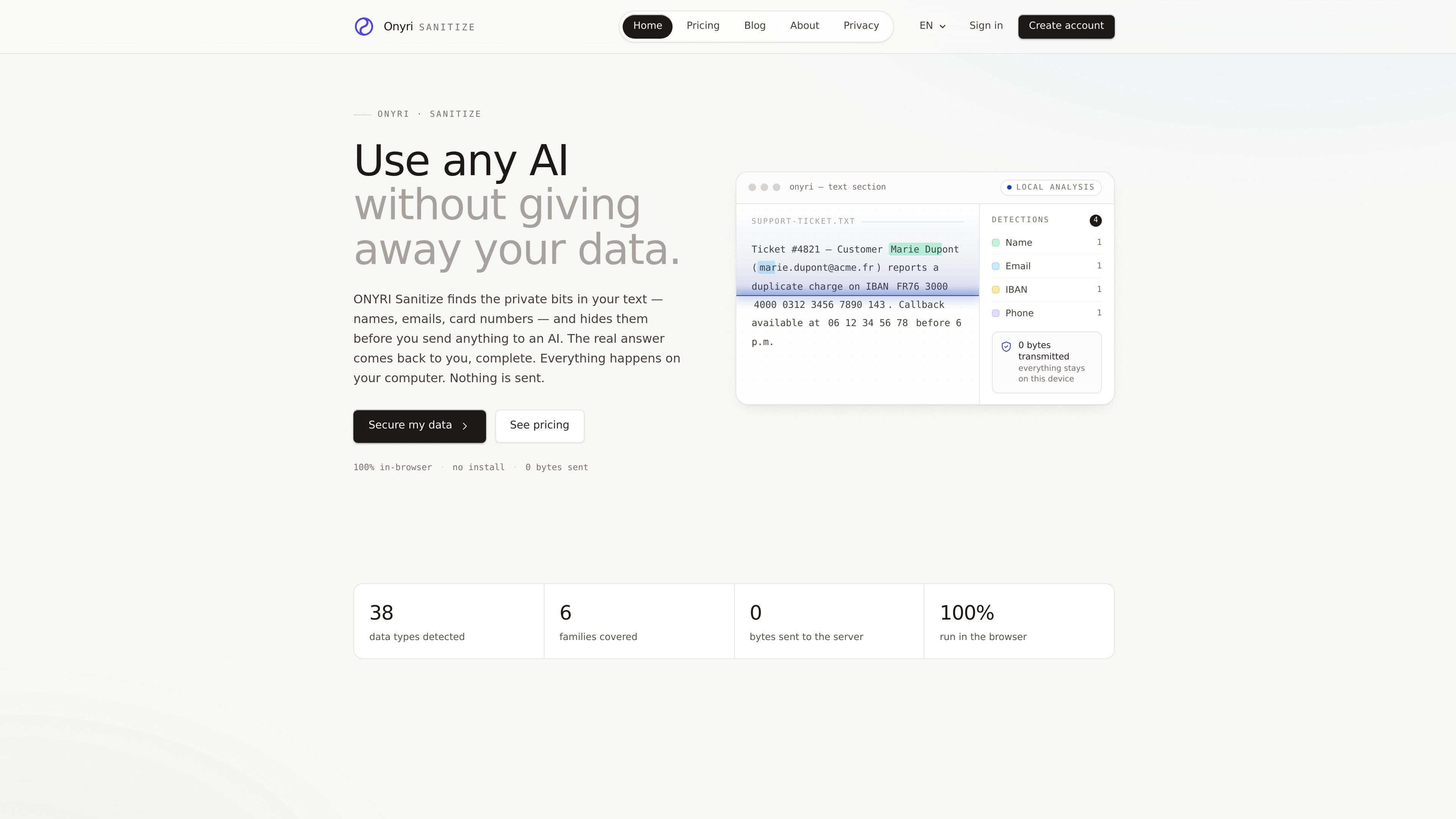
ONYRI Sanitize is a browser-based anonymization tool for preparing prompts, text files, and tables before sending them to an AI assistant. It scans for sensitive information such as names, emails, phone numbers, IBANs, passwords, API keys, and company identifiers, then replaces those values with reversible tokens so the original content can be restored after the AI responds.
The product is designed to keep processing local: the site says the engine runs in the browser, no text is sent to the server during sanitization, and the mapping between tokens and original values stays on the device. That makes it aimed at people and teams that want to use AI while reducing the risk of exposing private, internal, or regulated data.
Detects sensitive values in pasted text, including names, emails, phone numbers, IBANs, social security numbers, addresses, IDs, medical information, passwords, API keys, and company-specific terms.
Replaces each detected value with a reversible token so you can send a cleaned prompt to an AI model and restore the response afterward.
Lets you define your own regex-based patterns and assign a dedicated color for internal references, business identifiers, or other custom data.
Supports text as well as CSV and Excel files, with tokenization applied column by column for tabular data.
Moves processing to a dedicated worker beyond 1,000 rows so the interface stays responsive on larger datasets.
Lets you save detector and rule combinations as reusable profiles, and share rules and profiles across a team workspace.
Before pasting a customer ticket into ChatGPT or another assistant, the tool replaces names, email addresses, IBANs, and phone numbers with tokens so the AI only sees anonymized placeholders.
When preparing an HR or internal spreadsheet for analysis, you can drop in tabular data and tokenization applies column by column instead of sending raw identifiers to the model.
Teams can define shared rules and profiles so everyone in the workspace applies the same anonymization policy when working with internal prompts.
If your organization uses internal references, business IDs, or other fields not covered by the default detectors, you can add regex-based custom rules to catch them before export.
For repeated workflows, you can save a detector-and-rule setup as a reusable profile and apply it again in one click for future sessions.
No. The site states that tokenization runs 100% in your browser and that no text, file, or token-to-value mapping is sent to the server during processing.
The mapping lives in memory and disappears on refresh. The site says nothing is persisted, so a closed tab or reload clears the anonymization state.
Detections are visible and editable before export, and custom rules can cover cases specific to your work.
Yes. Rules and profiles are shared per workspace so teams can apply the same anonymization policy.
For the 7-day Pro trial, the site says a card is saved when you choose a plan, but €0 is charged during the trial and you can cancel before it ends.

NewsCatcher Platform is a web app for generating custom news datasets and monitoring stories from web search results. It helps users build structured, citation-backed records for analysis and AI workflows.

Happenstance is an AI-powered network search tool for finding people, mutual connections, and warm introductions across connected accounts. It supports individual use, shared team groups, and developer workflows through API, MCP, Slack, and other integrations.

Veerexa’s YouTube Comments Exporter extracts comments from a YouTube video in the browser and lets you analyze or export them as CSV or JSON. It is aimed at users who need a fast way to review comment activity without server-side processing.

AnySearch provides AI search infrastructure for agents, with structured results delivered through MCP, Skill, or a REST API. It helps developers build search into automated workflows that need current, machine-readable information.

Geekflare Web Scraping API is a developer-focused web scraping service that extracts content from dynamic pages and returns Markdown, HTML, JSON, or plain text. It is aimed at teams that need browser rendering, CAPTCHA handling, and proxy support without building that infrastructure themselves.

FindThem is an AI people search platform that searches more than 1 billion LinkedIn profiles and returns matching people with verified emails and web-enriched data. It is aimed at fundraising, sales, recruiting, and other workflows that need fast contact discovery.