
Automated series setup
Set up a series by choosing a topic, visual style, voice, and posting schedule. The service then generates and publishes videos on repeat.

PassiveShorts is an AI faceless video generator that creates and auto-posts short-form videos for TikTok and YouTube. It also supports TikTok photo slideshows, one-off scripted videos, and scheduled series.
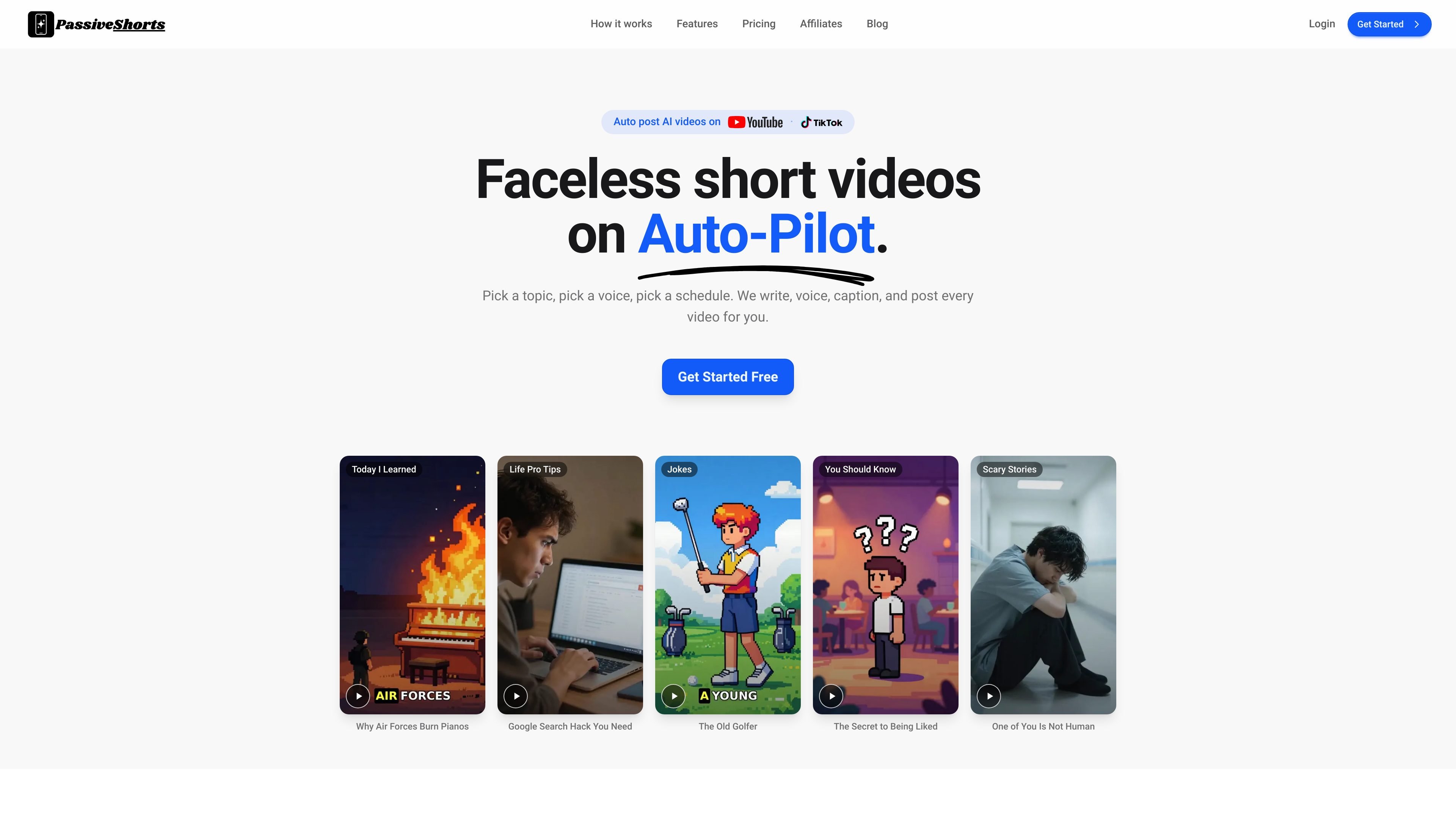
PassiveShorts is an AI faceless video generator for TikTok and YouTube that creates and auto-posts short-form content on a schedule. Users choose a topic, a voice, a visual style, and posting frequency, then the system generates the script, narration, visuals, and captions for each post.
The product supports two main output types: narrated videos and TikTok photo slideshows. It is designed for creators who want a repeatable publishing workflow without manual editing or uploads, while still keeping control over topic choice, visual style, and when content goes live.
Set up a series by choosing a topic, visual style, voice, and posting schedule. The service then generates and publishes videos on repeat.
Use one of the built-in topics or enter your own topic to keep a channel focused on a specific niche.
Generate narrated Shorts with an image for each line, AI voiceover, and word-by-word captions.
Build TikTok photo slideshows by uploading your own images or generating them from a prompt, then adding slide text and styling.
Connect YouTube or TikTok and publish automatically, or send TikTok posts to drafts, or keep videos private until you review them.
Choose from 19 visual styles, a library of natural AI voices, and several caption presets with font, color, outline, animation, and highlight controls.
Create a faceless channel around a recurring niche such as Scary Stories, Jokes, Life Pro Tips, Today I Learned, or a custom topic, then let videos publish on a fixed schedule.
Turn a written script into a narrated Short with visuals, captions, and publishing handled in one flow, which is useful when you already have the content but not the time to edit it.
Build TikTok slideshows from uploaded images or prompt-generated images, then add text and styling for a post format that does not rely on recorded footage.
Use privacy settings or TikTok drafts to review content before it goes live, which is helpful for creators who want a human check without giving up automation.
Manage multiple series from one account when you want separate channels or topics running at different posting schedules.
No. PassiveShorts says every series is fully faceless and hands-off. It generates the script, AI voiceover, visuals, and captions for you.
You can connect YouTube and TikTok. Once a channel is connected, PassiveShorts publishes videos on your chosen schedule automatically.
On Basic, a series posts three times a week on the days you choose. On Pro, it posts once every day. You choose the posting time during setup.
Yes. You can use one of the built-in topics or write a custom topic so the content stays focused on your niche.
Yes. You can cancel from your account settings at any time, and your series keep running until the end of the current billing period. First-time subscriptions may qualify for a 7-day refund window under the refund policy.

Topple.lol is a public pay-to-rank leaderboard where listings start at $1 and their bid balance decays over time and with clicks. It helps makers and marketers buy short-term visibility for product sites or X profiles while tracking live board stats.

VIDEOAI.ME is an AI video generator for making spokesperson-style videos, ads, explainers, and social content from a script. It is aimed at founders, marketers, agencies, and creators who want to produce videos without filming.

Official HeyGen API documentation for building AI avatar videos, translations, lipsync, and interactive video-agent sessions. It supports direct API use plus MCP and CLI-style workflows for developers and AI agents.

Wisry is an AI advertising studio for ecommerce brands that researches competitor ads, develops evidence-backed campaign concepts, and generates static and video creatives. It also supports editing and connected campaign workflows for Meta and Google.

ngram is an AI video generator and editor for teams and individual creators. It turns prompts, uploaded files, or screen recordings into editable videos for demos, training, onboarding, sales enablement, explainers, and launches.

艺映AI is a free AI video creation tool for generating video from text, images, or existing footage. It is positioned for short-form social content, promotional clips, and stylized AI video projects.