
Points to the exact control
Pip uses a screenshot of the current screen when you ask and circles the relevant button, menu, panel, or control instead of returning only text instructions.

Pip is a screen-aware AI assistant for Mac that answers voice or typed questions and points to the exact controls to use. It helps with multi-step workflows across Mac apps and can perform selected tasks with confirmation for actions that send or delete information.
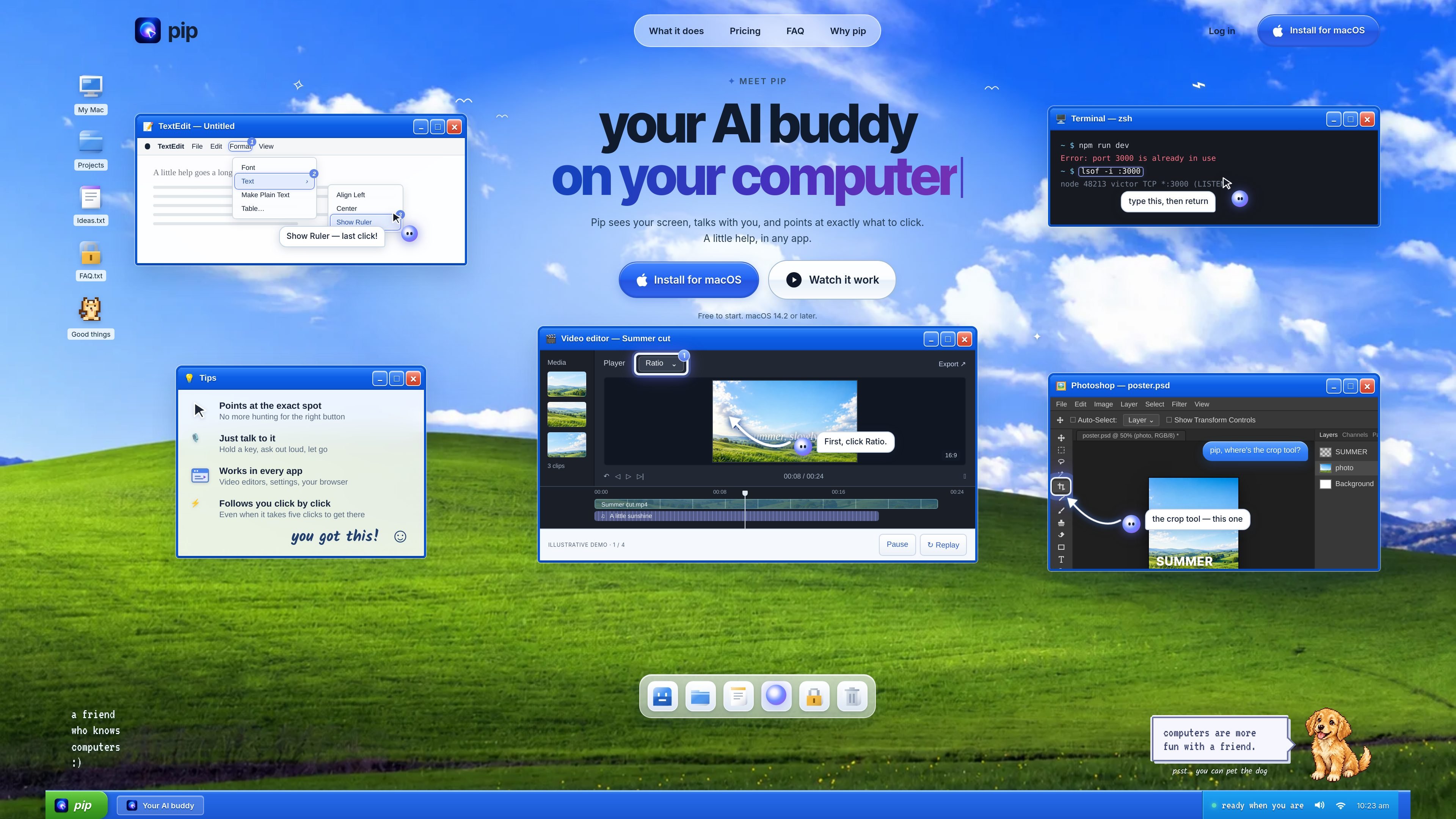
Pip is an AI assistant for Mac that combines screen-aware guidance with voice or typed questions. It sits beside the cursor, examines the screen when asked, and points to the exact interface element relevant to a task. This is intended for situations where a written explanation is less useful than knowing which button, menu, or panel to use.
Pip can guide users through multi-step workflows while they remain responsible for clicking. It also supports selected direct actions on the Mac, with confirmation for operations that send or delete information. The service is presented for macOS 14.2 or later and is described as usable across common Mac applications rather than requiring a separate integration for each one.
Pip uses a screenshot of the current screen when you ask and circles the relevant button, menu, panel, or control instead of returning only text instructions.
Hold a key and ask a question aloud, or type one. Pip responds briefly and can speak the answer back to you.
For workflows that span several screens or clicks, Pip follows the sequence as you proceed and identifies the next step.
The product is described as working in any Mac app, including browsers, system settings, video editors, spreadsheets, design tools, and terminal workflows, without an app-specific plug-in.
Pip can carry out selected local tasks when instructed, such as adjusting volume, enabling dark mode, arranging windows, setting a timer, or creating a reminder. Actions involving sending or deleting wait for confirmation.
The Pro plan adds voice typing in the terminal for Claude Code and Codex; this usage does not consume question credits.
Ask Pip where a control is in a browser, spreadsheet, design tool, or system setting. It highlights the relevant interface element so the user can make the change without searching through menus.
Use a plain-language question while working in a video editor, color tool, or audio suite. Pip can identify the relevant panel or effect and continue pointing through a sequence of clicks.
Ask about a terminal error or a port conflict. Pip can point to the prompt, explain a command, and show what to type before the user returns the command.
Request routine Mac actions such as enabling dark mode, arranging windows, setting a timer, checking a calendar, or drafting a message. Pip handles supported actions on the Mac and asks for confirmation before sending or deleting.
Pip is a Mac app that looks at the screen when asked, answers in a sentence, and points to the relevant control. It is designed to help with software tasks without requiring users to manage a separate chat window.
The source says Pip can be installed on macOS 14.2 or later. It does not provide a more detailed setup sequence.
Pip does not continuously watch the screen. It looks when you hold the hotkey, after a double-press followed by a question, or when you type a question. Screenshots are not stored. Voice is sent to a speech-to-text service, the question and one screenshot go to the answering model, and the response goes to a voice service when spoken.
Pip points to controls rather than clicking them for you during guided workflows. It can perform certain requested Mac actions, such as changing settings, starting media, arranging windows, creating reminders, checking a calendar, or sending a message. Actions that send or delete information require confirmation.
The Free plan includes 30 questions per month at no cost. Pro costs $15 per month and includes up to 300 questions, while Max costs $69.99 per month and includes up to 1,000. Plans can be upgraded, switched, or canceled from the Pip menu.

Claude Overlay is a Windows desktop overlay for Claude Code that reads your screen so you can ask questions, inspect content, and request edits without leaving the current app. It runs on your existing Claude subscription through the Claude CLI, so no separate API key is required.

Spotit — macOS‑приложение: читает ваш экран в другой программе и подсвечивает, куда кликать. Попросите голосом и следуйте подсказкам.

Goldfish is an AI memory app for macOS that helps you reply, write, summarize, and continue using the context already on your Mac. It stores memory locally and writes in your tone.

Flunkey is a voice-first productivity layer for Windows that converts speech into text, AI-assisted outputs, and remembered context. It is built for users who want to capture ideas and actions without leaving the app they are working in.

ArtDeck is a visual reference board app for iPhone, iPad, and Mac that lets artists collect mixed reference material on one canvas and study it with ToolBox lenses. It works offline, supports optional iCloud sync, and is sold as a one-time purchase with no account required.

Biji - это универсальная платформа, разработанная для повышения продуктивности с помощью инновационных инструментов и функций.