
Glanceable information display
Shows the current time, date, weather, and the next few hours of calendar entries in a single ambient display.

Present: Clock, Date + Weather is an iPhone utility that shows the time, date, weather, and near-term calendar items in a calm, glanceable layout. It is designed for stand use and keeps core display elements working offline.
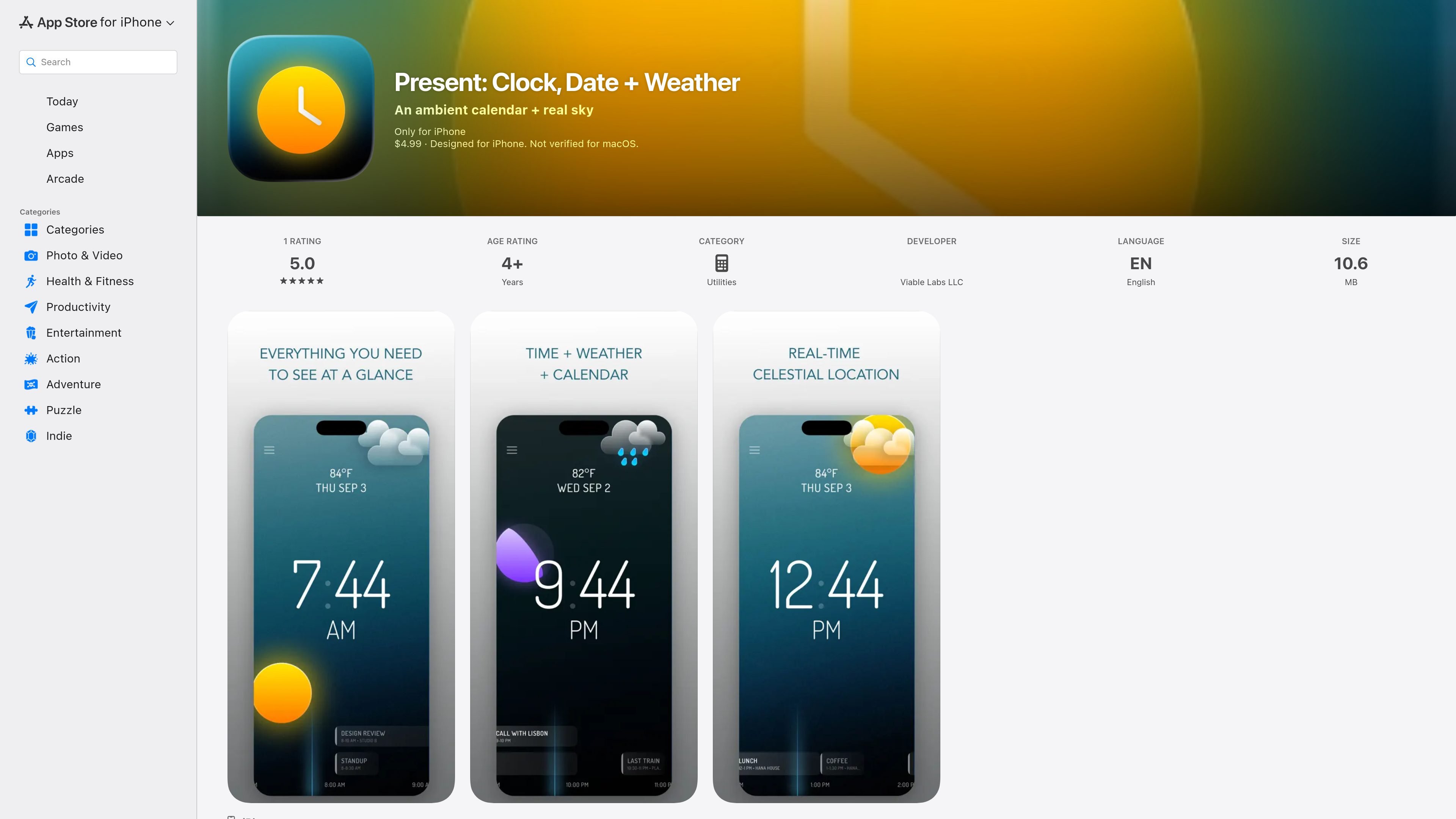
Present: Clock, Date + Weather is an ambient iPhone utility that turns a phone on a stand into a calm, glanceable display for the time, date, weather, and a short look at upcoming calendar items. The app is positioned as a way to see what matters now without opening a dashboard, feed, or notification stream.
The listing emphasizes restraint: there are no tap targets or settings screens on the readout, no account or sign-in, and no cloud, ads, or tracking. The clock, sky, and moon continue to work offline, while weather data comes from MET Norway and calendar events are read on the device in read-only mode.
Shows the current time, date, weather, and the next few hours of calendar entries in a single ambient display.
Uses a sky backdrop that changes with real dusk, sunrise, and sunset based on the user’s coordinates, with the sun and moon drawn according to local conditions.
Keeps the readout uncluttered by avoiding controls, feeds, badges, notifications, and a settings screen.
Reads calendar events on the device in read-only mode, one day at a time, so event details do not leave the phone.
Dims after a minute of inactivity and clears as soon as the user reaches for the phone, which helps it stay useful as a stand-in display.
Works offline for the clock, sky, and moon, while using MET Norway for weather data.
Place the phone on a stand so it can act as a quiet desktop or bedside display for the current time, date, weather, and near-term calendar items.
Check the next few hours of calendar events without opening a calendar app, useful when you want a quick status read rather than planning tools.
Use the changing sky, sunrise, sunset, and moon display as a visual cue for the time of day when you want context faster than reading numbers.
Leave the app running while the screen dims after inactivity, then wake it when you need a fresh look at the current conditions.
Rely on the clock, sky, and moon when network access is unavailable, since those parts continue to work offline.
Present is designed for iPhone and requires iOS 17 or later. The App Store listing does not describe any setup beyond installing the app and placing the phone where the display can be viewed.
The listing says the app shows the time, date, current weather, and a view of the next few hours of your calendar. It is read-only and does not include a settings screen or controls on the readout.
No. The product page says there is no account, no sign-in, no cloud, no ads, and no tracking.
Yes, for the parts described on the listing. The clock, sky, and moon do not require a network connection and keep working offline; weather data comes from MET Norway.
The listing says calendar events are read on the device in read-only mode, one day at a time, and that no title, location, attendee, or time ever leaves the phone. Location is requested at kilometre accuracy and rounded before it reaches the weather service.

Malyatko is a baby tracker for logging feeding, sleep, growth, teething, and milestones in one app. It works on iPhone, Apple Watch, and widgets, with no sign-up, offline use, and family sharing through iCloud.

Yattayo: Slider To-Do Board is a productivity app that turns tasks into a physical-style slider board with sticky notes, widgets, reminders, and iCloud sync. It helps people who want a more tactile way to manage to-dos and, in Premium, recurring habits.

ConscioussAI is an AI assistant for macOS, Windows, iOS, and Android that helps execute tasks across apps, files, the browser, and messages. It is aimed at people who want permission-based help on both desktop and mobile.
MealTime — это ваш личный помощник по рецептам, работающий в первую очередь в автономном режиме, который поможет вам сохранять, упорядочивать, планировать блюда и генерировать умные списки покупок, сохраняя при этом конфиденциальность ваших данных.

Goldfish is an AI memory app for macOS that helps you reply, write, summarize, and continue using the context already on your Mac. It stores memory locally and writes in your tone.

ArtDeck is a visual reference board app for iPhone, iPad, and Mac that lets artists collect mixed reference material on one canvas and study it with ToolBox lenses. It works offline, supports optional iCloud sync, and is sold as a one-time purchase with no account required.