
Live shared lists
Create shared lists and see additions, check-offs, and other activity update for everyone. Lists can be shared through a single link across iOS and Android.

Psst is a shared-list and task management app for individuals, households, and teams. It offers live collaboration, chat, a Today view, natural-language quick-add, offline sync, and connections to calendars, Slack, and Zapier.
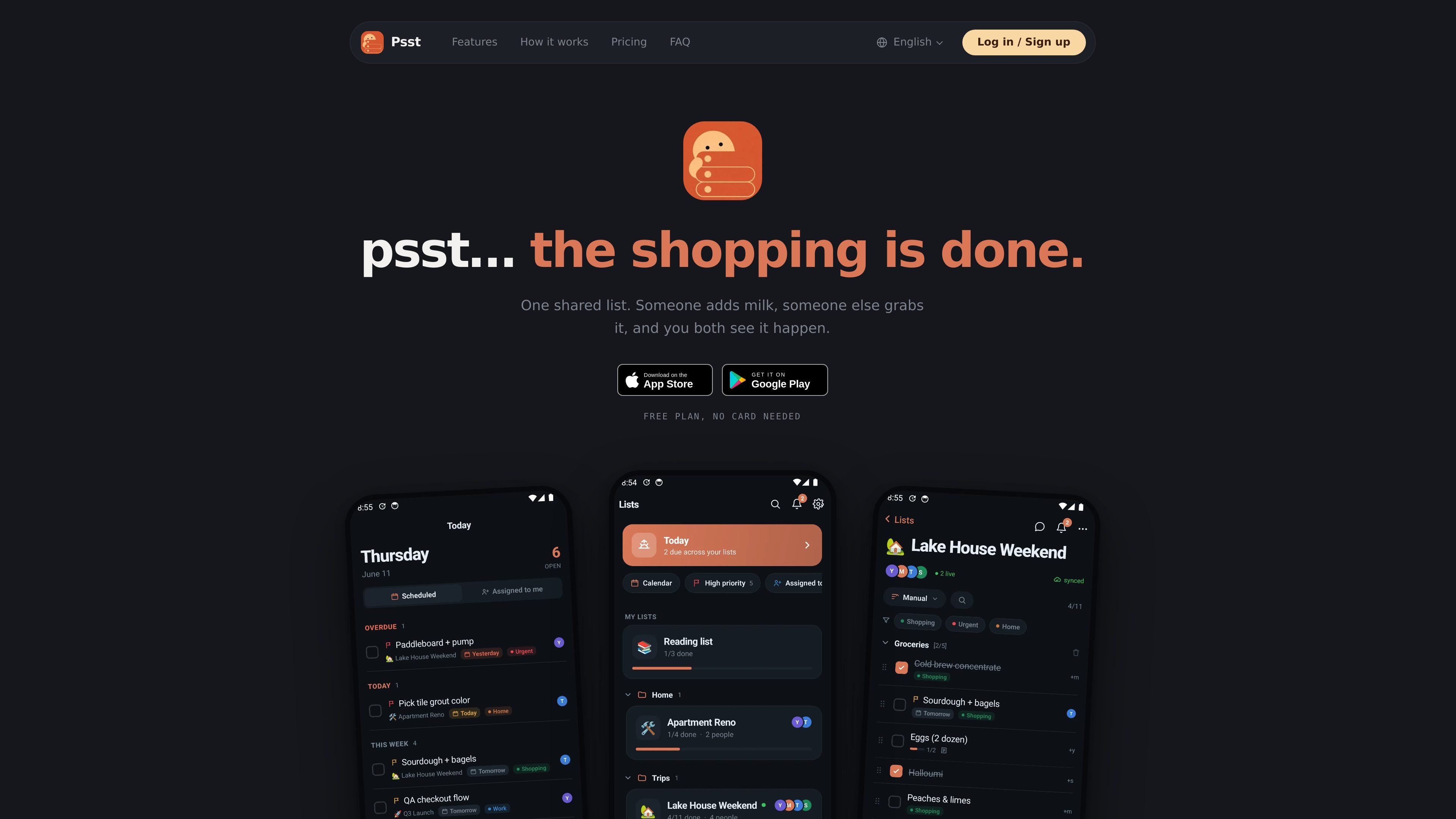
Psst is a shared-list and task coordination app for individuals, households, and teams. It combines live list updates with item assignments, comments, chat, activity tracking, and a Today view, so people can coordinate work without first creating a separate workspace.
A list can be created for errands, household planning, moving, or a project launch, then shared using one link. Psst is available on iOS and Android, supports offline changes, and offers natural-language quick-add for items with dates or times. Paid plans add capabilities such as unlimited lists, reminders, recurring items, calendar view, themes, and more advanced collaboration controls.
Create shared lists and see additions, check-offs, and other activity update for everyone. Lists can be shared through a single link across iOS and Android.
Discuss work beside the relevant list items, assign tasks to people, and use roles, comments, and the activity feed to track changes.
Enter requests in everyday language, such as “milk tomorrow 6pm”; Psst interprets the item and timing so dates and reminders can be attached to the task.
See items due today across all lists in one place, grouped into morning, afternoon, or anytime views.
Use the app without a connection to add or check off items. Changes synchronize when the device reconnects, including concurrent edits.
Connect Google Calendar or Outlook for two-way due-date sync, send messages into tasks with Slack, or connect other services through Zapier.
Share a grocery or household list so one person can add items while another checks them off. Live updates show progress without repeatedly comparing separate copies.
Keep household members aligned on recurring chores, reminders, and tasks that need an owner. The Family plan supports up to six members, with each member retaining their own lists.
Organize moving tasks, travel preparation, or other multi-step personal projects with assignments, comments, and a shared activity history.
Use a list for a launch or other team initiative, then connect due dates to a calendar and turn relevant Slack messages into tasks. The Team plan adds member administration, SSO, SCIM provisioning, domain-based joining, and centralized billing.
Use Psst alone as a lightweight to-do app, while sharing only selected lists when another person needs to participate.
Psst has a free plan with shared lists, live sync, list chat, the Today view, natural-language quick-add, iOS and Android apps, and offline support. New accounts start with a seven-day Pro trial without requiring a card; the account then returns to the free plan unless upgraded.
You can create a list and share it with one link. People can join on iOS or Android, and the service says no email collection or account chasing is required for joining. To check items off and use chat, participants will want the app.
Yes. Items can be added and checked off offline, then synchronized when the device is back online. Psst says it merges changes without losing edits when multiple people work on a list.
Yes. Sharing is optional, so Psst can be used as a personal to-do app, with lists shared only when collaboration is needed.
Psst supports Google Calendar and Outlook due-date synchronization, Slack task workflows, and Zapier connections. These services are connected from Settings → Integrations.

Biji - это универсальная платформа, разработанная для повышения продуктивности с помощью инновационных инструментов и функций.

Dcyde is a decision log for product teams that captures what was decided, the reasoning behind it, and the source in one shared place. It supports pinning decisions from Slack, Figma, or inside Dcyde and keeps the record searchable over time.

runevr is a connected workspace for creative teams that combines boards, media review, chat, recordings, drive, calls, and AI agents in one room-based environment. It is designed to reduce tool switching and keep project context together.

Carbon Voice is an asynchronous voice messaging app for teams and individuals, with transcripts, AI catch-up, and cross-device access. It helps people and agents communicate without needing a live call.

Goldfish is an AI memory app for macOS that helps you reply, write, summarize, and continue using the context already on your Mac. It stores memory locally and writes in your tone.

ArtDeck is a visual reference board app for iPhone, iPad, and Mac that lets artists collect mixed reference material on one canvas and study it with ToolBox lenses. It works offline, supports optional iCloud sync, and is sold as a one-time purchase with no account required.