
Asset libraries
Upload products, characters, styles, environments, and references once, then reuse them across workflows without starting over.

Rainfrog is a web-based AI creative workflow platform for art directors, creative directors, and brand teams. It uses node-based workflows to generate images and video without manual prompt engineering.
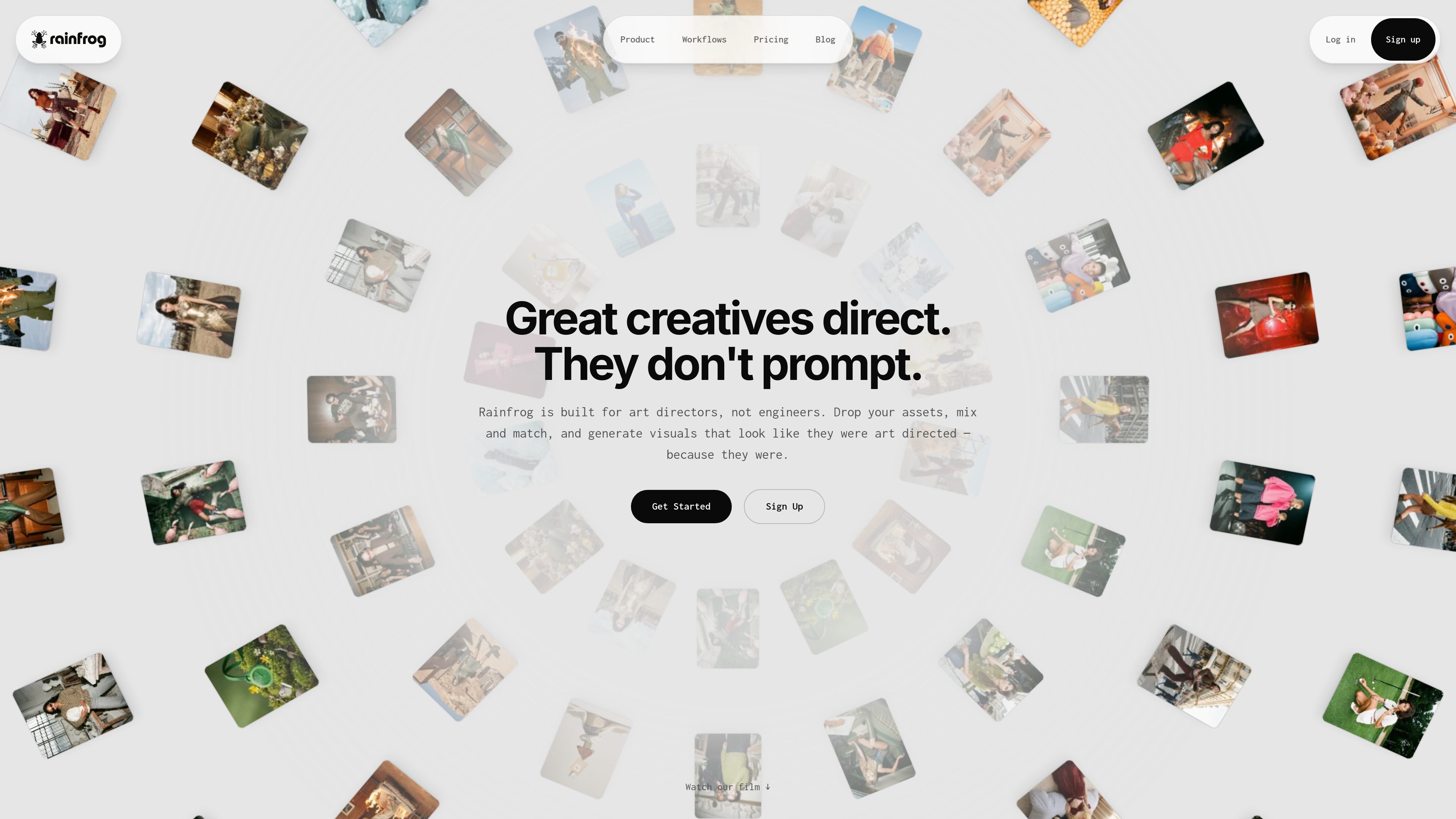
Rainfrog is a web-based visual AI workflow platform for creative directors, art directors, and brand teams. It centers on a canvas-based node system where users connect products, characters, styles, environments, and other references to generate campaign-ready visuals.
The product is built around reusing assets across workflows rather than rebuilding prompts from scratch. Rainfrog says it analyzes uploaded assets, keeps them available in libraries, and builds prompts automatically in the backend so teams can direct the output without manual prompt engineering. The site also shows image and video generation, preset workflows, and a public workflow gallery that can be inspected and cloned into new projects.
Pricing is subscription-based, with Hobby, Pro, and Ultra plans listed on the pricing page. The plans include monthly credits, storage, unlimited projects, preset workflows, a video generator, and access to custom product, character, and environment libraries.
Upload products, characters, styles, environments, and references once, then reuse them across workflows without starting over.
Build a visual node graph by linking asset nodes to generator nodes, then generate from the canvas instead of writing prompts manually.
Rainfrog assembles prompts automatically in the backend, so you can give directions and let the system handle prompt construction.
Work on images and video from the same workflow environment, with results saved back into the project library.
Use preset workflows from the platform and inspect or clone public workflows from the gallery as starting points for new projects.
Select normal or pro quality per generation node, depending on the workflow and output needs.
Create campaign imagery by connecting a product asset to a style and environment, then generate art-directed visuals without rewriting prompts for each variation.
Keep faces, models, products, and visual language consistent across multiple formats by storing them in reusable libraries.
Start from a public or preset workflow, inspect the node graph, and adapt it to a new visual direction for a team project.
Generate still images and video from the same platform when a creative team needs outputs for different channels.
Build repeatable visual directions for art directors and marketing teams who need to produce many variations from the same source assets.
Rainfrog is a web-based creative platform for art directors and brand teams. It lets you connect products, characters, styles, and environments in a visual node workflow and generate images or video without prompt engineering.
It is designed for art directors, creative directors, and marketing teams that need art-directed AI output at scale. The site positions it as a creative workflow tool rather than a developer platform for building custom AI pipelines.
You create a node graph on the canvas by connecting asset nodes such as product, model, style, and environment to generator nodes. Rainfrog then traverses the graph, assembles prompts automatically, runs image or video generation, and saves results to your project library.
Yes. The pricing page shows a free account at app.rainfrog.ai to explore the studio, and paid Hobby, Pro, and Ultra plans for ongoing work.
Rainfrog offers Hobby, Pro, and Ultra plans with monthly or annual billing. The pricing page says the tiers differ by credits and storage, and includes image generation, preset workflows, a video generator, and unlimited projects.

Все-в-одном AI платформа, которая объединяет инструменты для изображения, видео, голоса, письма и чата для повышения креативности и сотрудничества.

Omni AI is a browser-based image and video generator for creating visuals from text prompts or reference photos. It supports text-to-image, image-to-image, text-to-video, and image-to-video workflows, with free sign-up credits and downloadable results.
PixelDrive is a bulk image generation API for creating many on-brand images from one template through a browser editor, REST API, CSV batch, or MCP. It suits teams that need repeatable image output with cacheable renders and usage-based pricing.

PicCopilot is an AI content platform for e-commerce that turns product photos into marketing visuals, model shots, videos, and social content. It offers a free plan plus paid tiers for templates, model swap, virtual try-on, and batch-oriented creation.

Clipia.ai is an AI image and video generation platform with presentations, an agent workflow, and developer integrations. It helps creators, teams, and developers produce media and decks from prompts, briefs, or source files using a shared credit system.

GPTIMG2 AI is a web-based image generator built around OpenAI’s GPT Image 2 model. It supports prompt-driven generation, reference-based edits, readable text, and higher-resolution outputs for product visuals, posters, UI mockups, ads, and similar production assets.