
Claude-driven post creation
Use Claude to turn prompts into social posts without starting from a blank canvas. The homepage shows it generating a four-slide launch carousel from the site’s own codebase.

Redesign is a free, open-source local design tool that lets Claude create branded LinkedIn and Instagram carousels from your own codebase. It runs with Claude Code on your machine and uses an MCP workflow to build and edit slides.
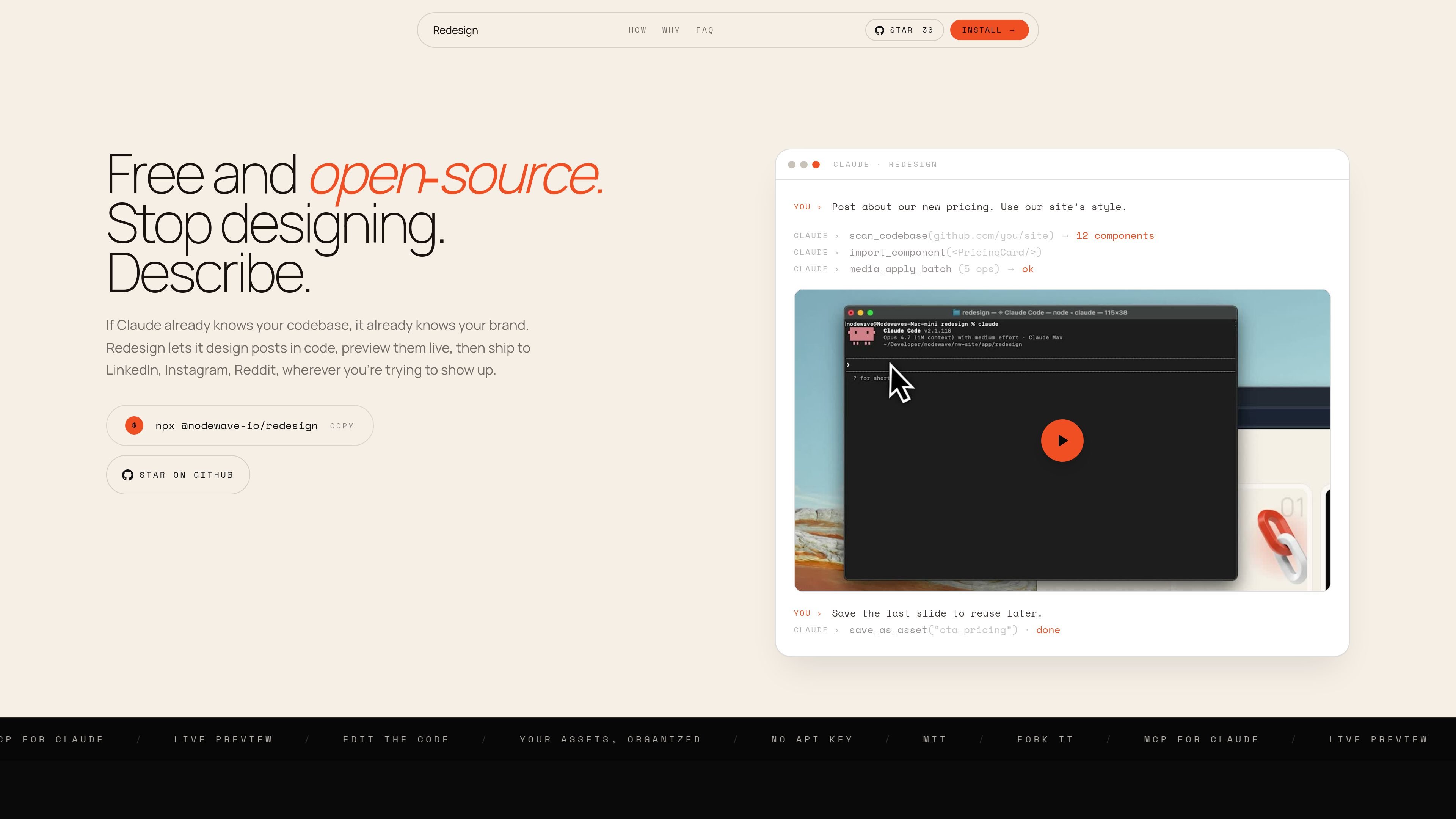
Redesign is a free, open-source design tool from Nodewave that lets Claude create social posts inside a local canvas editor. It is positioned for people who want branded LinkedIn and Instagram carousels without building each design by hand.
The workflow is built around your own codebase: Redesign scans the components, styles, and assets you already use, then lets Claude assemble slides from that material through an MCP server. The tool runs locally, uses Claude Code, and is MIT licensed, so the focus is on designing in your existing system rather than sending work to a separate cloud app.
Use Claude to turn prompts into social posts without starting from a blank canvas. The homepage shows it generating a four-slide launch carousel from the site’s own codebase.
Redesign pulls actual components from your codebase and uses them as the styling source for post layouts, including cards, buttons, icons, charts, colors, fonts, and spacing.
Save layers or compositions as reusable assets so later posts can reuse the same building blocks instead of recreating them from scratch.
Preview the canvas live while Claude works, and edit the component code yourself if you want to make changes directly.
Install with one terminal command that sets up the canvas app and registers the MCP with Claude Code.
Supports square and portrait aspect ratios for exports, which makes it usable for LinkedIn and Instagram carousel formats.
Create a branded launch or announcement carousel using the components, colors, and typography already present in your site or app codebase.
Build a carousel in Claude Code, inspect the live preview, and adjust copy or layout with direct code edits when you want finer control.
Save a strong slide or composition as an asset and reuse it in later content so recurring post formats are faster to produce.
Generate posts for LinkedIn or Instagram when you want a local workflow that keeps images, API keys, and edits on your machine.
Redesign is a free, open-source local tool that lets Claude design LinkedIn and Instagram carousels. You describe the post, and Claude builds the slides in a canvas editor you control.
Yes. The tool is MIT licensed and runs on your machine. You pay Anthropic for your own Claude usage, not Nodewave.
You need Node.js 20 or later and Claude Code installed. One terminal command sets up the rest.
No. Redesign has no backend controlled by Nodewave. Your posts, images, and API key stay on your machine.
Claude edits the canvas through an MCP server that exposes the design as structured data. It can create layers, align elements, swap copy, and validate changes before saving.

Sumora is an autonomous outreach agent for finding, qualifying, warming, and booking leads through LinkedIn and Instagram. It helps users manage replies from one inbox while keeping final sends under review.

PixelDrive is a bulk image generation API for creating many on-brand images from one template through a browser editor, REST API, CSV batch, or MCP. It suits teams that need repeatable image output with cacheable renders and usage-based pricing.

Blinked is a free Chrome extension for LinkedIn outreach that helps users research leads, draft personalized messages, and manage follow-ups inside LinkedIn. It is local first, with outreach data kept in the browser rather than on Blinked’s servers.

Napkin AI превращает текст в редактируемые визуалы для презентаций, документов и публикаций. Генерация из текста, совместная работа, экспорт в PPT, PNG, SVG или PDF.

appdesigns is a browser-based tool for creating App Store and Google Play screenshots from uploaded app images. It helps developers and designers add device frames, customize layouts, and export unlimited watermark-free PNGs without an account.

Shotie is a Mac app for creating localized App Store and Google Play screenshots from simulator or emulator captures, generated screens, or uploads. It provides chat-based editing, render checks, and one-zip export for store workflows.