
AI split inboxes
Split one crowded inbox into focused views for priorities such as revenue, support, operations, finance, hiring, and creator work.

Replyless is an AI email assistant for Gmail, Outlook, and Zoho Mail that helps users sort crowded inboxes, draft replies, summarize threads, and clean up noise. It supports individual and shared inbox workflows with a focus on reaching inbox zero more quickly.
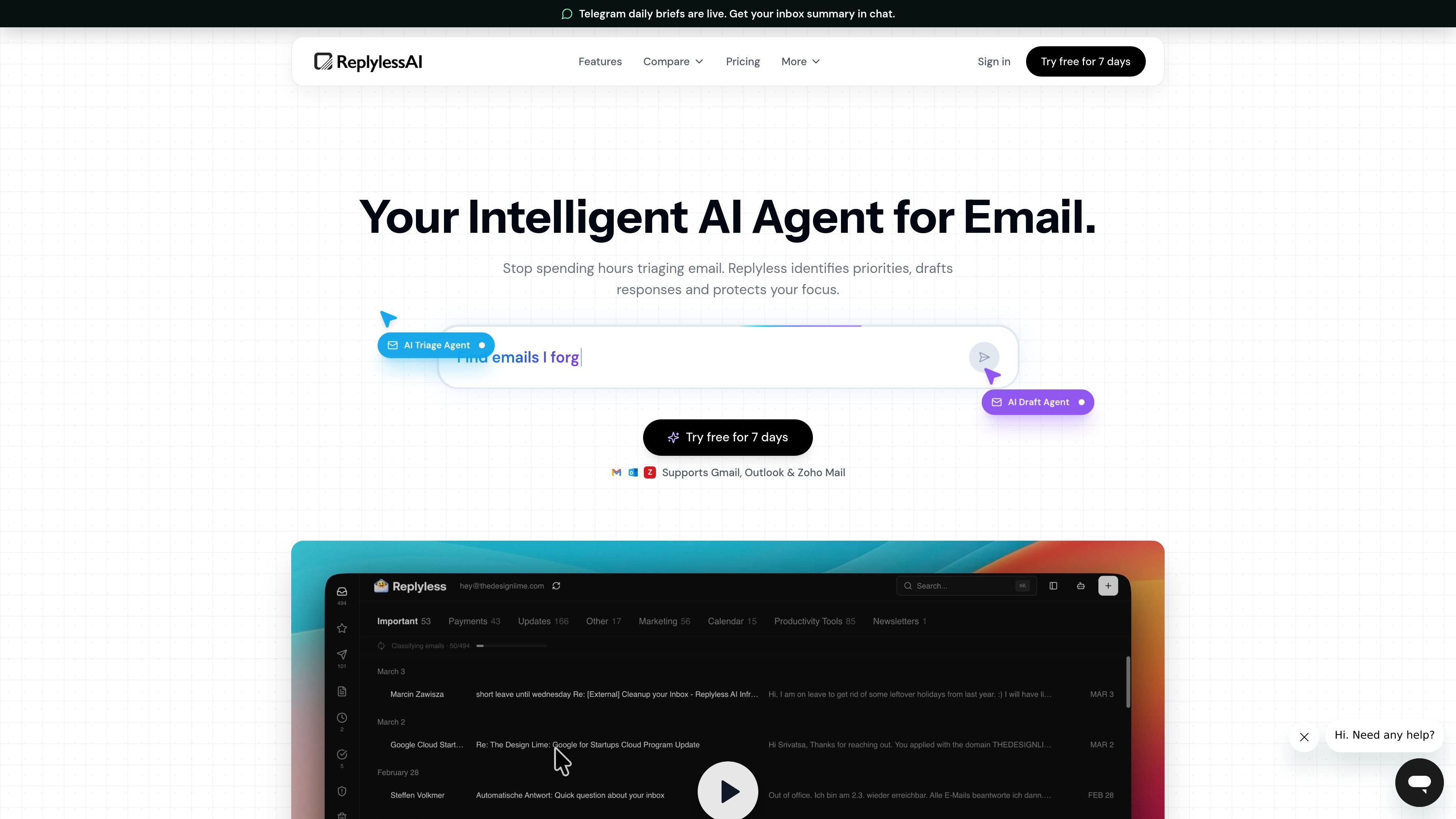
Replyless is an AI email assistant for Gmail, Outlook, and Zoho Mail that helps users sort crowded inboxes, draft replies, summarize threads, and clear out noise. It is positioned around reaching inbox zero through a workflow that combines prioritization, automation, and cleanup in one inbox experience.
The product focuses on practical email work: splitting messages into focused views, keeping important conversations visible, and preserving context across multiple connected accounts. Its site also highlights account-scoped access, reminders, shared inbox support, and Telegram-based inbox briefs for scanning priorities outside the inbox.
Split one crowded inbox into focused views for priorities such as revenue, support, operations, finance, hiring, and creator work.
Draft replies using full thread context so responses start from the conversation instead of a blank compose box.
Summarize long threads, pull out decisions, and surface the next action before you reply or follow up.
Create custom sorting logic with prompts, sender patterns, and subject signals so email is organized the way you work.
Keep routine responses ready to reuse and insert snippets for messages that recur often.
Close loops with reminders, done states, cleaner suggestions, and bulk cleanup tools for low-value senders.
Separate brand deals, collaborations, launches, receipts, and fan mail so revenue-related work stays visible without losing context in a general inbox.
Organize inbound requests, customer messages, sales follow-ups, finance threads, and hiring email in one calmer workflow for a solo business.
Give lean teams a shared inbox workflow for customer email, lead routing, support, and follow-up while keeping messages account-aware.
Summarize long Gmail or Outlook threads so decisions, requests, and next steps are easy to act on without rereading the entire conversation.
Use snippets, drafts, and reminders to move through repetitive replies, outbound sequences, and routine follow-ups faster.
Replyless connects to Gmail, Outlook, and Zoho Mail. The trust center also mentions support for IMAP/SMTP in its security and access overview.
Yes. The pricing page says Basics and Pro include a 7-day free trial.
Replyless is built to assist with inbox workflows rather than replace your email provider. It works across connected accounts and helps with sorting, drafting, summaries, reminders, and cleanup.
The pricing page lists Basics, Pro, and Lifetime. Basics is for a single email connection, Pro supports multiple connections, and Lifetime is a one-time purchase with lifetime access.
The source highlights shared inbox workflows and account-scoped data, which suggests team use is supported in some plans, but detailed team setup and limits are not fully documented in the provided pages.

Dirac is an AI email assistant that prepares a morning brief, prioritizes important threads, and drafts replies in your voice. It is positioned for founders and other busy professionals who use Gmail and want to reduce morning inbox triage.

Goldfish is an AI memory app for macOS that helps you reply, write, summarize, and continue using the context already on your Mac. It stores memory locally and writes in your tone.

ArtDeck is a visual reference board app for iPhone, iPad, and Mac that lets artists collect mixed reference material on one canvas and study it with ToolBox lenses. It works offline, supports optional iCloud sync, and is sold as a one-time purchase with no account required.

Biji - это универсальная платформа, разработанная для повышения продуктивности с помощью инновационных инструментов и функций.

Malyatko is a baby tracker for logging feeding, sleep, growth, teething, and milestones in one app. It works on iPhone, Apple Watch, and widgets, with no sign-up, offline use, and family sharing through iCloud.

Gerty is a local AI assistant for Apple silicon Macs that handles chat, writing, documents, voice and selected Mac app tasks without sending data to the cloud. It works offline after model downloads and is designed for users who want private everyday AI without an account or subscription.