
Voice-following teleprompter
Scriptly follows your voice while you speak, so the script advances at your pace rather than at a fixed scroll speed.
Scriptly is a creator-focused app for writing, organizing, and recording videos with a voice-following teleprompter. It is available as a public beta on TestFlight and includes Apple Watch controls and local storage privacy messaging.
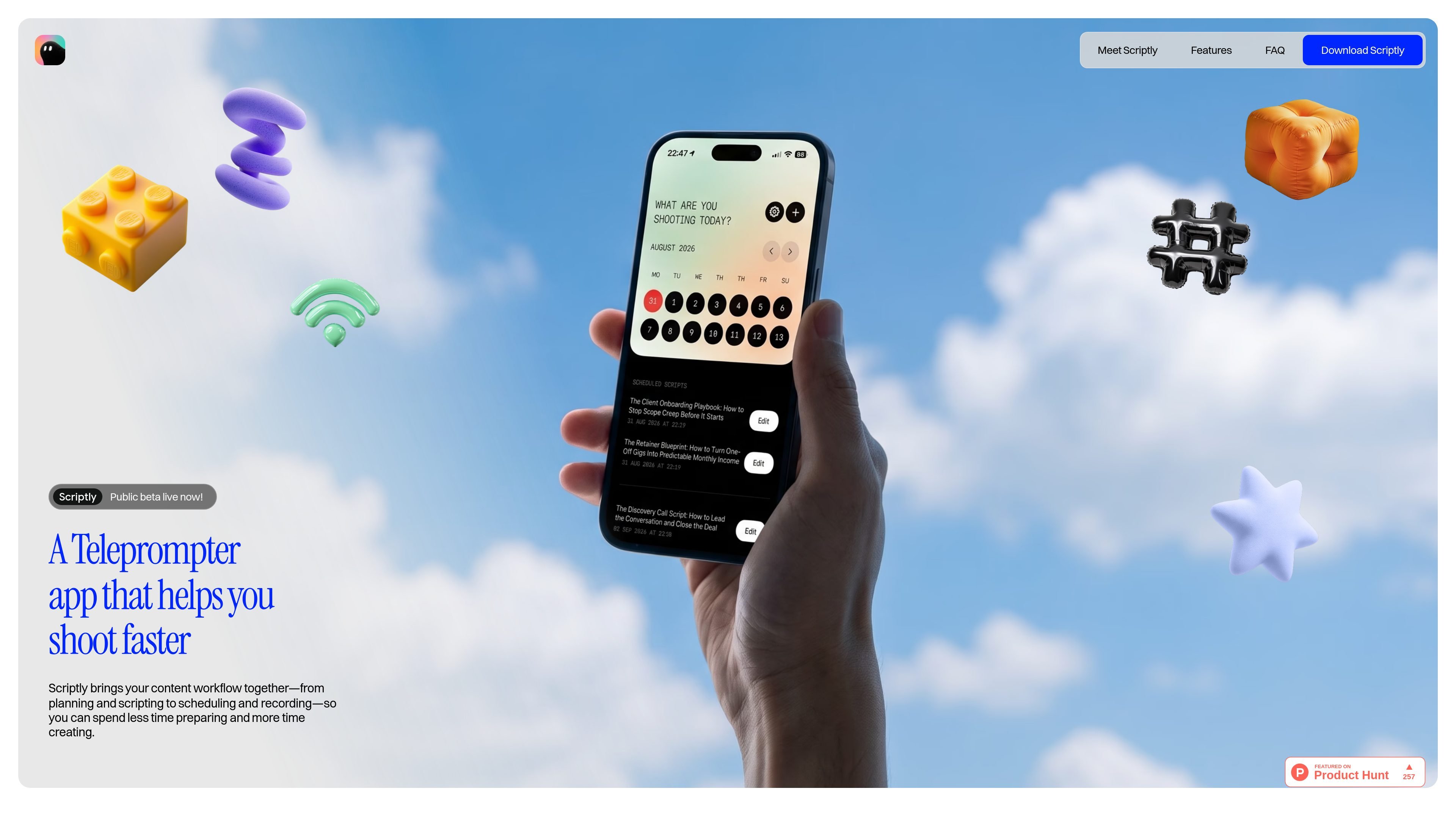
Scriptly is a creator-focused content planning and recording app built around a voice-following teleprompter. It is presented as a way to write, organize, and record videos without juggling separate notes, scripts, and recording steps.
The product page emphasizes a streamlined workflow for solo video creation: keep scripts in one place, follow your own speaking pace while recording, and use Apple Watch controls when you need to manage a take without reaching for your phone. The site also says the app uses local storage privacy and invites users to download the public beta on TestFlight.
Scriptly follows your voice while you speak, so the script advances at your pace rather than at a fixed scroll speed.
You can write, organize, and keep scripts in one place, which helps centralize ideas and reduce switching between separate notes and drafts.
The app is positioned around the full planning-and-recording workflow, bringing notes, scripts, and scheduling into one place.
Apple Watch Controls let you start and stop recording and adjust teleprompter text without using your phone during a take.
The product description says scripts are stored locally, which indicates a privacy-oriented approach to keeping content on device.
Prepare a video script, keep notes together, and record without switching between separate planning and teleprompter tools.
Use the voice-following teleprompter to keep pacing aligned while delivering talking-head content, especially when you want the script to move naturally with speech.
Start or stop a recording and adjust text through Apple Watch Controls when your hands are occupied or you want fewer interruptions during a take.
Keep a library of scripts in one place so you can return to drafts and ideas when you are ready to record.
Scriptly is described as a creator-focused content planning and recording app with a voice-following teleprompter.
The teleprompter follows your voice as you speak, so the script moves at your pace instead of requiring manual scrolling or a fixed speed.
The source site includes questions about TikTok and Instagram Reels, which suggests Scriptly is intended for short-form video recording workflows, but it does not provide a full workflow description or platform-specific feature list.
Yes. The site lists Apple Watch Controls for starting and stopping recording and adjusting teleprompter text without reaching for your phone.
The site asks whether you can schedule your scripts, but the rendered text does not provide an answer, so scheduling support is not confirmed from the available source.

MeetStream is a meeting bot API for Zoom, Google Meet, Microsoft Teams, and Webex. It helps developers record, stream, and analyze meetings programmatically, with usage-based pricing and a $5 free credit to start.

Tavus is an AI video platform for building real-time, face-to-face agents, digital twins, and AI companions. It combines APIs, custom replicas, and multilingual conversational workflows for developers and teams.

HiringPartner.ai is an autonomous AI recruiting platform for sourcing, screening, and interviewing candidates 24/7. It supports ATS-connected workflows, bulk resume uploads, and reviewable interview outputs for hiring teams.

CAKIE is a Mac app for recording your screen and voice for an AI agent. It adds a transcript and screenshot highlights, then lets you copy a prompt and paste or attach the context in another AI app.

Zella is a screen recorder and on-device AI video editor for Mac and iPhone. It helps creators record screens or cameras, automatically clean up footage, add captions, reframe clips, and export videos without uploading the core project to the cloud.

Notewarp is an AI note-taking tool that turns voice notes, uploads, or pasted text into cleaner notes, transcripts, summaries, and action items. It helps people capture rough ideas quickly and then edit, export, or share the result.