
Agent-built spaces
Agents can turn prompts and source material into self-contained HTML pages, including styled documents, dashboards, designs, apps, forms, games, and simulations.

spacesheep is an AI-assisted workspace where agents create self-contained visual pages, dashboards, documents, apps, and interactive spaces. Teams can read, comment on, edit, share, search, and build on those pages together through the browser or supported AI and chat integrations.
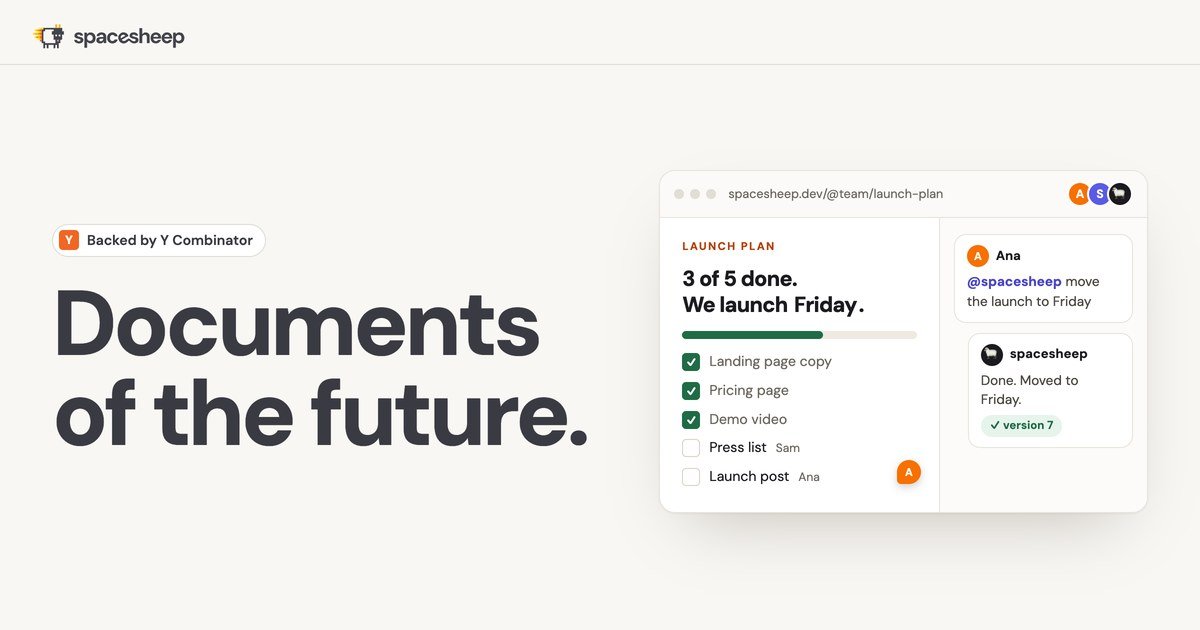
spacesheep is an AI-assisted workspace for publishing browser-based “spaces”: self-contained pages that can combine documents, dashboards, designs, apps, forms, live data, and interactive elements. An AI agent creates the space from a prompt or connected data, while people read it, comment on it, edit it, and build on later versions.
The product is designed to make AI output easier to consume and use than a wall of text. Spaces can be shared through private, link-only, or public URLs, and the platform supports search, version history, collaboration, and synchronization to Google Drive or GitHub. It can be used from the browser, through supported AI clients and coding agents, and through Slack or Telegram workflows.
Agents can turn prompts and source material into self-contained HTML pages, including styled documents, dashboards, designs, apps, forms, games, and simulations.
Spaces can present information as charts, large-number summaries, visual explanations, and other formats intended for quick reading rather than long prose.
Machines and services can stream numbers into a space, while the Max plan adds live streams from servers and the site documents video streams from cameras, phones, or screens.
Teams can comment on exact lines, react, edit shared records, review versions, and mention spacesheep to request changes while others watch.
Search lets users ask for a space in their own words and find related material, while every space and version can sync to Google Drive or GitHub.
The product works with Claude Code, Codex, Cursor, ChatGPT, Grok, Windsurf, Antigravity, Gemini in supported contexts, and spacesheep's own AI; Slack and Telegram are also documented channels.
Ask an AI agent to turn a repository, data set, or project brief into a structured architecture overview, metrics report, or other visual document, then publish it as a private page.
Create a dashboard that charts current numbers from machines or services, keeping operational or business information visible in a single browser page.
Build an interface such as a lightweight CRM, forecast board, form, or internal app where teammates can work with the same records without running separate servers.
Use comments and mentions to review a design, strategy page, investigation, or prototype; the agent can revise the space in response to feedback and preserve versions.
Publish visual explanations, interactive demos, games, simulations, or media pages for customers, collaborators, or internal audiences rather than sending a plain text response.
spacesheep connects to AI coding agents and assistants through its MCP server at https://mcp.spacesheep.dev/mcp. The setup flow supports OAuth, and the site also documents API-key authentication for compatible clients.
An agent can publish a self-contained HTML page through the deploy workflow. The setup documentation says the result is returned as a private URL; pages can then be private, link-only, or public depending on sharing settings and plan capabilities.
Yes. The product supports comments, reactions, version history, and collaborative editing. Users can comment on specific lines and mention spacesheep to request changes to a space.
The Free plan is available at no cost and includes publishing, comments, reactions, version history, private or public sharing options, and limited agent usage. Paid plans add higher publishing and token allowances, model choices, backups, voice, streams, and team features depending on the plan.
Spaces can contain styled documents, dashboards, designs, apps, CRMs, forms, games, simulations, and live-data views. The site describes spaces as browser-based pages that teams and agents can read, edit, comment on, and build on together.

Dcyde is a decision log for product teams that captures what was decided, the reasoning behind it, and the source in one shared place. It supports pinning decisions from Slack, Figma, or inside Dcyde and keeps the record searchable over time.

Goldfish is an AI memory app for macOS that helps you reply, write, summarize, and continue using the context already on your Mac. It stores memory locally and writes in your tone.

ArtDeck is a visual reference board app for iPhone, iPad, and Mac that lets artists collect mixed reference material on one canvas and study it with ToolBox lenses. It works offline, supports optional iCloud sync, and is sold as a one-time purchase with no account required.

Biji - это универсальная платформа, разработанная для повышения продуктивности с помощью инновационных инструментов и функций.

Contextbergは、画面・入力・ブラウザ・AIエージェントの利用履歴をローカルで記録し、MCP経由でClaude CodeやCursorなどに作業コンテキストを渡すデスクトップアプリです。中断した作業の再開、過去ログの検索、日次レビューに利用できます。

runevr is a connected workspace for creative teams that combines boards, media review, chat, recordings, drive, calls, and AI agents in one room-based environment. It is designed to reduce tool switching and keep project context together.