
CPU monitoring
Shows CPU usage and temperature with sparkline history directly in the menu bar.

StatusStats is a macOS menu bar system monitor that shows CPU, GPU, memory, thermals, fans, network, power, storage, and battery at a glance. It offers a $3 one-time purchase with a 14-day free trial and runs locally on the Mac without data collection.
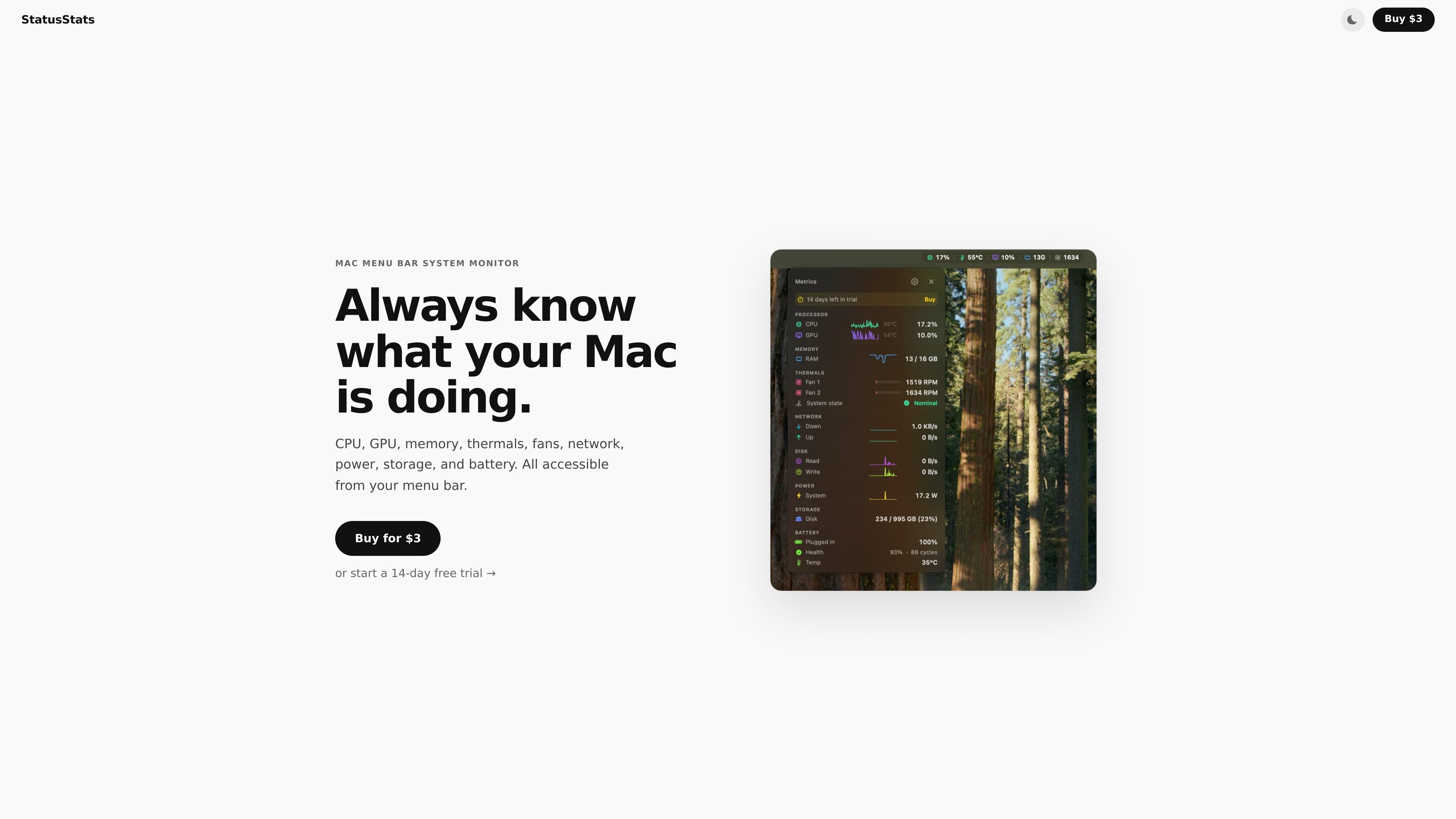
StatusStats is a macOS system monitor that lives in the menu bar and keeps hardware and system metrics one glance away. It presents CPU, GPU, memory, thermals, fans, network, power, storage, and battery information in a compact interface designed for quick checks rather than a full monitoring dashboard.
The app is sold as a $3 one-time purchase with a 14-day free trial, and the terms say the purchase covers the current version on any number of Macs you personally own. The privacy policy says the app runs locally on the Mac, works offline, and does not collect or transmit data to a server.
Shows CPU usage and temperature with sparkline history directly in the menu bar.
Displays GPU utilization and temperature in real time.
Tracks used versus total RAM and includes a memory pressure indicator.
Surfaces fan RPM, load bars, and the system thermal state where hardware support is available.
Reports live upload and download speed, disk read/write throughput, system power draw, storage usage, and battery details such as charge, health, cycle count, and temperature.
Keep an always-visible view of CPU, memory, thermals, and battery while you work without opening a separate monitoring app.
Watch live network throughput, disk I/O, and power draw when you are trying to understand what activity is affecting performance.
Monitor fan RPM and thermal state on supported Macs when checking whether the machine is running hot under load.
Review charge, health, cycle count, and temperature when you want a compact battery status view on a portable Mac.
Use the app offline when you want local-only system monitoring without analytics, telemetry, or server-side processing.
StatusStats is a macOS menu bar system monitor. It displays CPU, GPU, memory, thermals, fans, network, disk I/O, power, storage, and battery information from the menu bar.
The site states that StatusStats runs on macOS Ventura or later and supports both Apple Silicon and Intel Macs.
The terms say a $3 one-time purchase grants a perpetual license to use the current version of StatusStats on any number of Macs you personally own.
The privacy policy says StatusStats runs entirely on your Mac, collects nothing, and makes zero outbound network connections.
Not all metrics are available on every Mac. The terms note examples such as fanless Macs not showing fan data, Macs without batteries not showing battery metrics, and some models not exposing power draw readings.

AVE is a local-first AI video editor for Mac that helps users search footage, plan edits, and execute timeline changes while keeping projects and exports on the Mac by default.

Rechroma is a web-based color workflow tool for building structured palettes and color systems from a color or an image. It supports recommendation, scale generation, contrast validation, and export to Figma and code.

GTA DataCity: San Francisco is an interactive map-based experience centered on exploring San Francisco's AI coworking locations. The homepage presents it as a playful city traversal environment with actions like running, jumping, grinding rails, and riding cable cars.

Vevey is a web product for building games, with a public focus on creating, playing, and sharing them. The collected site text confirms a pricing page exists, but does not include pricing details.

Agent Drive is a distributed cloud filesystem for AI agents that lets multiple sandboxes mount the same drive and read or write concurrently. It is aimed at shared context, handoffs, and other filesystem-based agent workflows.

Drawsy AI is a web-based visual workspace for turning messy ideas into organized canvases with project context and local codex tools. The interface also shows live collaboration and browser-based storage with a reminder to save files regularly.