
Script and storyboard generation
Claude Code turns an idea into a script and storyboard, splitting the video into shots with guidance for filming each one.

Takes is a free, open-source Mac app for scripting, storyboarding, recording, editing, and preparing social posts from video takes. It is aimed at creators making talking-head videos, tutorials, product demos, and short-form content with Claude Code-assisted workflows.
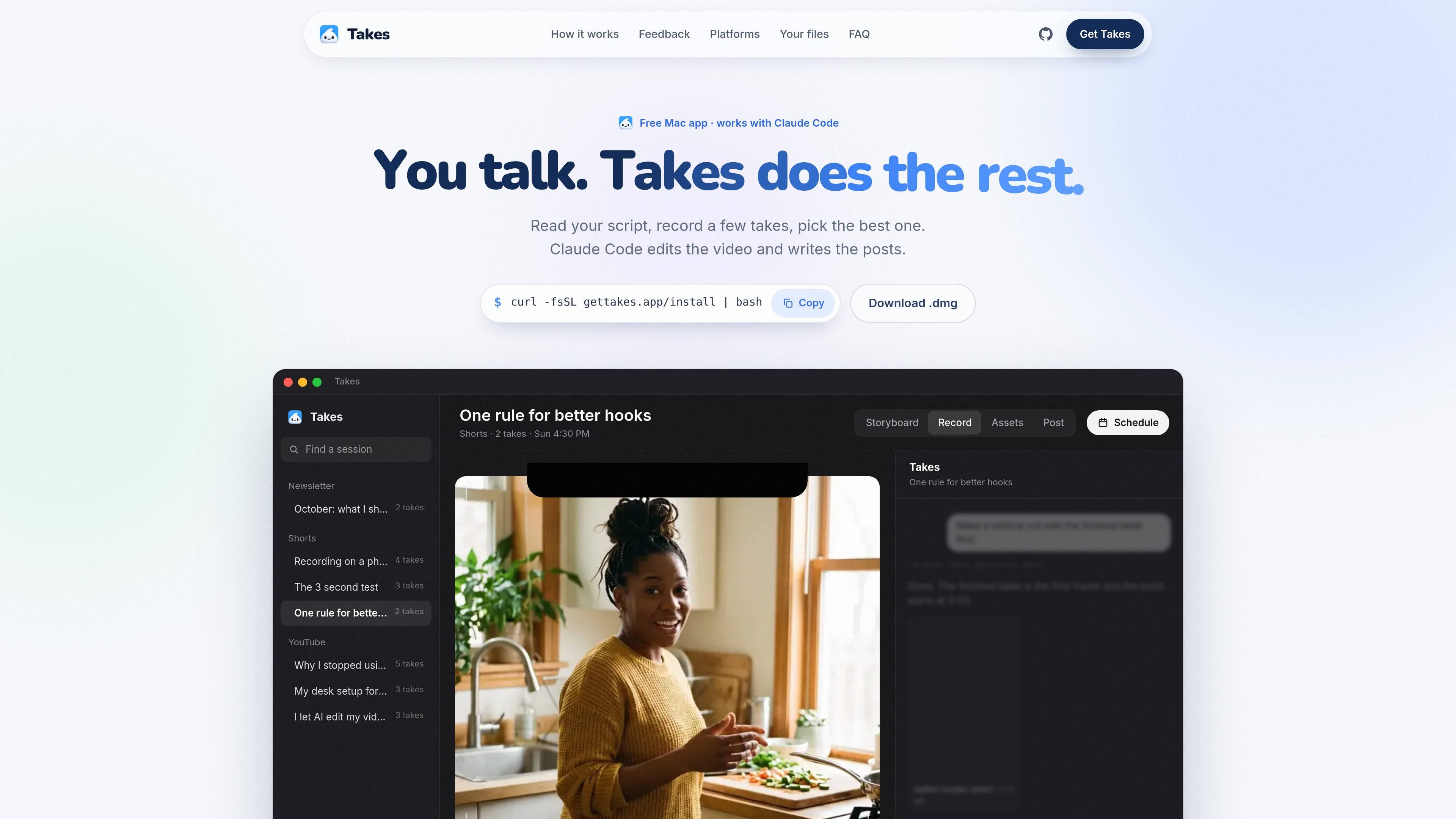
Takes is a free, open-source Mac app for turning spoken video ideas into recorded takes, edited clips, and social post drafts. Its workflow combines a script and shot storyboard, a teleprompter, camera recording, Claude Code-assisted editing, and platform-oriented post previews.
The app stores projects locally in plain folders under ~/Movies/Takes. A creator can write or generate a script, record several versions, choose a keeper, ask Claude Code or another supported agent to make edits, and review draft posts for LinkedIn, X, YouTube, TikTok, Reels, and Shorts. Takes requires an Apple silicon Mac running macOS 15 or later; AI features require a paid Claude plan through Claude Code.
Claude Code turns an idea into a script and storyboard, splitting the video into shots with guidance for filming each one.
A teleprompter can follow your voice or scroll at a selected speed. It sits under the camera or in the Mac notch, and supports opening-line variations.
Record repeated takes, mark the strongest version, and optionally capture the camera and screen as synchronized files. Built-in, iPhone, and USB cameras are supported.
Claude Code can cut the selected take into edits such as vertical clips, remove silences and false starts, and apply caption or style instructions.
The Post tab previews platform-specific layouts and drafts content for LinkedIn, X, YouTube, TikTok, Reels, and Shorts.
Point to a frame, mark an area, and leave an editing note. Takes creates a new version and can save recurring preferences as style rules.
Generate a script and shot list, read it from the teleprompter, record several openings, and keep the strongest take before moving to the edit.
Capture the camera and screen together, then use the synchronized files to switch between a presenter view and a full-screen demonstration.
Ask Claude Code to create a short vertical cut, remove pauses or false starts, and prepare platform-specific captions and posts from the selected take.
Use frame annotations and saved style rules to give precise visual feedback across successive edits, reducing the need to restate recurring preferences.
Takes runs on Apple silicon Macs with macOS 15 or later. It can use the built-in camera, an iPhone through Continuity Camera, or a USB camera.
Takes is free and open source. Its AI workflows use Claude Code, which requires a paid Claude plan such as Pro or Max; Takes does not add a separate AI charge according to the site.
You can paste the installation command into Terminal, or download the DMG, drag Takes to Applications, open it, and complete setup in the sidebar. The Terminal installer also installs ffmpeg and Claude Code when needed.
Takes saves projects locally in ~/Movies/Takes as plain folders. Scripts are stored as Markdown, recordings as MOV files, and edits in an edits folder.
Yes. On first launch, Takes can add its MCP server to supported agents it finds, including Claude Code, Codex, Cursor, Gemini CLI, Antigravity, opencode, pi, and Claude Desktop. The site also describes a built-in Claude Code chat panel.

Zella is a screen recorder and on-device AI video editor for Mac and iPhone. It helps creators record screens or cameras, automatically clean up footage, add captions, reframe clips, and export videos without uploading the core project to the cloud.

Jupitrr Cut is a free iOS and Android teleprompter and recording app for scripted talking-head videos. It records scenes separately, lets users retake individual lines, trims pauses, and stitches the takes into a jump-cut video.

Tavus is an AI video platform for building real-time, face-to-face agents, digital twins, and AI companions. It combines APIs, custom replicas, and multilingual conversational workflows for developers and teams.

HiringPartner.ai is an autonomous AI recruiting platform for sourcing, screening, and interviewing candidates 24/7. It supports ATS-connected workflows, bulk resume uploads, and reviewable interview outputs for hiring teams.

CAKIE is a Mac app for recording your screen and voice for an AI agent. It adds a transcript and screenshot highlights, then lets you copy a prompt and paste or attach the context in another AI app.

Video Effects SDK adds real-time webcam effects such as background blur, background replacement or removal, denoising, framing, beautification, and color grading. It is built for teams shipping live video experiences on web, desktop, and mobile platforms.