UStackUStack
TeamPrompt icon

TeamPrompt

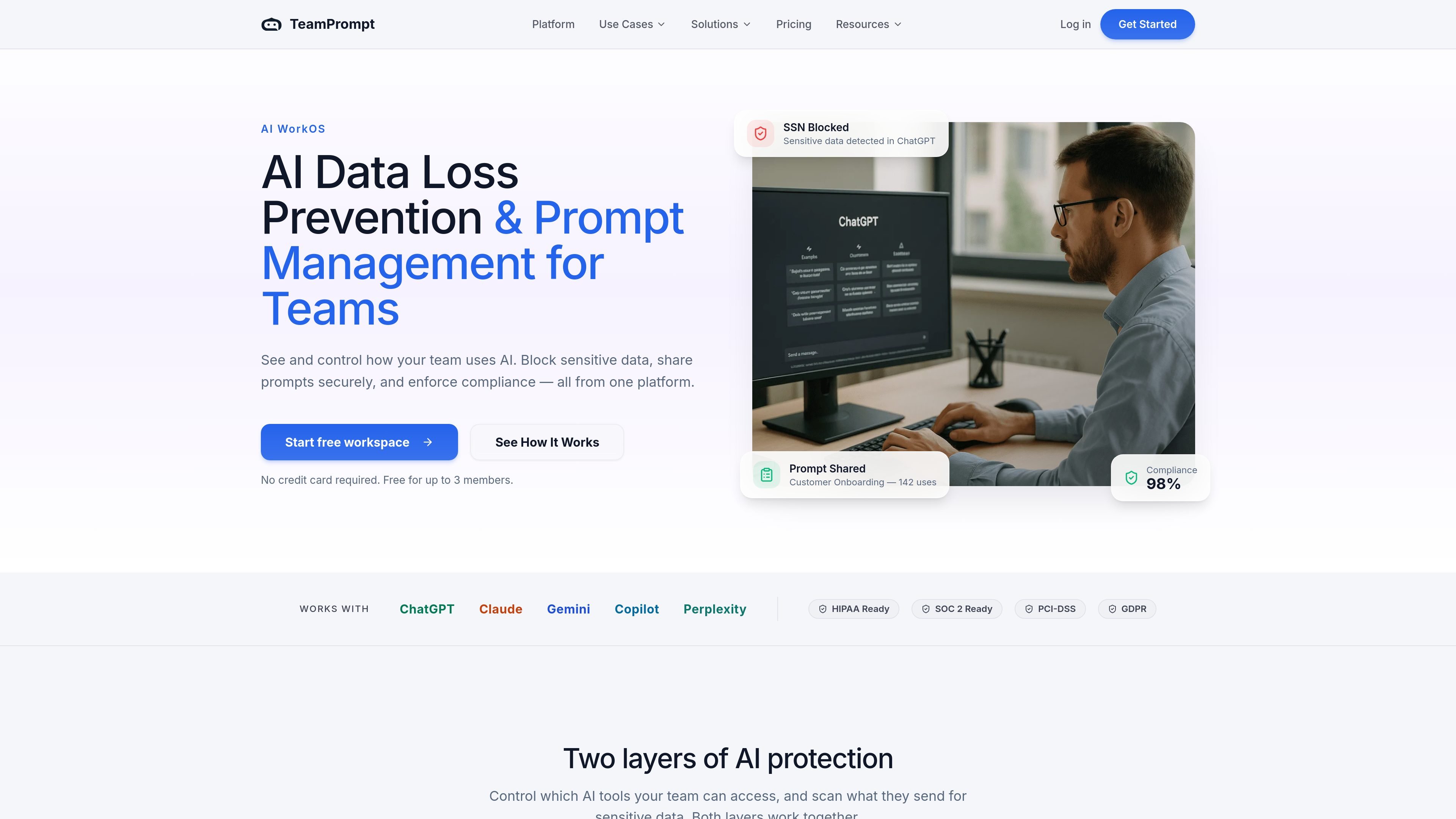
TeamPrompt is an AI DLP and prompt management platform for teams using ChatGPT, Claude, Gemini, Copilot, and Perplexity. It helps organizations control which AI tools are allowed, scan prompts for sensitive data, and keep audit trails for compliance.

TeamPrompt

AI DLP and prompt management for team AI use

TeamPrompt is an AI data loss prevention and prompt management product for teams that use tools such as ChatGPT, Claude, Gemini, Copilot, and Perplexity. It combines network-level policy enforcement with browser-based content scanning so organizations can decide which AI tools are allowed and what information can be sent to them.

The product is built around two controls: first, block unapproved AI tools at the DNS level before they connect; second, scan prompts in real time on approved tools and block, warn, or redact sensitive data. Around those controls, TeamPrompt adds a shared prompt library, audit trails, compliance packs, and reporting features for administrators and security teams.


Core capabilities

Network-level AI tool enforcement

Control which AI tools are allowed on your network by blocking unapproved tools at the DNS level through Cloudflare Gateway. The site says this works before a connection is made and can cover browser, native apps, mobile, and CLI tools.

Real-time DLP scanning

Scan prompts in real time on approved tools and choose whether to block, warn, or auto-redact sensitive data before it reaches the model. The site lists detection for PII, credentials, API keys, patient data, and custom patterns.

Shared prompt library

Maintain a searchable library of approved prompts with templates, variables, approval workflows, version history, favorites, and usage tracking so teams can reuse prompts consistently.

Audit and compliance reporting

Track AI activity with logs, dashboards, violation heatmaps, Sankey flow diagrams, risk scoring, and CSV export for auditors. The product pages describe this as a full compliance and reporting layer.

Compliance packs and rule bundles

Apply compliance packs for regulated environments such as HIPAA, SOC 2, PCI-DSS, GDPR, and related frameworks. The site says one-click install activates the relevant detection rules.

Browser and team deployment

Install the browser extension in Chrome, Edge, or Firefox, and deploy it to a team through MDM when needed. The integrations page also notes Slack alerts and an MCP server for AI coding tools.

Practical ways teams use TeamPrompt

  • Control shadow AI usage

    Security and IT teams can approve a short list of AI tools and block everything else at the DNS level, reducing unmanaged AI use across browser, native, mobile, and CLI contexts.

  • Prevent sensitive data leakage

    Compliance-oriented teams can scan outbound prompts for SSNs, API keys, credentials, and similar data, then use block, warn, or redaction modes to reduce policy violations before messages are sent.

  • Share and govern prompts

    Teams can maintain one vetted prompt library instead of relying on scattered docs and chat messages. Templates, approval workflows, and version history help standardize approved prompts.

  • Support audits and reporting

    Admins can log AI interactions, review heatmaps and Sankey diagrams, and export CSV reports when auditors or internal reviewers need evidence of policy enforcement.

  • Roll out AI controls to a team

    Organizations rolling out AI more broadly can deploy the extension to Chrome, Edge, or Firefox and use the provided setup flow to add compliance packs and workspace rules for their team.

Pros and Cons

Pros

  • Combines AI tool allowlisting with content-level DLP instead of treating them as separate products.
  • Supports real-time blocking, warning, and auto-redaction, which gives admins different enforcement options.
  • Includes a shared prompt library with approval and versioning features for team reuse.
  • Provides audit logs and exportable reporting for compliance review.
  • Covers several common AI tools and adds Slack alerts plus an MCP server for coding tools.

Cons

  • The browser extension covers supported AI tools in the browser; the source does not show equivalent native-app coverage for all workflows without the network-layer controls.
  • Pricing details and some deployment limits vary by plan, so teams need to check the pricing page to confirm which controls are included at their seat count.

FAQ

How is TeamPrompt installed and deployed?

TeamPrompt is set up through a browser extension. The pricing page says Chrome, Edge, and Firefox are supported, and the setup flow can also be deployed to a team through MDM.

Which tools does TeamPrompt work with?

The source material shows support for ChatGPT, Claude, Gemini, Microsoft Copilot, and Perplexity. It also mentions Slack notifications and an MCP server for AI coding tools such as Claude Desktop, Cursor, and Windsurf.

Is there a free plan or trial?

The pricing page says Pro and Team plans include a 14-day trial with no credit card required. The free plan is available for up to 3 members.

What kind of teams is TeamPrompt designed for?

TeamPrompt combines network-level AI tool policy enforcement, real-time DLP scanning, a shared prompt library, and audit logging. The product pages describe it as suitable for teams that want to control AI use, protect sensitive data, and keep an audit trail.

What happens when sensitive data is detected?

The site says sensitive data can be blocked, warned on, or auto-redacted before it reaches an AI tool. It also says admins can set compliance packs, prompt guidelines, and policy rules from the workspace.

Quick Facts

Category
AI DLP / prompt management
Website
teamprompt.app
Supported AI tools
ChatGPT, Claude, Gemini, Microsoft Copilot, Perplexity
Browser support
Chrome, Edge, Firefox
Plan structure
Free for up to 3 members; paid plans with a 14-day trial are listed on the pricing page
Primary workflow
Allowlist tools at the network level, then scan and control prompts in the browser

Альтернативы TeamPrompt