
Natural-language scheduling
Send requests in plain language, including rough ideas, and Toki turns them into calendar actions. The source says it can add, delete, search, edit, and organize events from text commands.

Toki is an AI calendar assistant that helps people schedule, organize, and update events using text, voice, images, and screenshots. It syncs with Google Calendar, Apple Calendar, and Outlook, and offers free and paid plans.
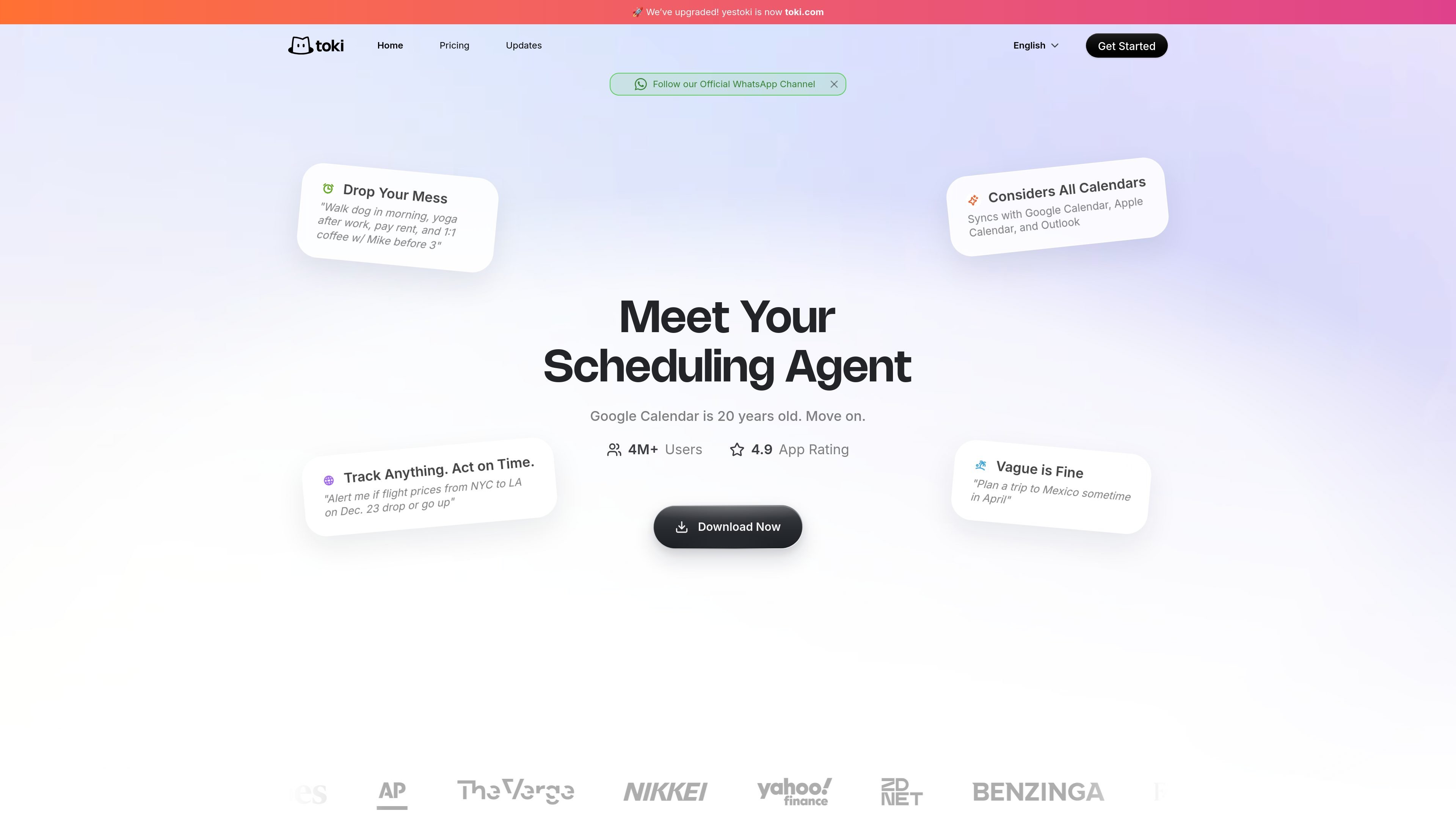
Toki is an AI-powered scheduling assistant built to manage calendars through natural language, voice messages, images, and screenshots. It connects with Google Calendar, Apple Calendar, and Outlook, and is presented as a personal scheduling agent rather than a general-purpose chat product.
The website positions Toki around fast event capture and calendar organization: you can send rough requests, ask it to add, delete, search, or edit events, and have it translate incoming information into scheduled items. The pricing page shows a Free plan with limited usage and basic features, plus paid Plus and Super plans that add more usage, more synced calendars, and premium tools such as Schedule Analysis and Memory.
Send requests in plain language, including rough ideas, and Toki turns them into calendar actions. The source says it can add, delete, search, edit, and organize events from text commands.
Toki accepts voice messages and can extract key scheduling details from spoken requests. The source also says it can send voice replies in Toki 2.0.
Users can forward images, screenshots, posters, itineraries, or chat messages that contain time information. Toki extracts the text and converts it into structured events.
Toki connects to Google Calendar, Apple Calendar, and Outlook, and the pricing page shows different tiers for syncing 1, 3, or 5 calendar accounts.
Premium plans unlock Schedule Analysis and Memory, described as features that help Toki understand patterns, preferences, and context over time.
The source lists recurring events, triggers, weather updates, smart conflict detection, email-based event creation, and visual overviews as supported or premium capabilities.
Capture a task list or rough plan in plain English, and let Toki turn it into calendar entries without manually opening each calendar event form.
Send a voice note when typing is inconvenient, such as while walking or commuting, and have Toki extract the schedule details for you.
Forward a screenshot, poster, itinerary, or chat thread that includes times or dates, then let Toki pull the details into your calendar.
Use Toki when you need reminders, recurring events, or a quick view of upcoming plans across connected calendars.
Upgrade to a paid tier when you need more usage, multiple synced calendars, or premium tools such as Schedule Analysis and Memory.
Toki is designed to manage calendar tasks through natural language, including text and voice input, images and screenshots, and calendar sync. The source also shows support for recurring events and notifications, but it does not confirm every workflow on the same page.
Toki connects with Google Calendar, Apple Calendar, and Outlook. The pricing page also shows calendar account syncing by plan, with 1 account on Free, 3 on Plus, and 5 on Super.
The source states that Toki is available on iPhone, iPad, Apple Watch, Mac, Web, Android phones and tablets, and also on Telegram and Line. It also says the app is available on the App Store and Google Play.
The pricing page lists a Free plan with limited usage and basic features, a Plus plan with more usage and access to Schedule Analysis and Memory, and a Super plan with more generous usage and the same premium feature set.
Toki supports personal scheduling and reminders, and the source does not describe team collaboration, shared workspaces, or organization-level administration.

Goldfish is an AI memory app for macOS that helps you reply, write, summarize, and continue using the context already on your Mac. It stores memory locally and writes in your tone.

ArtDeck is a visual reference board app for iPhone, iPad, and Mac that lets artists collect mixed reference material on one canvas and study it with ToolBox lenses. It works offline, supports optional iCloud sync, and is sold as a one-time purchase with no account required.

Biji - это универсальная платформа, разработанная для повышения продуктивности с помощью инновационных инструментов и функций.

Malyatko is a baby tracker for logging feeding, sleep, growth, teething, and milestones in one app. It works on iPhone, Apple Watch, and widgets, with no sign-up, offline use, and family sharing through iCloud.

Liam is an AI copilot for managing inboxes, writing replies, prioritizing email, and scheduling meetings. It is offered free for individuals, with custom pricing for teams and enterprise.
Gemma AI is a phone call reminder app that calls you with scheduled reminders instead of push notifications. It helps people who want a more direct way to stay on schedule, with Google Calendar sync and conversational call interactions.