
Multi-format source intake
Upload PDFs, DOCX files, plain text, Markdown, pasted text, notes, or web sources so you can start from material you already have.

VocalVia is a document-to-podcast tool that converts PDFs, articles, notes, Markdown, and web sources into editable podcast drafts and audio. It is aimed at people who want to review the outline and script before generating the final file.
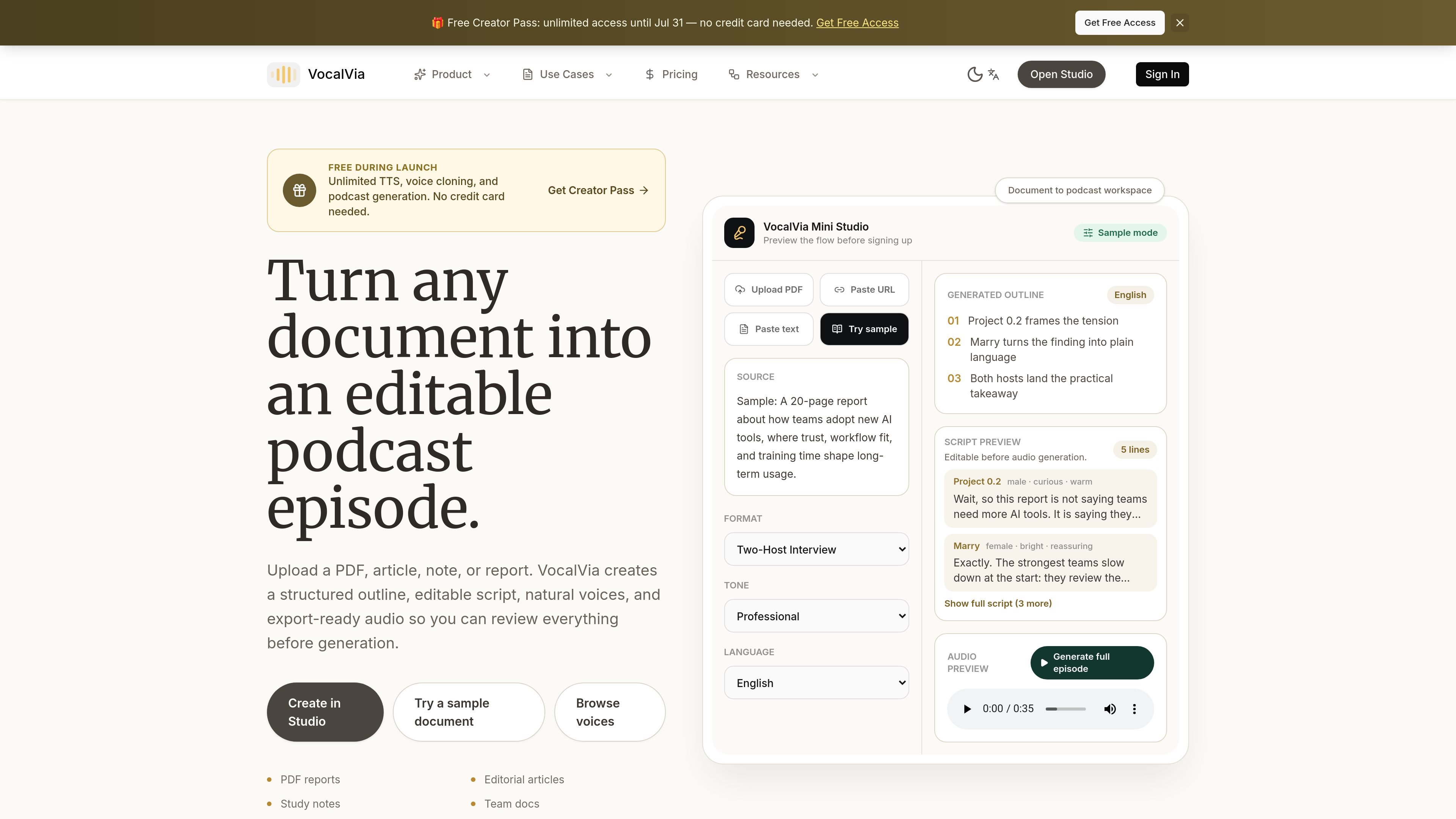
VocalVia is a document-to-podcast workspace that turns written source material into reviewable podcast drafts and finished audio. The product is built around a controlled workflow: upload a source, inspect the outline, edit the script, choose a voice and language, and export the result after review.
The site positions the product for people who want to convert PDFs, articles, notes, Markdown, and web content into podcasts without skipping the editorial step. Its main value is that the material stays editable before synthesis, so users can refine structure and wording before audio generation begins.
Upload PDFs, DOCX files, plain text, Markdown, pasted text, notes, or web sources so you can start from material you already have.
Review the generated outline, reorder sections, remove weak points, and rewrite sentences before any audio is created.
Choose catalog voices or custom voices, and adjust narration style, language, speed, tone, and pacing to match the source material.
Create finished audio only after the script is approved, then download the output package for publishing.
Access generation history to replay completed audio, download files, and regenerate from a previous draft with a different script style or voice.
The pricing page lists a free plan for testing, Standard and Pro paid plans, and an Enterprise option with custom volume and SLAs.
Turn a report, article, or long-form note into a podcast draft that can be reviewed before audio is generated. This is useful when the source material needs structure and a clear takeaway before narration.
Adapt the narration style, language, voice, and pacing to fit a different audience or listening context. The site specifically mentions multi-language voices and voice controls for more tailored output.
Keep a reusable record of generated episodes, then return to a prior draft to replay, download, or regenerate it with a different voice or script style.
Use the free plan to test the upload, outline, editing, and export flow before moving into a recurring publishing setup on a paid plan.
For organizations that need more volume or tighter controls, the Enterprise plan is positioned for custom volume, SLAs, private cloud options, and an account manager.
Yes. The source content says VocalVia supports uploads from PDFs, documents, note files, Markdown, pasted text, and web sources, and the site also mentions Word documents and plain text.
The workflow is reviewable: upload a source, edit the generated outline, choose a voice and language, then generate and export the audio.
The pricing page lists a free plan for testing the workflow, Standard and Pro annual plans for recurring publishing, and an Enterprise option for organizations that need custom volume and SLAs.
The site says completed jobs are stored in a persistent generation history, and the features page notes you can browse past generations, replay audio, download files, or regenerate from a previous document.
The published sources do not list a public API or third-party integrations. The docs page points users to support and email contact, but not to specific integrations.

Fylom is an AI podcast generator that turns a topic or question into a researched narrated episode. It supports typed or spoken prompts, voice selection, and recurring show-style listening.

CAMB.AI Streams dubs live audio in multiple languages in real time for broadcasts on platforms like YouTube, Twitch, and X. It plugs into existing live workflows using common streaming protocols and avoids a post-production step.

nolainocr is an AI OCR tool that extracts structured data from PDF invoices, receipts, forms, contracts, and bank statements. It helps teams move document data into Excel, Google Sheets, JSON, or CSV without manual entry.

Official HeyGen API documentation for building AI avatar videos, translations, lipsync, and interactive video-agent sessions. It supports direct API use plus MCP and CLI-style workflows for developers and AI agents.

PDFTools is a browser-based suite of free and premium PDF utilities for editing, conversion, and document handling. It helps users work on PDFs locally in the browser without uploading files to a server.

Talkpal is an AI-powered language learning web and mobile app for practicing speaking, listening, writing, and pronunciation. It offers guided courses, roleplays, and call-style conversation practice across 130+ languages.