
Platform-native config generation
Generate native configuration files for 21 AI coding platforms from one source of truth, so team prompts stay synchronized across tools instead of drifting apart.
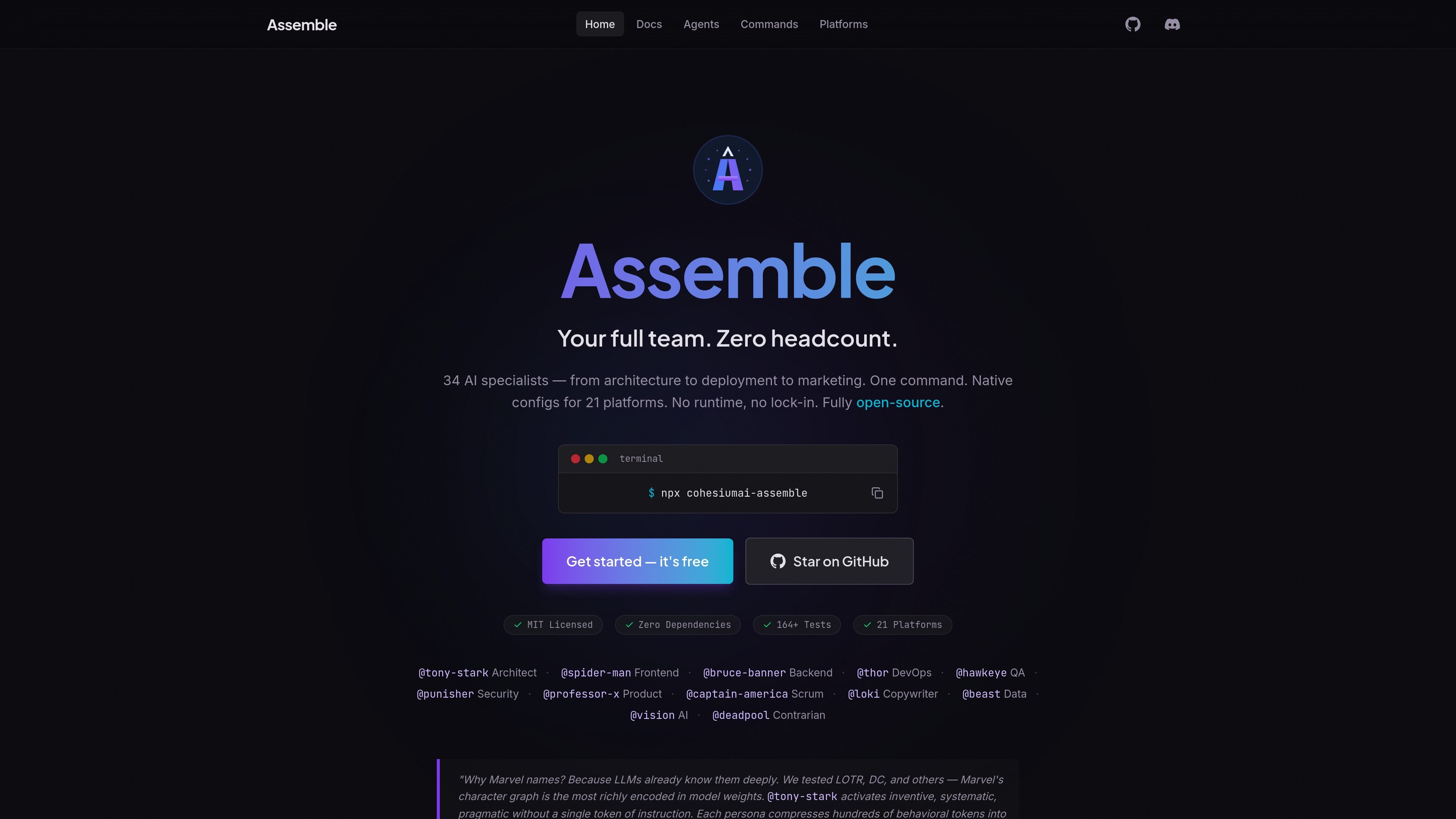
Assemble by Cohesium AI is an open-source prompt orchestration system for AI coding tools. It generates native configuration files that turn an IDE into a structured AI team, so users can direct specialist agents through commands instead of managing separate prompt formats for each platform.
The product centers on a single source of truth for team behavior across 21 AI coding platforms. Its docs describe a zero-runtime setup: you install the generator, answer an interactive wizard, and receive platform-specific files such as `.cursorrules`, `CLAUDE.md`, and `.github/copilot-instructions.md` alongside agent and workflow definitions under `.assemble/`.
Generate native configuration files for 21 AI coding platforms from one source of truth, so team prompts stay synchronized across tools instead of drifting apart.
Use 34 predefined AI agents that cover roles such as architecture, backend, frontend, QA, security, product, marketing, and data.
Route work through `/go`, `/feature`, `/bugfix`, `/review`, `/security`, and other commands, with Jarvis selecting a single specialist, chaining agents, or running a structured 5-phase process for complex work.
Install with `npx cohesiumai-assemble` or the provided shell installer, then answer an interactive wizard that writes `.assemble.yaml` and related project files.
Extend the system with custom agents, skills, workflows, and platform adapters when the defaults do not match your team.
Run without a daemon, server, or runtime dependency; the generated output is static config rather than a background service.
Set up one repository so Cursor, Claude Code, Copilot, Windsurf, and similar tools all read aligned instructions from generated native files.
Assign work through `/go` and let Jarvis choose the right specialist, chain agents for multi-step work, or trigger the structured 5-phase path for complex tasks.
Use prebuilt workflows such as `/feature`, `/bugfix`, `/review`, `/security`, or `/release` to standardize common engineering tasks with consistent agent handoffs.
Generate a project team structure for solo developers or small teams who want role-specific help for architecture, QA, security, product, or copywriting inside one IDE.
Extend the default setup with custom agents, skills, or platform adapters when a team needs its own process or unsupported tool coverage.
Yes. The site states that Assemble is MIT licensed, free forever, with no premium tier, feature gating, or usage limits.
Assemble does not run as a daemon or background process. It generates static, platform-native config files that your IDE or AI coding tool reads directly.
The source shows support for 21 AI coding platforms, including Cursor, Claude Code, GitHub Copilot, Windsurf, Gemini CLI, Codex, Cline, Roo Code, Kiro, Trae, Google Antigravity, CodeBuddy, Crush, iFlow, Kilo Code, OpenCode, QwenCoder, Rovo Dev, Claude Code Desktop, and Augment.
The docs describe Node.js 18 or later and an AI coding tool such as Cursor, Claude Code, or VS Code with Copilot as prerequisites.
Assemble generates platform-native config files such as `.cursorrules`, `CLAUDE.md`, `.github/copilot-instructions.md`, `.windsurfrules`, and `.assemble.yaml`, plus agent and workflow files under `.assemble/`.

Ghost 是一款基于终端的 AI 助手,可在命令行中聊天、生成代码并运行任务。内置免费模型,支持 Linux、macOS 和 Windows,且为开源项目。

Devin is an AI coding agent and software engineer that helps developers and engineering teams plan and execute complex software tasks. It is available through desktop, cloud, JetBrains, and CLI surfaces, with plans for individuals, teams, and enterprises.

imgcook is a design-to-code tool that converts design drafts into front-end code. It supports plugin-based and developer workflows for Sketch, Photoshop, VS Code, and CLI usage.

Pi Coding Agent is a terminal-based coding agent for developers who want a minimal, extensible harness for interactive work and automation. It supports model switching, session branching, and multiple run modes including TUI, print/JSON, RPC, and SDK.

Biji是一个多功能平台,旨在通过创新工具和功能提升生产力。

Ably Chat is a chat API platform for building custom realtime chat applications. It supports room-based messaging, typing indicators, presence, reactions, and message updates, with usage-based pricing options for different deployment stages.