Jenni icon

Jenni

Jenni is an AI research and academic writing assistant for students, researchers, and academics. It helps users draft papers, manage citations, review claims, and export documents from one workspace.

Jenni

Overview

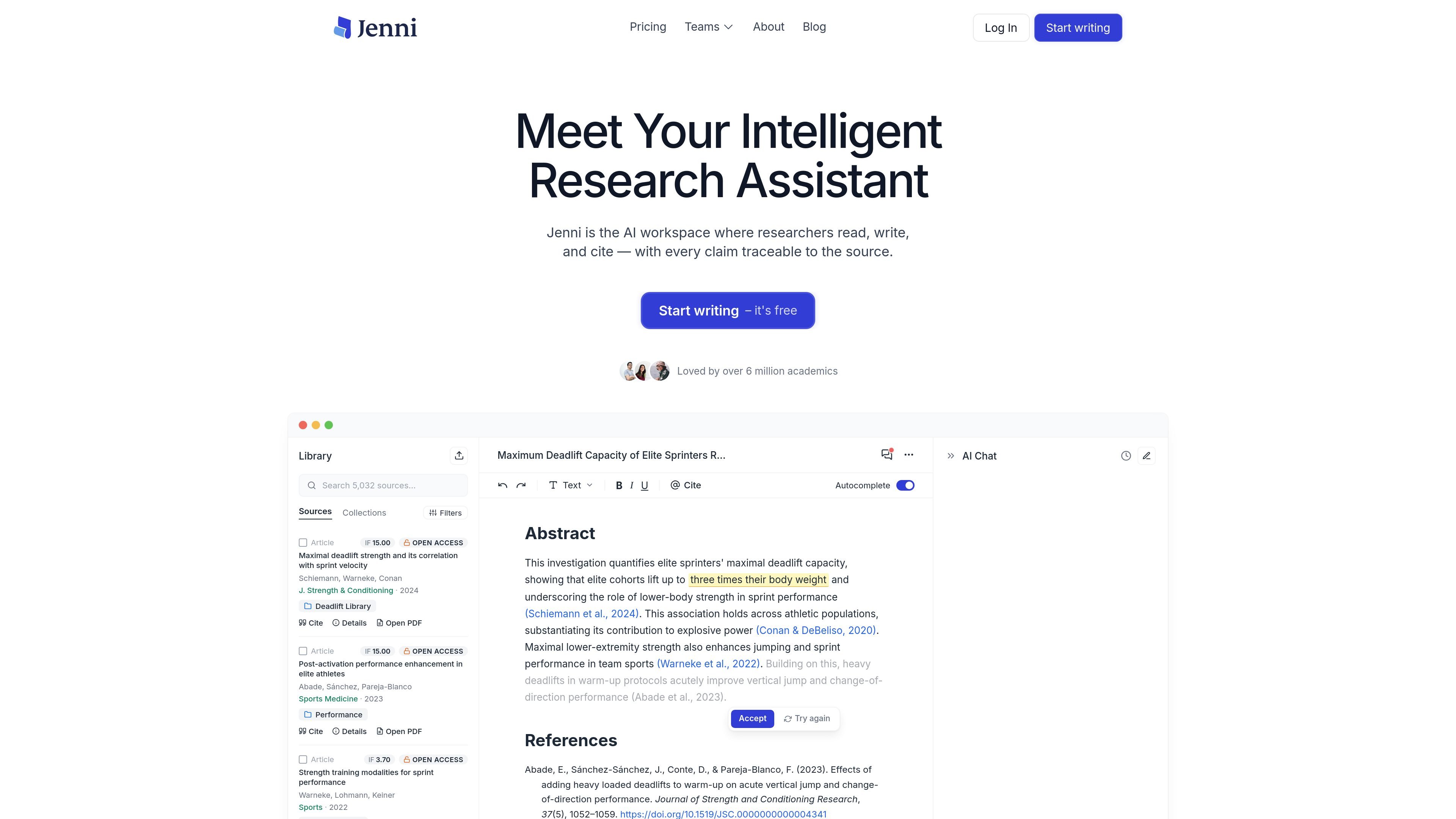
Jenni is an AI academic writing and research tool for students, researchers, and academics. It combines source discovery, drafting, citation management, review, and export in a single workspace designed for scholarly writing.

The product is built around traceable claims: users can upload PDFs, import sources from Zotero or Mendeley, search across Jenni's academic index, and generate cited text from selected materials. The site positions Jenni as a writing environment where the argument, sources, and citations stay connected rather than a general-purpose chat app.

Jenni also includes review tools for claim confidence and proofreading, plus publishing examples that show the product is used for research, medical, and professional documents. Pricing is offered through a free tier and paid Plus and Pro plans.

Core features

Source import and literature discovery

Import PDFs, bring in Zotero or Mendeley collections, or search Jenni's academic index to build a source library before writing.

AI writing workspace

Use AI autocomplete, AI chat, and AI edit tools to draft text, answer questions about your library, and refine wording while writing.

Traceable citations

Attach citations to AI-generated or user-written claims and trace them back to the exact page and paragraph in the source PDF.

Large citation-style library

Choose from 2,600+ citation styles, including APA 7th, Chicago, Harvard, IEEE, Vancouver, and journal-specific formats.

Reviews for claim checking and proofreading

Run Reviews to check claim confidence, identify unsupported or contradictory statements, and proofread for academic conventions.

Document export options

Export work as .docx, LaTeX, HTML, or citation libraries such as .ris, .bib, and .csv depending on plan limits.

Common use cases

  • Academic drafting

    Draft essays, papers, and literature reviews while keeping claims tied to uploaded sources and library materials.

  • Research discovery

    Search across a personal library or the broader academic index to find papers, understand methods, and compare findings before writing.

  • Pre-submission review

    Check a draft for unsupported claims, contradictory statements, weak citations, and proofreading issues before submission.

  • Citation and export workflows

    Work with academic citation conventions by applying a large style library and exporting files for later editing or sharing.

  • Evidence-based document writing

    Use published-paper examples and transparent source tracing to support research, medical, or professional documents that need verifiable citations.

Pros and Cons

Pros

  • Supports a full research-writing workflow from source collection to citation, review, and export.
  • Citations are traceable back to the exact location in source PDFs, which helps verification.
  • Includes academic-specific tools such as 2,600+ citation styles and claim confidence checking.
  • Connects with common academic source workflows through PDF upload plus Zotero and Mendeley imports.
  • Offers a free tier as well as paid plans for higher usage and export/support needs.

Cons

  • The rendered site mentions mobile support as a question in support content, but does not clearly confirm a mobile app or mobile-specific workflow.
  • Some plan limits and access to newer features depend on the selected tier, so heavy users may need a paid plan.

FAQ

What is Jenni used for?

Jenni is an AI academic writing and research assistant for students, researchers, and academics. It supports drafting, sourcing, citing, reviewing, and exporting academic writing in one workspace.

Does Jenni have a free plan?

The source pages show a free plan and paid Plus and Pro plans. The free plan includes limited daily autocomplete, PDF uploads, AI edits, chat, and reviews, while paid plans increase or remove those limits and add features such as full document export and support options.

What workflows does Jenni support?

Jenni supports importing PDFs and collections from Zotero and Mendeley, searching across its academic index, citing sources in multiple styles, and exporting work to formats such as .docx, LaTeX, and HTML.

What does Jenni Reviews do?

Jenni provides claim confidence checks and proofreading in its Reviews area. It analyzes claims against sources, flags unsupported or weakly supported statements, and suggests edits for academic style and clarity.

Does Jenni support mobile or browser-based use?

The source pages mention source tracing to the exact page and paragraph in PDFs, a browser extension in plan comparison, and citation localization in a changelog entry. The site also lists a question about mobile support, but the rendered content does not confirm a mobile app.

Quick Facts

Category
AI academic writing and research
Primary users
Students, researchers, and academics
Source domain
jenni.ai
Pricing
Free plan plus Plus and Pro paid plans
Notable workflow
Import sources, draft with AI, verify citations, review claims, and export documents
Export formats
.docx, LaTeX, HTML, .ris, .bib, .csv