MindDraft icon

MindDraft

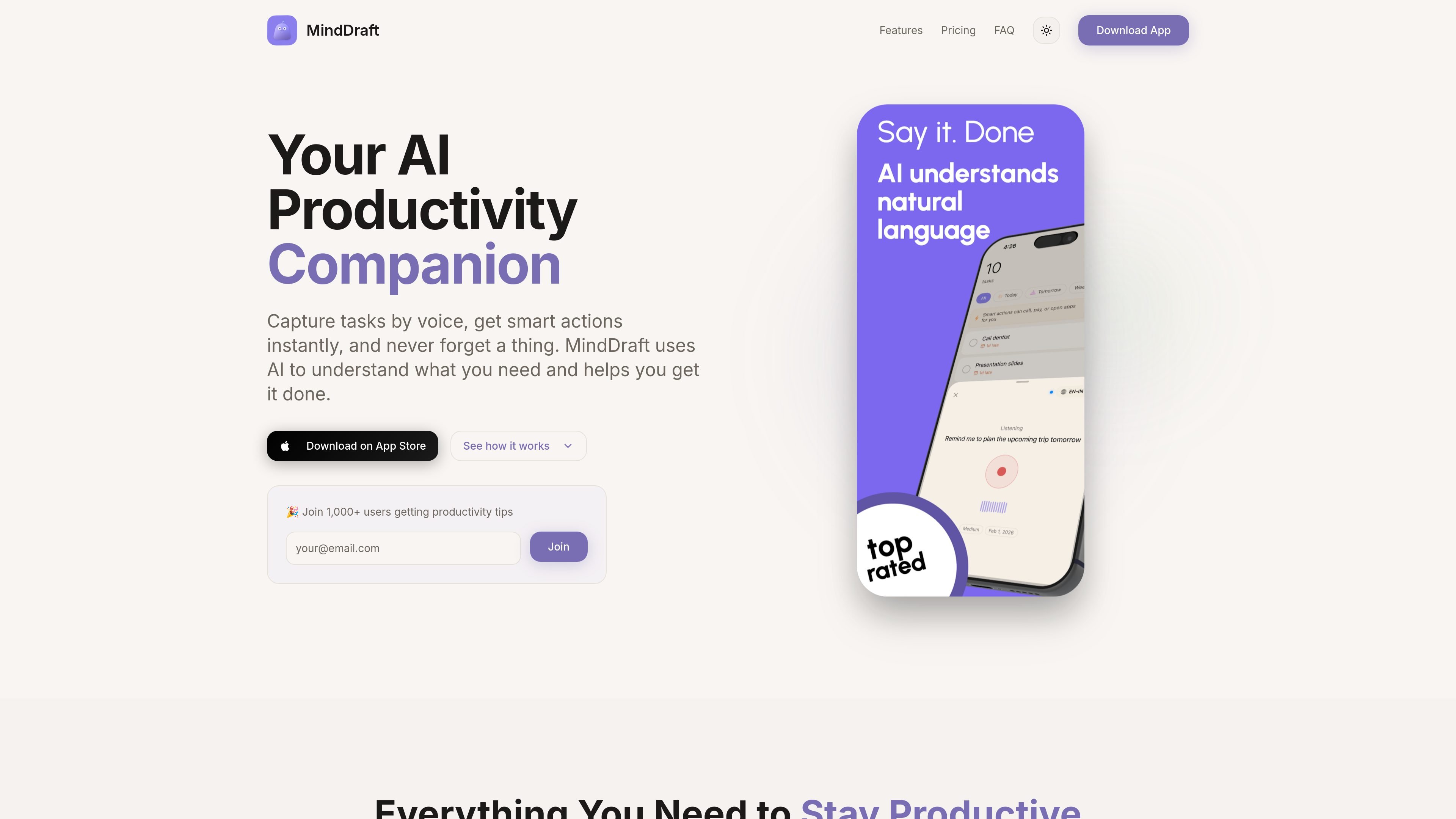
MindDraft is an AI productivity app that turns spoken or typed thoughts into organized tasks on iPhone, iPad, and Apple Watch. It helps users capture reminders, surface next actions, and track subscriptions without manual task formatting.

MindDraft

AI task capture and personal productivity

MindDraft is an AI-powered productivity app for iPhone, iPad, and Apple Watch that turns spoken or typed thoughts into structured tasks. Its core job is to capture what you need to do, organize it automatically, and make the next action easy to take.

The app focuses on task capture, action shortcuts, and personal organization. It can recognize natural-language requests such as calls, payments, meetings, and reminders, then present relevant actions, views, and tracking tools around those tasks. Basic use is available for free, while Pro adds features such as iCloud sync, subscription tracking, premium themes, and Apple Watch support.

Everything you need to stay productive

AI Voice Input

Speak a task naturally and let the app interpret dates, priorities, categories, contacts, amounts, and reminders into a structured entry.

Smart Actions

Task entries can surface one-tap actions like calling, paying, emailing, or navigating, so the next step is visible inside the task itself.

Subscription & Finance Tracker

Track subscriptions and monthly spend in one place, with alerts before renewals and a view of recurring expenses.

Focus Timer

Use focus mode with a built-in timer, plus Live Activities on the Lock Screen and Dynamic Island to keep a task in view.

Multiple Views

Switch among Timeline, Calendar, Category Grid, and Priority views to organize work in the format that fits the task list.

Cross-Device Sync and Widgets

Sync tasks through iCloud across iPhone, iPad, and Apple Watch, with widgets and watch access for quick capture and review.

Common ways to use MindDraft

  • Quick voice-based task capture

    Capture errands, calls, and reminders by voice while you are away from a keyboard, then let the app turn them into structured tasks with dates and categories.

  • Context-aware follow-through

    Open a task that mentions a call, payment, or location and use the built-in action buttons to complete the next step without switching apps.

  • Subscription and expense monitoring

    Use the subscription tracker to monitor recurring services and get renewal reminders before charges hit your account.

  • Personal task planning

    Switch to a calendar, timeline, or priority view when you want to review a day’s work, sort by urgency, or plan around deadlines.

  • Focused work sessions

    Enter focus mode with a timer when you need a single task in view and want the app to keep you on track during deep work.

Pros and Cons

Pros

  • Captures tasks from natural language instead of requiring manual form filling.
  • Creates structured tasks with dates, priorities, and categories automatically.
  • Surfaces context-aware actions such as call, pay, email, or navigation buttons.
  • Works offline once tasks are created, with local storage for the task list.
  • Supports iCloud sync, widgets, and Apple Watch access for faster review and capture.

Cons

  • Pro features require a paid subscription billed through Apple’s App Store.
  • AI features need an internet connection for processing, even though stored tasks can be used offline.
  • The product is centered on Apple devices, so it is not presented as a cross-platform app.

FAQ

Is MindDraft free to use?

Yes. MindDraft offers a free tier with unlimited tasks and basic features. Pro is available as a paid subscription for users who want features such as smart actions, live activities, premium themes, subscription and finance tracking, iCloud sync, and more.

How does the AI voice input work?

You tap the microphone and speak naturally. The app uses AI to interpret the request, extract details such as dates, amounts, and contacts, and turn the result into a structured task.

What are Smart Actions?

Smart Actions detect actionable parts of a task and surface context-specific buttons, such as call, pay, or navigate actions when those tasks are present.

Does MindDraft work offline?

Yes. The app stores tasks locally and works offline after they have been created. AI processing needs an internet connection, but the core task list remains available without one.

Is my data private?

Tasks are stored locally on your device, and optional iCloud sync is used for Pro users. The privacy policy says MindDraft does not sell personal data or use it for targeted advertising.

Quick Facts

Category
Productivity
Platform
iPhone, iPad, Apple Watch
Primary use
AI task capture and personal organization
Pricing
Free tier plus Pro subscription
Site
minddraft.ai
Sign-in
Optional Apple or Google sign-in for cloud sync
MindDraft - AI Tool, Features, Use Cases & Alternatives | UStack