NanoImagine icon

NanoImagine

NanoImagine is a web-based AI image generator and editor for creating images from text prompts, editing uploaded photos, and upscaling low-resolution visuals. It offers a free entry plan alongside paid plans for higher usage.

NanoImagine

Overview

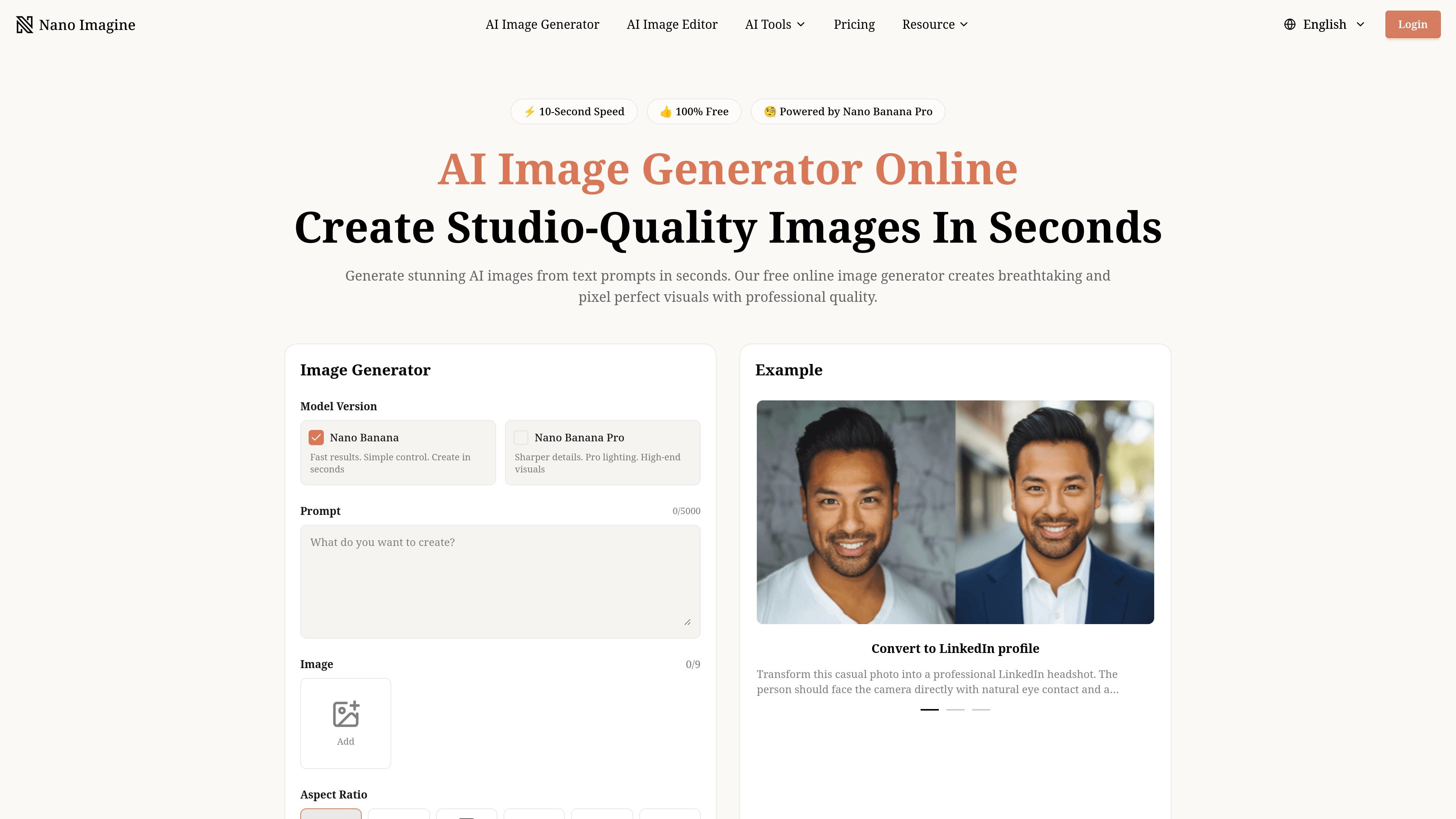
NanoImagine is an AI image generator and editor for creating, modifying, and enhancing visuals from text prompts and uploaded images. The site combines a text-to-image workflow with separate tools for image editing, background removal, and image upscaling.

The generator page emphasizes fast creation, prompt-based control, and export options such as aspect ratio, resolution, and output format. Supporting pages add practical workflows for removing unwanted objects, switching backgrounds, restoring clarity in low-resolution images, and preparing assets for print, web, or social use.

Core capabilities

Text-to-image generation controls

Generate images from text prompts with a choice of model version, aspect ratio, resolution and output format. The interface supports up to 9 input images and 5,000 prompt characters.

Two model modes

Create images quickly with the Nano Banana model family, including a faster standard mode and a sharper Nano Banana Pro mode for higher-detail output.

Built-in and dedicated upscaling

Upscale outputs to 2K or 4K and export in PNG or JPEG from the generator, or use the dedicated upscaler to improve low-resolution photos and AI images.

Prompt-based photo editing

Edit existing images with text instructions to remove objects, replace elements, switch backgrounds, and refine product or social assets without manual selection tools.

High-resolution enhancement

Improve clarity in old photos, product shots, logos and graphics with the upscaler, which supports batch processing for multiple files.

Watermark-free, privacy-aware workflow

Generate without watermarks, with privacy-first handling on the generator and secure processing on the editor.

Common use cases

  • Generate images from text

    Create concept art, portraits, posters, and other visuals directly from prompts, then adjust aspect ratio, resolution, and file format before downloading.

  • Edit existing photos

    Remove unwanted objects, swap backgrounds, replace items, or refine product shots by describing the change instead of making manual selections.

  • Upscale old or small images

    Improve low-resolution, blurry, or damaged images for web, print, or portfolio use by upscaling them to a sharper output.

  • Create marketing-ready assets

    Prepare e-commerce, social, and brand assets by cleaning up product photos, boosting clarity, or creating visuals sized for different platforms.

  • Produce styled variations

    Turn uploaded photos into stylized or context-specific variants such as LinkedIn headshots, action-figure concepts, or anime-inspired portraits.

Pros and Cons

Pros

  • Combines generation, editing, background removal, and upscaling in one site.
  • Supports text prompts for both creation and image changes, reducing manual selection work.
  • Offers no-watermark downloads and commercial-use licensing on the pricing page.
  • Includes practical export and quality controls such as aspect ratio, resolution, and output format.
  • Provides separate pages for common visual tasks like product photos, social content, and old-photo restoration.

Cons

  • The source does not show advanced workflow details such as integrations or API access.
  • Some pages provide only partial information about limits, plan differences, or edge-case editing accuracy.

FAQ

Is there a free plan?

Yes. The homepage says you can start creating on a free plan, and the pricing page lists paid plans for higher usage and additional features.

Are downloads watermarked?

Yes. The pricing page says generated images include no watermark, and the homepage describes downloads as watermark free.

Can I use generated images commercially?

The site says images can be generated for commercial projects, and the pricing page includes a commercial use license on its plans.

What file types can the tools handle?

The editor supports JPG, PNG and WebP uploads up to 10 MB, and the upscaler accepts JPEG, PNG, JPG, WEBP and BMP files up to 10 MB with a minimum width and height of 300 px.

How is image data handled?

The site says the image editor processes uploads securely, clears them after a short period, and does not use them for training or share them externally.

Quick Facts

Category
AI image generation and editing
Platform
Web app
Primary inputs
Text prompts and image uploads
Output options
PNG, JPEG, and some pages mention WebP
Pricing
Free entry plan with paid plans for higher usage
Site
nanoimagine.art

