
Sprite Fusion Pixel Snapper icon

Sprite Fusion Pixel Snapper

Sprite Fusion Pixel Snapper 是一款免费开源工具,可将杂乱、模糊或脱离网格的像素艺术自动对齐到更整洁的像素网格,支持浏览器、桌面版和 PNG 导出。

Sprite Fusion Pixel Snapper

概述

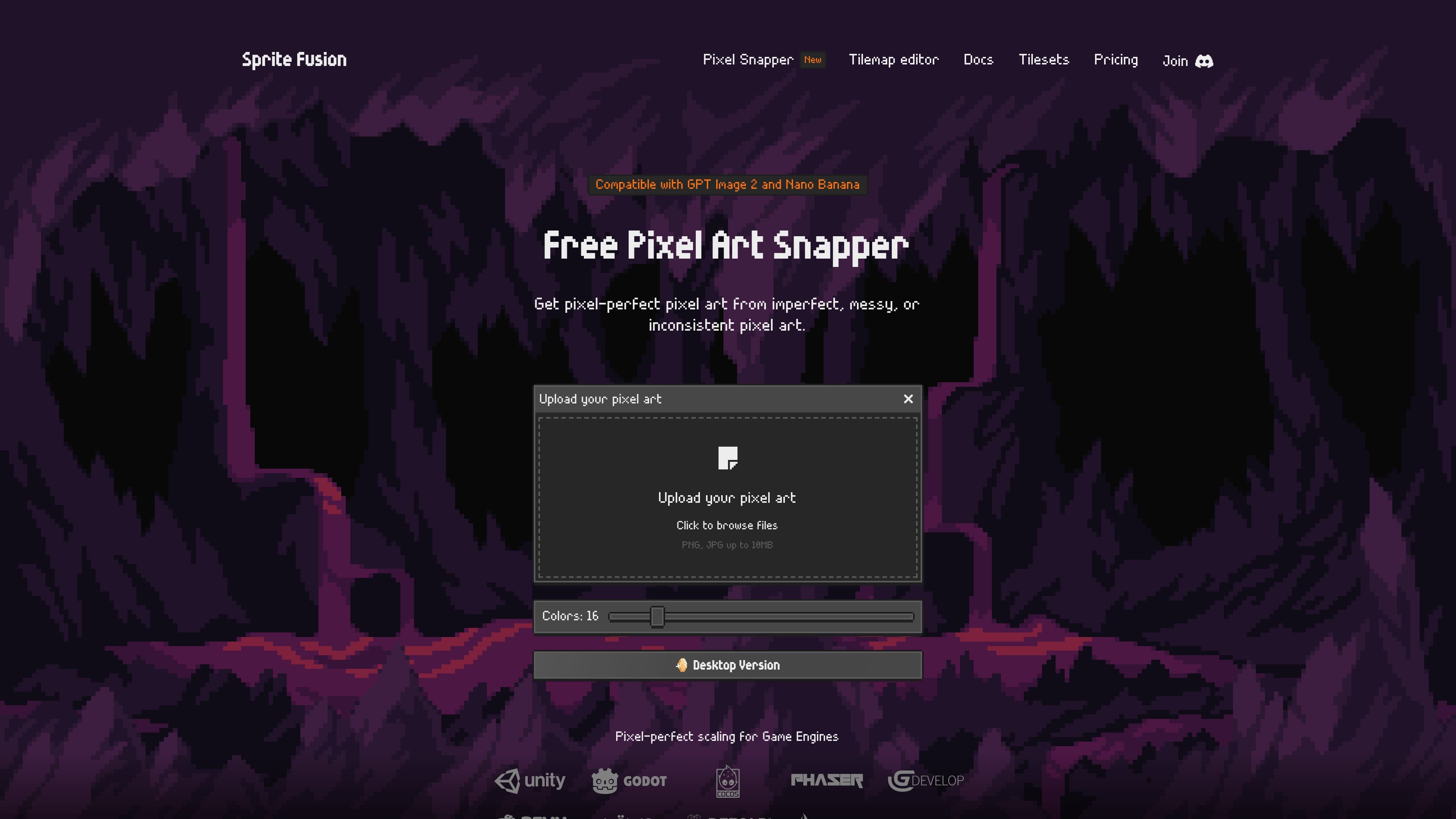
Sprite Fusion Pixel Snapper 是一款免费开源工具,用于清理杂乱、模糊或脱离网格的像素艺术。它会接收上传的图片,并将像素吸附到更规整的像素网格上,目标是让不够完美的像素艺术更易使用。

该产品既面向 AI 生成的像素艺术,也适用于需要清理的手绘图像。文档指出,当源图像已经接近像素艺术时效果最佳,并且界面允许你在下载修正后的 PNG 之前选择输出颜色数量。

功能

自动像素网格校正

通过拖放或浏览选择器上传图片,然后让工具将不一致的像素重新吸附到更整洁的网格上。

色彩数量控制

将输出调色板在 8 到 64 种颜色之间调整,以更好地处理噪点较多的源图像、渐变、抖动或细微过渡。

PNG 输出

像素修正并重新保存后,将处理结果下载为 PNG。

保留细节

旨在保留抖动和曲线等细节,而不是把图像扁平化成通用滤镜效果。

多种部署方式

提供浏览器版本、独立桌面版、开源项目中的 CLI,以及用于网页集成的 WASM 模块。

桌面版可用

桌面版被描述为可离线、开源,并支持 Mac、Linux 和 Windows。

使用场景

  • AI 生成像素艺术清理

    在将其用于游戏或原型图之前,清理边缘不齐、像素模糊或颜色落点脱离网格的 AI 生成像素艺术。

  • 手绘精灵清理

    当原始作品需要更整洁的基础时,将手绘像素风图像转换为更一致的网格。

  • 游戏资源准备

    为下游工具中需要清晰、像素级精准缩放的精灵、图块集、地图块或 2D 纹理做准备。

  • 桌面批量处理

    当你希望对多张图片重复进行离线批量清理时,使用桌面版。

Pros and Cons

Pros

  • 网页端可免费使用,适用于业余和商业项目。
  • 基于 MIT License 开源,源代码可在 GitHub 上获取。
  • 上传和下载流程简单,网页版本无需账号。
  • 根据产品页说明,可保留抖动和曲线等细微细节。
  • 提供支持离线使用、批量处理的独立桌面版,并兼容 Mac、Linux 和 Windows。

Cons

  • 文档说明它在源图像已经接近像素艺术时效果最佳,因此并不适合作为解决所有图像问题的通用方案。
  • 网站指出 Pixel Snapper 不是魔法工具,用户可能仍需要在 Aseprite 等编辑器中手动调整结果。
  • 来源材料对高级工作流功能以及 PNG 输出之外的导出目标说明有限,仅提到浏览器、桌面、CLI 和 WASM 版本的可用性。

FAQ

Pixel Snapper 是做什么的?

Sprite Snapper 是一款免费工具,可通过将杂乱、模糊或不一致的像素重新吸附到整洁的像素网格上来进行修正。文档说明,它在源图像已经接近像素艺术时效果最佳。

如何使用 Pixel Snapper?

你先上传一张图片,选择颜色数量,然后将结果以 PNG 格式下载。网页版本支持拖放上传或点击浏览文件。

Pixel Snapper 是免费的吗?

网页版本可免费用于业余和商业项目,文档说明没有功能限制或登录要求。另有 Collector Edition 桌面版提供一次性购买。

Pixel Snapper 能与 AI 生成的像素艺术或其他工具配合使用吗?

是的。网站说明 Pixel Snapper 兼容 GPT Image 2 和 Nano Banana,文档还提到可通过 WASM 模块进行网页集成,并可作为开源项目中的 CLI 在本地使用。

Pixel Snapper 支持哪些平台?

网页版本基于浏览器,可在现代设备上使用。桌面版适用于 Mac、Linux 和 Windows。

Quick Facts

类别
像素艺术清理工具
平台
浏览器网页应用;适用于 Mac、Linux 和 Windows 的桌面应用
定价
网页版本免费;Collector Edition 可一次性购买
源域名
spritefusion.com
许可证
MIT License 开源
输入/输出
图片上传;输出 PNG

Sprite Fusion Pixel Snapper 替代品

Pixelcut icon

Pixelcut

Pixelcut is an AI photo editor for creating and editing product images, social content, and video assets. It offers free and paid plans, plus mobile app and browser access for individual users and teams.

Petalica Paint icon

Petalica Paint

Petalica Paint is a web service for automatically coloring line art and tracing line drawings from photographed images. The home page says it can be used under the stated terms for commercial and noncommercial work, but it is scheduled to end on 2025-07-31 at 16:00 JST.

Wearvue AI icon

Wearvue AI

Wearvue AI generates personalized outfit previews from a photo, lets users refine the style for an occasion, and surfaces similar real products to shop. It is aimed at people who want to preview outfit ideas before buying and compare them with shoppable alternatives.

Upscale.media icon

Upscale.media

Upscale.media is an AI image upscaling and enhancement tool from Pixelbin that enlarges low-resolution or pixelated images and improves clarity in the browser. It offers free individual image use, paid credit plans, and team-oriented workflows such as bulk processing and API integration.

PixelForge icon

PixelForge

PixelForge 可将单张照片生成可直接用于游戏的 2D 角色精灵包,包含 4×4 雪碧图、透明帧、方向条和循环行走 GIF,适用于 Godot、Unity、Phaser、GameMaker 和网页游戏。

Free Online AI Image Enlarger icon

Free Online AI Image Enlarger

PhotoAid’s AI Image Enlarger is a free browser-based tool for upscaling images without a standard blur-heavy resize. It supports JPEG, WEBP, and PNG uploads and is described as working best for photos with faces.

