AI Studios icon

AI Studios

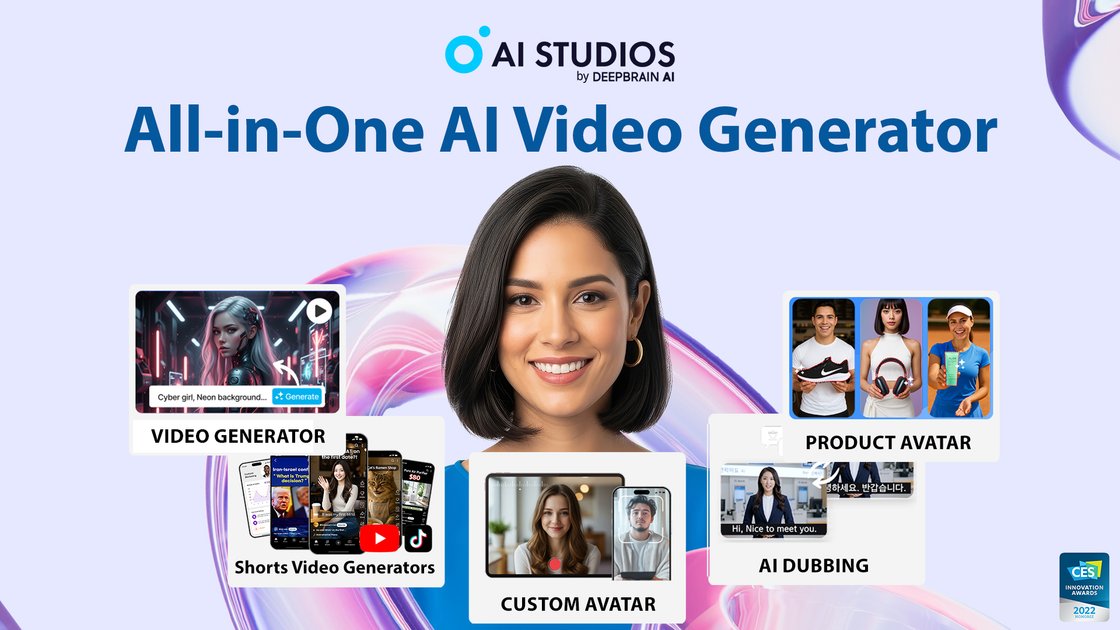
AI Studios by DeepBrain AI is a browser-based AI video generator for turning scripts, documents, URLs, images, and product pages into videos with avatars, voiceovers, dubbing, and translation. It also includes interactive training and conversational avatar tools for creators, teams, and enterprise workflows.

AI Studios

Overview

AI Studios by DeepBrain AI is an AI video generator and avatar platform built to create videos from text, documents, URLs, images, short clips, and product pages. The product brings video generation, editing, translation, dubbing, and avatar creation into a single browser-based workspace.

The site positions the platform for creators, training teams, and enterprise use cases. It includes a library of 2,000+ avatars, AI dubbing in 150+ languages, course-building tools with SCORM export, and conversational avatar experiences that can be deployed across web, app, and kiosk channels.

Core features

Multiple input-to-video workflows

Create videos from a script, image, short clip, document, topic, product page, or URL, then let AI assemble narration, visuals, and avatar scenes.

AI avatars and custom avatars

Choose from 2,000+ ready-to-use avatars or create a custom avatar from short video footage, photos, or product images.

AI dubbing and text-to-speech

Generate voiceovers and dubbing in 150+ languages with lip-sync, voice cloning, multi-speaker support, and script proofreading tools.

Interactive training and course builder

Build interactive training videos with quizzes, branching scenarios, and course structure, then export in SCORM 1.2, SCORM 2004, or xAPI.

All-in-one video workspace

Edit, translate, caption, and reuse assets inside one workspace with templates, brand kits, imported fonts, voice recording, and stock media.

Conversational avatar deployments

Create interactive conversational avatars that can be deployed on the web, in apps, or on kiosks, with support for custom LLM connections.

Common use cases

  • Create videos from existing content

    Turn a prompt, script, document, or URL into a finished video with narration, avatar scenes, and branded visuals for social or internal publishing.

  • Translate and dub video content

    Localize one video into multiple languages with dubbing, voice cloning, and lip-sync while keeping the original meaning and pacing intact.

  • Build interactive training courses

    Produce onboarding, compliance, or skills-training videos with quizzes, branching paths, and SCORM export for LMS delivery.

  • Run customer-facing avatar experiences

    Deploy conversational avatars on web pages, apps, or kiosks to answer questions, guide users, or support sales and service flows.

  • Build custom brand avatars

    Create custom avatars from short video recordings, photos, or products when a specific person, brand, or object needs to appear in the content.

Pros and Cons

Pros

  • Combines video generation, editing, dubbing, translation, and avatar tools in one workspace.
  • Supports several starting points, including scripts, documents, URLs, topics, images, and product pages.
  • Offers a large avatar library plus custom avatar creation.
  • Includes training-focused features such as quizzes, branching, and SCORM export.
  • Provides both standard creation plans and enterprise-oriented options with demo and trial paths.

Cons

  • Some capabilities are split across different plans, so the feature set depends on the subscription tier.
  • The source pages do not provide a complete public integrations list.
  • Interactive avatar and enterprise workflows appear to require sales or demo-driven evaluation for full details.

FAQ

What does AI Studios do?

AI Studios is a browser-based AI video creation platform. You can start from a script, image, short clip, document, URL, or topic and turn it into a video with avatars, voiceovers, translations, and visuals.

Does AI Studios offer a free plan or trial?

The pricing page shows a Free plan, Personal and Team paid plans, an Enterprise option, and a separate live-avatar pricing section. The company page also offers a demo flow and a free 1-month trial after the demo.

What kinds of output can I create?

The site describes AI Studios as combining video editing, dubbing, translation, AI avatars, and course building in one workspace. It also supports SCORM export for course content.

Can AI Studios connect to other systems?

The company page says the platform supports web, app, and kiosk deployment for interactive avatars, and the course builder mentions SCORM export for LMS use. The source pages do not provide a full integration list beyond that.

Who is AI Studios best suited for?

The site positions AI Studios for creators, training teams, customer-facing conversational avatars, and enterprise workflows. The pricing page also separates standard video plans from live avatar plans, so the best fit depends on the workflow you need.

Quick Facts

Category
AI video generator
Platform
Browser-based web app
Primary use cases
Video creation, dubbing, training content, conversational avatars
Avatars
2,000+ ready-to-use avatars
Languages
150+ languages for voice and dubbing
Source domain
deepbrain.io