

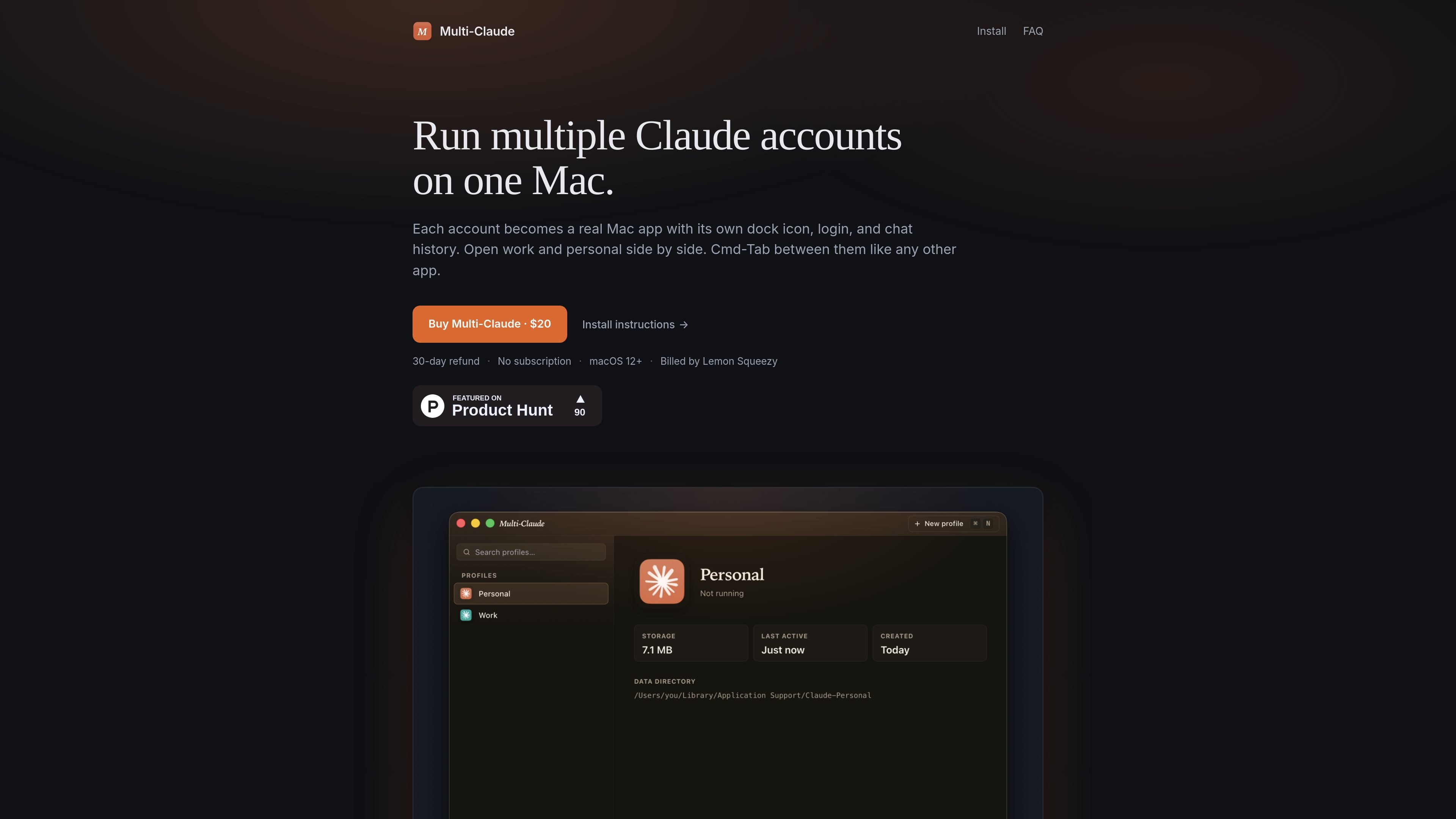
Separate account profiles
Create separate profiles for different Claude accounts, with each profile keeping its own login state and chat history.
Multi-Claude is a Mac utility for running multiple Claude Desktop accounts on one machine. Each account is treated as its own real Mac app, with a separate Dock icon, login, history, and data directory.
The core idea is to make account switching feel like switching between normal Mac apps. You can keep work and personal Claude sessions open at the same time, use Cmd-Tab to move between them, and avoid quitting or logging out when you change contexts.
Create separate profiles for different Claude accounts, with each profile keeping its own login state and chat history.
Each profile runs as its own Mac app, so it gets a distinct Dock icon, Spotlight result, and Launchpad tile.
Open work and personal accounts at the same time and move between them without quitting or signing out.
On first run, the app can detect an existing Claude Desktop install and offer to import that history into a named profile.
Profiles stay on your Mac and use separate data directories, with no account creation or cloud sync required for the basic workflow.
The install flow is signed and notarized, and the app activates by pasting a license key or using the Lemon Squeezy activation link.
Keep a work Claude account and a personal Claude account open side by side so you can switch contexts quickly without signing out.
Create profiles for client, side project, or team-related accounts when you need each one to preserve its own chat history and login state.
Import an existing Claude Desktop setup into Multi-Claude, then add more profiles instead of rebuilding your history from scratch.
Use the app on a Mac where you want each account to behave like a normal app, complete with its own Dock and Launchpad presence.
Yes. The FAQ states that you can open your work and personal Claude accounts side by side, each signed in and running in its own window. It is not limited to two profiles.
Switching is done with Cmd-Tab, because each account is treated like a separate Mac app. You do not have to quit and re-log in when changing accounts.
The product runs on macOS only for now. The site says it supports macOS 12+ and that Windows is on the roadmap.
Multi-Claude is sold as a one-time purchase through Lemon Squeezy. The site shows a $20 price and says licenses include a 30-day refund window.
Yes. The install page says one license covers all the Macs you personally use.

Biji是一個多功能平台,旨在透過創新工具和功能提升生產力。

MacSpoof 是 macOS MAC 位址變更工具,可改寫或隨機化 Wi‑Fi MAC 位址,重新連線並降低在公共 Wi‑Fi 被記錄的裝置識別。

NomNak 是一款餐廳探索 app,透過朋友推薦而非陌生評論,幫你發現好去處。iPhone 免費使用,支援收藏地點、美食護照與城市搜尋,查看朋友的美食地圖。
TyeGit 是以 Rust 與 Tauri 打造的原生 Git 用戶端,適合需要快速、精準控制暫存、提交、分支與遠端同步的開發者,支援 Windows、macOS 與 Linux,並提供可編輯的 diff 暫存與 GitHub Device Flow 登入。

Carbon Voice is an asynchronous voice messaging app for teams and individuals, with transcripts, AI catch-up, and cross-device access. It helps people and agents communicate without needing a live call.
MealTime 是您的個人化、優先離線運作的食譜助手,旨在幫助您儲存、整理、規劃餐點並生成智慧購物清單,同時確保您的資料隱私。