
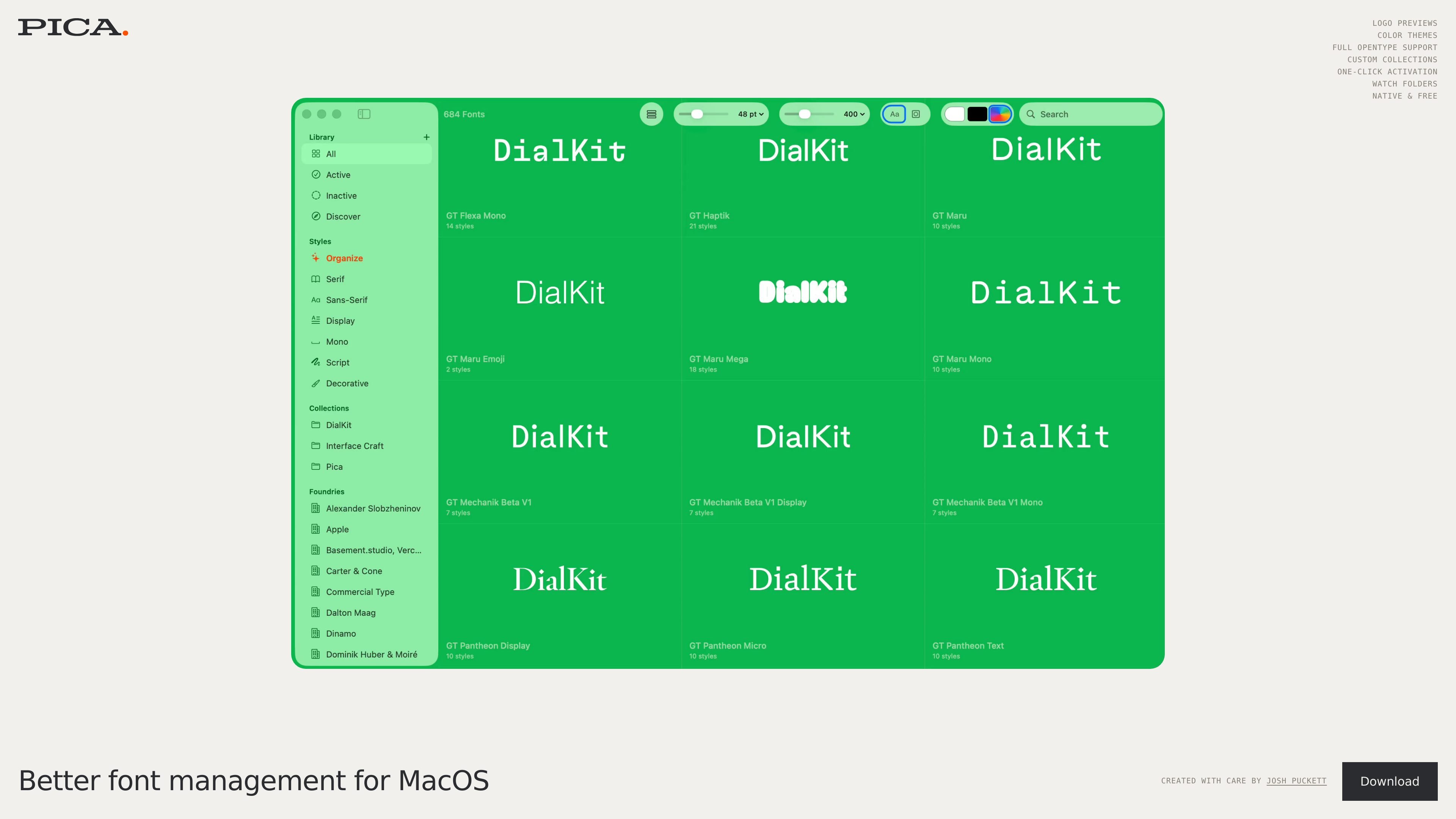
Mac font management
Manage fonts on macOS with a desktop app focused on organizing and using typefaces in one place.
Pica is a macOS font management app built to help users organize, preview, and activate fonts from a native desktop interface. The homepage describes it as a “better way to manage your fonts” and presents it as a free app created by Josh Puckett.
The site highlights a focused set of font-management capabilities, including custom collections, one-click activation, watch folders, color themes, and full OpenType support. The available source does not include deeper documentation, but it clearly positions the product as a practical tool for managing fonts on Mac.
Manage fonts on macOS with a desktop app focused on organizing and using typefaces in one place.
Activate fonts with a single action, which reduces the steps needed to make a font available for design work.
Keep folders of fonts in sync with watch folders, so new or changed files can be picked up as part of your workflow.
Group fonts into custom collections for organizing families, projects, or reference sets.
Switch between color themes in the app interface to match different viewing preferences.
Work with fonts using full OpenType support, as highlighted on the homepage.
Use Pica when you need a dedicated Mac app to keep a font library organized and ready for design work.
Use one-click activation when you want to turn on a font quickly during layout or typography work.
Use custom collections to separate client sets, project fonts, or frequently used families into clear groups.
Use watch folders when your fonts live in synced folders or are updated externally and you want the app to reflect those changes.
Use the app’s OpenType support and preview-focused interface when evaluating font behavior across families and styles.
Pica is a Mac font management app, so it is aimed at people who need to organize and activate fonts on macOS rather than general file storage or design editing.
The page presents Pica as native and free, with a download available for desktop. The pricing page itself returns a 404, so no plan details are confirmed there.
The homepage highlights one-click activation, watch folders, custom collections, color themes, and full OpenType support. No deeper workflow documentation is provided in the source text.
The source explicitly identifies Pica as a MacOS app, so the available evidence supports macOS only.
字体家AI神笔是一款中文 AI 造字工具,可根据少量样本文字生成整套字体,并提供在线字体编辑器和单字海报生成能力。它适合需要专属字体、字体文件整理或单字视觉输出的设计与品牌场景。
Letterbox is a web-based typography tool that turns text into stylized letterforms. It appears to help people create type-driven visuals by picking a font and colors directly in the browser.
上傳含文字圖片,即可找出最接近的免費 Google Font。適合設計師、開發者與行銷人員預覽相似字型,並可免註冊直接下載匹配檔案。

Branda is a web-based brand builder that turns a one-sentence idea into strategy, naming, logo, palette, type, and a brand kit. It is aimed at founders, creators, freelancers, and agencies that need a quick brand starting point.
Refont 是一個 AI 字體與文字設計平台,可快速生成書法、簽名、Logo、海報、刺青等風格化文字素材,提供免費方案與一次性點數包,免手動排版也能下載成品。
MonoLisa 是專為軟體開發者打造的字型家族,結合適合程式碼的等寬字體與比例文字搭檔,支援可變字重、程式連字與試用預覽。