
Sprite Fusion Pixel Snapper icon

Sprite Fusion Pixel Snapper

Sprite Fusion Pixel Snapper 是一款免費開源工具,可將凌亂、模糊或未對齊的像素藝術對齊到更整齊的像素網格,支援瀏覽器、桌面版與 PNG 匯出。

Sprite Fusion Pixel Snapper

概覽

Sprite Fusion Pixel Snapper 是一款免費開源工具,可清理凌亂、模糊或未對齊的像素藝術。它會接收上傳的圖片,並將像素對齊到更規整的像素網格,目標是讓不完美的像素藝術更容易使用。

這項產品同時適用於 AI 產生的像素藝術與需要整理的手繪圖片。文件指出,當來源本身已接近像素藝術時效果最佳,而且介面可讓你在下載修正後的 PNG 圖片前先選擇輸出的色彩數量。

功能

自動像素網格修正

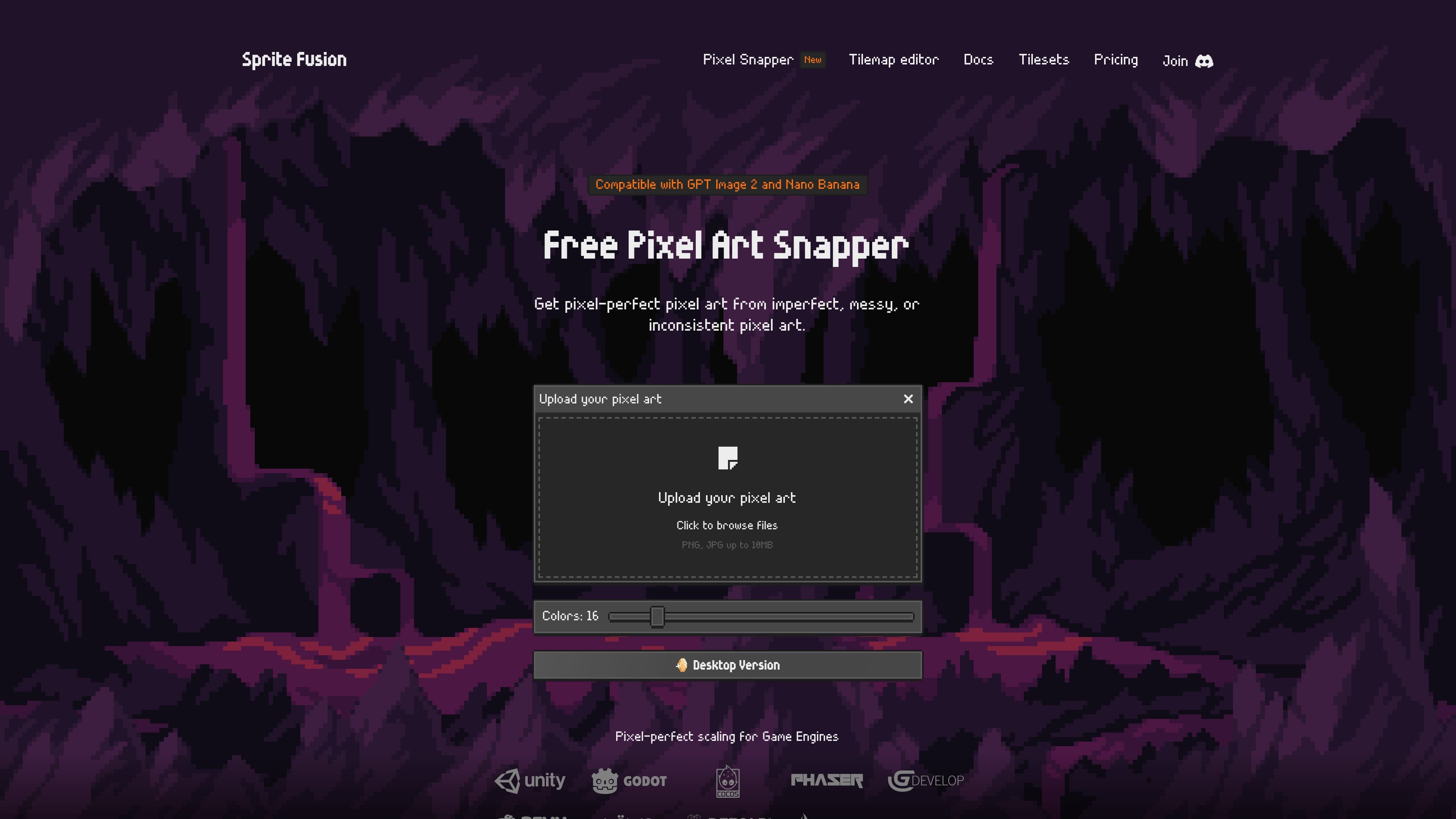
透過拖放或瀏覽選擇器上傳圖片,接著讓工具將不一致的像素重新對齊到更乾淨的網格。

色彩數量控制

將輸出調色盤從 8 色調整到 64 色,更能處理雜訊較多的來源圖片、漸層、抖動或細微色階。

PNG 輸出

在像素修正並重新儲存圖片後,將處理結果下載為 PNG。

細節保留

設計上會保留抖動與曲線等細節,而不是把圖片簡化成通用濾鏡效果。

多種部署選項

提供瀏覽器版本、獨立桌面版、開源專案中的 CLI,以及可用於網頁整合的 WASM 模組。

桌面版可用性

桌面版被描述為可離線、開源,並支援 Mac、Linux 與 Windows。

使用情境

  • AI 產生像素藝術清理

    在將 AI 產生的像素藝術用於遊戲或 mockup 之前,先整理其邊緣不整齊、像素模糊或顏色落點未對齊的問題。

  • 手繪 sprite 清理

    當原始作品需要更整潔的基底時,將手繪像素風圖片轉換成更一致的網格。

  • 遊戲素材準備

    為下游工具準備需要清晰像素級縮放的 sprites、tilesets、tilemaps 或 2D 紋理。

  • 桌面批次處理

    當你需要對多張圖片進行重複清理時,可使用桌面版進行離線批次處理。

Pros and Cons

Pros

  • 可免費在網頁上使用,包括興趣與商業專案。
  • 採用 MIT License 開源,原始碼可在 GitHub 取得。
  • 網頁版流程簡單,直接上傳再下載,無需帳號。
  • 依產品頁說明,可保留抖動與曲線等細節。
  • 提供可離線使用的獨立桌面版,支援批次處理,並支援 Mac、Linux 與 Windows。

Cons

  • 文件說明它在來源圖片已經接近像素藝術時效果最好,因此並非適用於每張圖片的萬用修復工具。
  • 網站也指出 Pixel Snapper 不是魔法工具,使用者可能仍需在 Aseprite 等編輯器中手動調整結果。
  • 來源資料對進階工作流程功能以及除 PNG 輸出外的支援匯出目標說明有限,只提到瀏覽器、桌面版、CLI 與 WASM 版本的可用性。

FAQ

Pixel Snapper 是做什麼的?

Pixel Snapper 是一款免費工具,可將雜亂、模糊或不一致的像素重新對齊到乾淨的像素網格。文件指出,它在來源圖片已經接近像素藝術時效果最好。

我要如何使用 Pixel Snapper?

你先上傳圖片,選擇色彩數量,然後將結果下載為 PNG。網頁版支援拖放或點擊瀏覽檔案。

Pixel Snapper 是免費的嗎?

網頁版可免費用於興趣與商業專案,文件也說沒有功能限制或登入需求。另有 Collector Edition 桌面版可一次性購買。

Pixel Snapper 能與 AI 產生的像素藝術或其他工具搭配使用嗎?

可以。網站說明 Pixel Snapper 相容於 GPT Image 2 和 Nano Banana,文件也提到可透過 WASM 模組進行網頁整合,以及作為開源專案中的 CLI 在本地使用。

Pixel Snapper 支援哪些平台?

網頁版以瀏覽器為基礎,可在現代裝置上使用。桌面版支援 Mac、Linux 和 Windows。

Quick Facts

分類
像素藝術清理工具
平台
瀏覽器網頁應用程式;支援 Mac、Linux 與 Windows 的桌面應用程式
價格
網頁版免費;Collector Edition 可一次性購買
來源網域
spritefusion.com
授權
採用 MIT License 開源
輸入/輸出
圖片上傳;輸出 PNG

Sprite Fusion Pixel Snapper 替代品

Pixelcut icon

Pixelcut

Pixelcut is an AI photo editor for creating and editing product images, social content, and video assets. It offers free and paid plans, plus mobile app and browser access for individual users and teams.

Petalica Paint icon

Petalica Paint

Petalica Paint is a web service for automatically coloring line art and tracing line drawings from photographed images. The home page says it can be used under the stated terms for commercial and noncommercial work, but it is scheduled to end on 2025-07-31 at 16:00 JST.

Wearvue AI icon

Wearvue AI

Wearvue AI generates personalized outfit previews from a photo, lets users refine the style for an occasion, and surfaces similar real products to shop. It is aimed at people who want to preview outfit ideas before buying and compare them with shoppable alternatives.

Upscale.media icon

Upscale.media

Upscale.media is an AI image upscaling and enhancement tool from Pixelbin that enlarges low-resolution or pixelated images and improves clarity in the browser. It offers free individual image use, paid credit plans, and team-oriented workflows such as bulk processing and API integration.

PixelForge icon

PixelForge

PixelForge 將單張照片轉成可直接用於遊戲的 2D 角色素材包,包含 4×4 圖格、透明幀、方向條與循環走路 GIF,適用 Godot、Unity、Phaser、GameMaker 與網頁遊戲。

Free Online AI Image Enlarger icon

Free Online AI Image Enlarger

PhotoAid’s AI Image Enlarger is a free browser-based tool for upscaling images without a standard blur-heavy resize. It supports JPEG, WEBP, and PNG uploads and is described as working best for photos with faces.

