
Wave icon

Wave

Wave 是一款原生 macOS 語音轉文字應用程式,支援按住說話快捷鍵、本機 Whisper 與可選 Groq 模式,快速將語音轉成文字;免費、開源,且無需帳號。

Wave

總覽

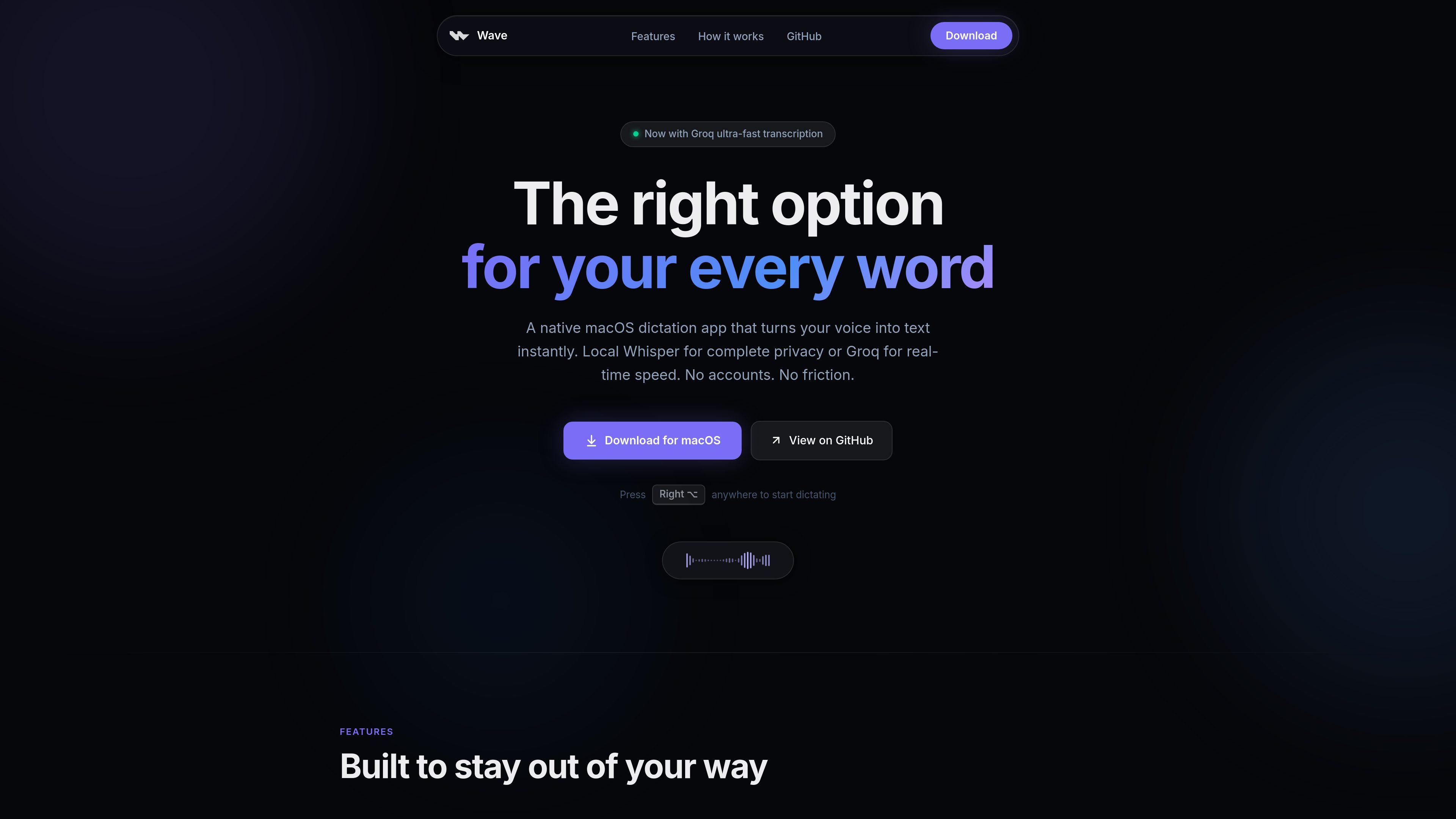
Wave 是一款原生 macOS 語音轉文字應用程式,可在任何你能輸入文字的地方,把語音轉成文字。它以簡單的按住說話互動為核心,使用右 Option 鍵,然後將結果插入目前使用中的應用程式游標位置。

這個產品提供兩種轉錄路徑:本機 Whisper 處理可離線使用,適合重視隱私的聽寫;或使用 Groq 進行轉錄,以獲得更快的結果。它也包含 AI 模式,可將口語意圖轉成潤飾過的文字,並提供選取內容模式,讓你直接在原處改寫反白文字。

圍繞快速語音轉文字打造的功能

單鍵啟動

按住右 Option 鍵、說話,然後放開。這個應用程式以單一手勢為核心,讓你不用開啟視窗或切換模式就能開始聽寫。

本機 Whisper 轉錄

Wave 可以在你的 Mac 本機執行 Whisper,將音訊處理保留在裝置上,提供不依賴雲端服務的私密聽寫。

Groq 轉錄選項

如果你比起本機處理更重視低延遲,Wave 可以使用 Groq,並透過你自己的 API 金鑰獲得近乎即時的轉錄。

以游標為基礎的插入

Wave 會直接把文字插入游標位置,因此聽寫結果會出現在你正在使用的應用程式中,而不是先進入另一個編輯器或剪貼簿步驟。

用意圖撰寫的 AI 模式

這個應用程式支援先聽寫訊息或請求的意圖,再把它轉成潤飾過的文字,而非逐字轉錄。

選取內容改寫模式

你可以先選取現有文字,按住快捷鍵,再說出指令,直接在原處改寫選取內容。

Wave 的實用使用方式

  • 跨應用程式快速輸入文字

    使用右 Option 快捷鍵,直接在你正在工作的應用程式中聽寫電子郵件、筆記或訊息,不必開啟獨立視窗。

  • Mac 離線聽寫

    當你需要在沒有 Wi-Fi 或雲端處理下仍可運作的聽寫時,選擇本機 Whisper。

  • 以速度為優先的轉錄

    當你想要更低延遲的轉錄,且能接受提供自己的 API 金鑰時,切換到 Groq。

  • 從口語意圖起草內容

    使用 AI 模式,說出請求或粗略想法,讓 Wave 將其轉成潤飾過的文字,例如草擬電子郵件或請求。

  • 改寫你已經寫好的文字

    選取既有文字,並下達口語編輯指令,即可就地修正文法、縮短文案或改變語氣。

Pros and Cons

Pros

  • 可本機執行 Whisper,支援離線使用與裝置端音訊處理。
  • 應用程式本身不需要帳號。
  • 支援簡單的一鍵工作流程,可在任何文字欄位或應用程式中使用。
  • 可在你想要更快轉錄時切換到 Groq。
  • 除了語音轉文字之外,也支援對選取文字直接原地改寫。

Cons

  • 應用程式僅限 macOS 14 Sonoma 或更新版本。
  • 由 Groq 託管的功能需要你自己的 API 金鑰與網際網路連線。
  • 來源未顯示定價方案,因為定價頁面回傳 404。

FAQ

Wave 可以免費使用嗎?

是。網站表示 Wave 100% 免費且為開源,且應用程式本身不需要帳號。

Wave 可以離線使用嗎?

Wave 的本機 Whisper 模式可離線使用。只有在切換到由 Groq 提供的語音轉文字或 AI 改寫功能時,才需要網際網路。

Wave 支援哪些平台?

Wave 是原生 macOS 應用程式,網站說明它支援 macOS 14 Sonoma 或更新版本,且可在 Apple Silicon 與 Intel Mac 上使用。

我需要帳號或 API 金鑰嗎?

若使用由 Groq 提供的語音轉文字或 AI 改寫功能,需使用你自己的 Groq API 金鑰。網站表示應用程式本身不需要帳號。

Quick Facts

類別
生產力 / 語音轉文字
平台
macOS 14 Sonoma 或更新版本
架構
原生 macOS 應用程式
模型選項
本機 Whisper 或由 Groq 託管的轉錄
可用性
免費且開源
來源網域
wave.mxv.sh

Wave 替代品

Speech to Text Converter icon

Speech to Text Converter

Speech to Text Converter is a browser-based transcription tool for live dictation and uploaded audio or video files. It offers a free tier for short tasks and a Pro plan for unlimited transcription, AI summaries, translation, speaker identification, and advanced exports.

Dictato icon

Dictato

Dictato is a Mac dictation app that transcribes speech into text in any app using an on-device, offline workflow. It supports multiple transcription engines, optional cleanup and translation, and a one-time purchase license.

Sanota icon

Sanota

Sanota is an app that turns spoken memories, reflections, and interviews into clear written stories. It supports personal storytelling, family history, and shared memories, with guided prompts and subscription pricing.

Carbon Voice icon

Carbon Voice

Carbon Voice is an asynchronous voice messaging app for teams and individuals, with transcripts, AI catch-up, and cross-device access. It helps people and agents communicate without needing a live call.

Realtime and audio icon

Realtime and audio

An OpenAI API guide for choosing the right speech architecture for live audio, translation, transcription, speech generation, and audio-capable chat. It helps developers map each speech application to the appropriate session type, endpoint, and connection method.

Pewbeam icon

Pewbeam

Pewbeam is a church presentation app that listens to sermons, detects Bible verse references in real time, and displays the matching passage on screen. It is built for pastors, projection teams, and church media volunteers who want to reduce manual slide control during live services.

