
Local browser processing
Process images locally with WebGPU acceleration, which keeps the workflow in the browser instead of sending files to a remote service.

AI Image Upscaler is a browser-based tool for enlarging photos with local WebGPU processing. It supports PNG, JPEG, and WEBP uploads, with up to 10 files and 2x or 4x upscaling options.
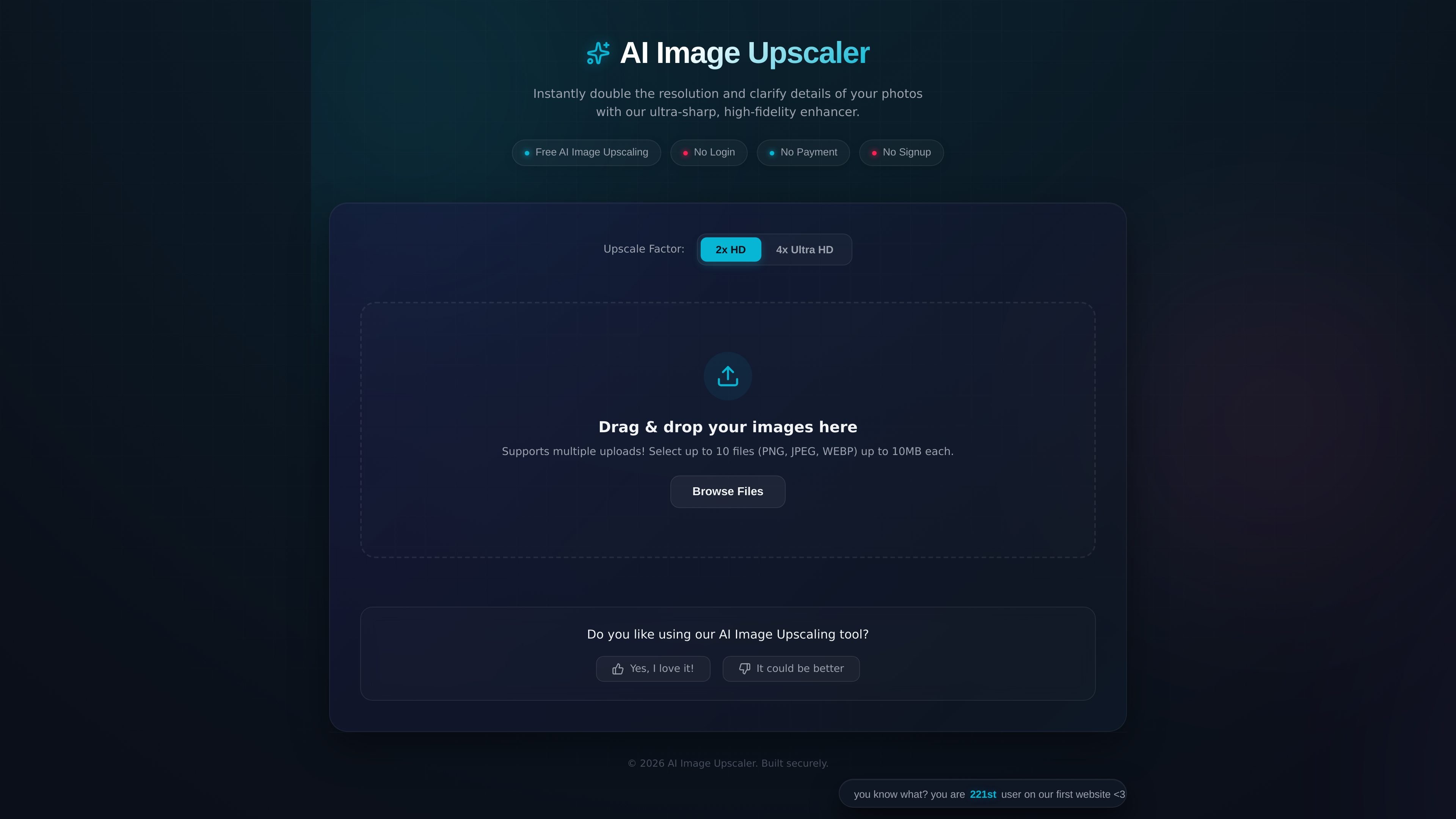
AI Image Upscaler is a client-side image enhancement tool for enlarging photos and clarifying detail in the browser. Its homepage describes it as a secure 4x ultra-HD enhancer that uses local WebGPU acceleration and keeps image data private by avoiding uploads.
The interface shown on the site supports drag-and-drop uploads and file browsing, with multiple-image processing for up to 10 files at once. The visible controls point to a straightforward workflow for users who want quick upscaling without moving images into a separate cloud service.
Process images locally with WebGPU acceleration, which keeps the workflow in the browser instead of sending files to a remote service.
Choose between 2x HD and 4x Ultra HD upscaling options depending on how much enlargement is needed.
Upload multiple files in one session, with support for up to 10 images at a time.
Accept PNG, JPEG, and WEBP files, covering the common formats used for photos and web graphics.
Handle files up to 10MB each, which sets a clear per-image size limit for the browser workflow.
Enlarge a single photo for a larger display or presentation while keeping the workflow in the browser.
Process a small set of related images at once, such as a batch of product photos or illustrations, using the multi-upload limit shown on the page.
Work with photos that should stay private because the page says images are processed locally and not uploaded.
Choose between 2x HD and 4x Ultra HD depending on whether the goal is modest enlargement or a more aggressive upscale.
The site presents it as a browser-based image upscaler that runs with local WebGPU acceleration, so the main workflow is to add images in the browser and process them there.
The home page says you can upload PNG, JPEG, or WEBP files, with up to 10 files at a time and a 10MB limit per file.
The page highlights 2x HD and 4x Ultra HD upscaling options, so users can choose between the two enlargement levels shown on the site.
The product description says it is 100% private and does not upload images, which indicates the processing is intended to stay local in the browser.

Pixelcut is an AI photo editor for creating and editing product images, social content, and video assets. It offers free and paid plans, plus mobile app and browser access for individual users and teams.

Upscale.media is an AI image upscaling and enhancement tool from Pixelbin that enlarges low-resolution or pixelated images and improves clarity in the browser. It offers free individual image use, paid credit plans, and team-oriented workflows such as bulk processing and API integration.

PhotoAid’s AI Image Enlarger is a free browser-based tool for upscaling images without a standard blur-heavy resize. It supports JPEG, WEBP, and PNG uploads and is described as working best for photos with faces.

Let's Enhance is an online AI image app for enhancing, upscaling, and restoring photos. It helps users clean up images, increase resolution, and process files through free credits, subscriptions, or pay-as-you-go bundles.

Upscale.media is an AI image upscaling and enhancement tool from PixelBin that enlarges low-resolution images and improves visual quality online. It is built for creators, businesses, and teams that need sharper still images or video content with a simple upload-and-process workflow.

Airbrush is an AI-powered photo and portrait editor for web, desktop, and mobile. It helps creators, everyday users, and professionals retouch portraits, remove backgrounds, and enhance images with credit-based AI tools.