
Automatic session reports
Spotlight generates a report as soon as an agent session ends, so you can review the result after the fact instead of monitoring live activity.

Backplanes Spotlight generates automatic reports for Claude Code and Codex sessions so developers and teams can review what an agent actually did after a run finishes. It focuses on post-session visibility, report summaries, and local redaction before data leaves the laptop.
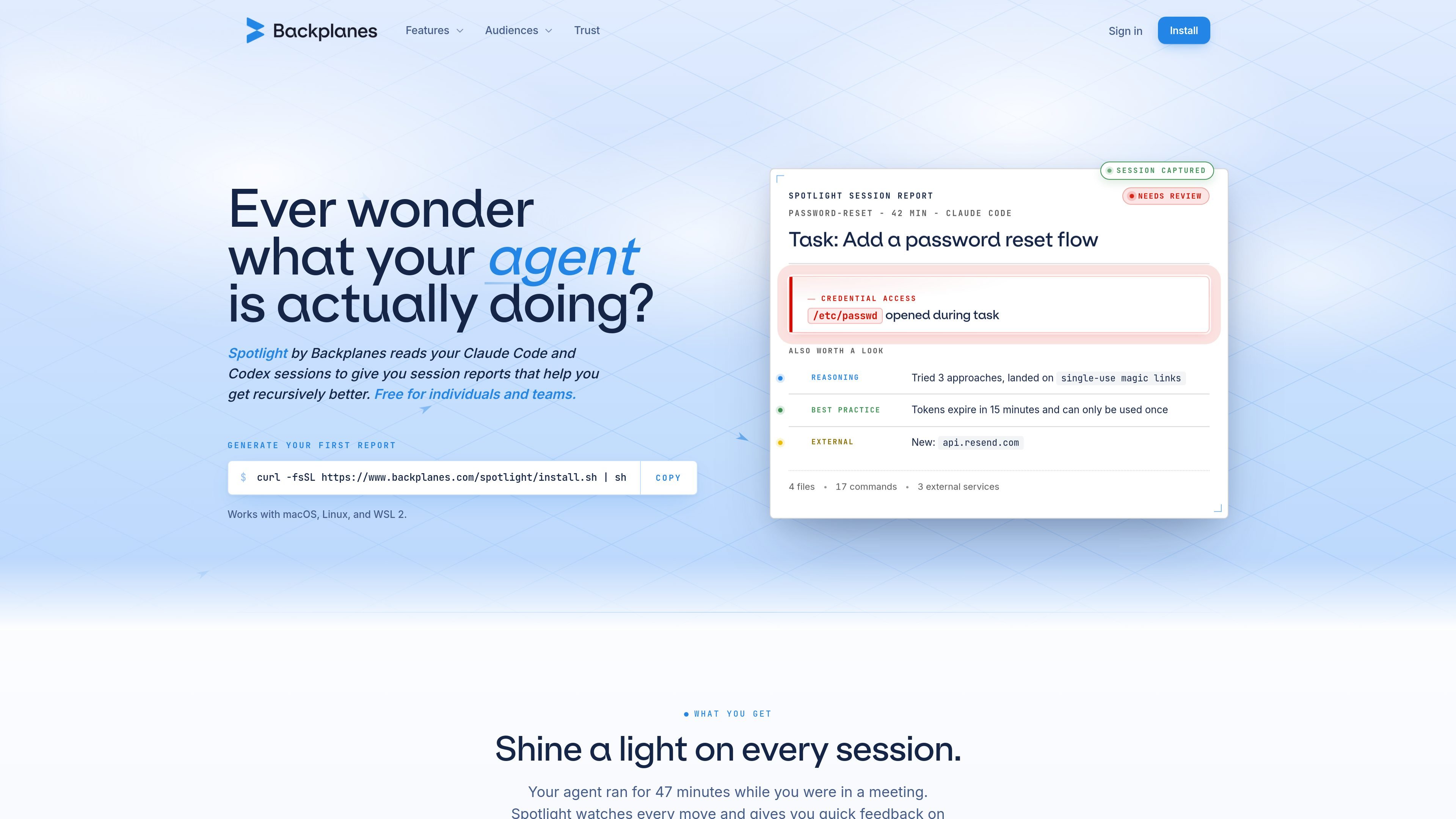
Backplanes Spotlight is a product for reviewing Claude Code and Codex sessions after they finish. It installs as a CLI, authenticates in the browser, and generates a report for each completed session so developers can see what the agent did, what it touched, and where attention is needed.
The product is aimed at individuals and teams who want a clearer record of AI-assisted coding work without watching a live dashboard. The reports summarize severity, scope, time spent, notable findings, and the session narrative, and the site says local redaction removes PII and credentials before data leaves the laptop.
Spotlight generates a report as soon as an agent session ends, so you can review the result after the fact instead of monitoring live activity.
The report organizes each run into a verdict, findings, timing breakdown, and narrative, which helps readers understand both outcomes and the path taken.
Reports separate issues from useful behavior by surfacing what needs attention and what is worth keeping as a habit for future runs.
The session report page says every finding includes a next step, such as rotating credentials, tightening scope, or adding a policy.
The homepage says the CLI captures sessions automatically when they end and applies local redaction before data leaves the laptop.
The install flow authenticates in the browser and starts capturing sessions after setup, with support noted for macOS, Linux, and WSL 2.
Review the result of a coding-agent session after it finishes so you can see what changed, what the agent touched, and whether any findings need follow-up.
Use the report to identify scope issues, credentials exposure, or other findings that deserve immediate action before the next run.
Scan the timing breakdown to understand where a long run spent its time and which parts were code work, shell work, research, or review.
Look for the habits section to capture clean patterns from successful runs and turn them into a repeatable standard for future work.
Roll it out for a team that uses Claude Code or Codex and wants a shared way to inspect agent sessions without seat-based pricing on the site.
Spotlight installs as a CLI and starts capturing sessions after you authenticate in your browser. The reports appear after each completed session, so you review the output once the agent finishes rather than monitoring a live dashboard.
The site says Spotlight reads Claude Code and Codex sessions. The session report page also says it works with Claude Code and Codex, while the homepage notes support for macOS, Linux, and WSL 2.
The report output is designed to surface a verdict, findings worth acting on, time spent, and the full narrative of the run. The session report page says the report can be skimmed in about a minute and includes receipts behind each finding.
The homepage states that local redaction strips PII and credentials before anything leaves your laptop. The privacy notice also says session transcripts are redacted client-side and server-side.
The homepage says Spotlight is free for individual developers and the teams they work on. It also says org rollouts that need attribution, volume, or specific controls should contact Backplanes.

ByteAsk is a terminal-first AI coding agent for C and C++ that edits repositories and verifies changes with the real compiler, debugger, sanitizers, and tests before showing a diff. It offers a free tier plus paid plans, with editor connectors and zero-retention handling described in the source.

Manta AI is an autonomous web app testing tool for teams that want to map application behavior, catch regressions, and generate tests without writing scripts or maintaining selectors. It works from a URL and supports plain-English test flows, run results with screenshots, and scheduled or deployment-triggered checks.

Ghost ist ein terminalbasierter KI-Assistent für Chats, Code-Generierung und Aufgaben direkt in der Kommandozeile. Mit kostenlosen Modellen, Linux, macOS und Windows. Open Source.

Devin is an AI coding agent and software engineer that helps developers and engineering teams plan and execute complex software tasks. It is available through desktop, cloud, JetBrains, and CLI surfaces, with plans for individuals, teams, and enterprises.

imgcook is a design-to-code tool that converts design drafts into front-end code. It supports plugin-based and developer workflows for Sketch, Photoshop, VS Code, and CLI usage.

Pi Coding Agent is a terminal-based coding agent for developers who want a minimal, extensible harness for interactive work and automation. It supports model switching, session branching, and multiple run modes including TUI, print/JSON, RPC, and SDK.