
Anti-blocking browser environment
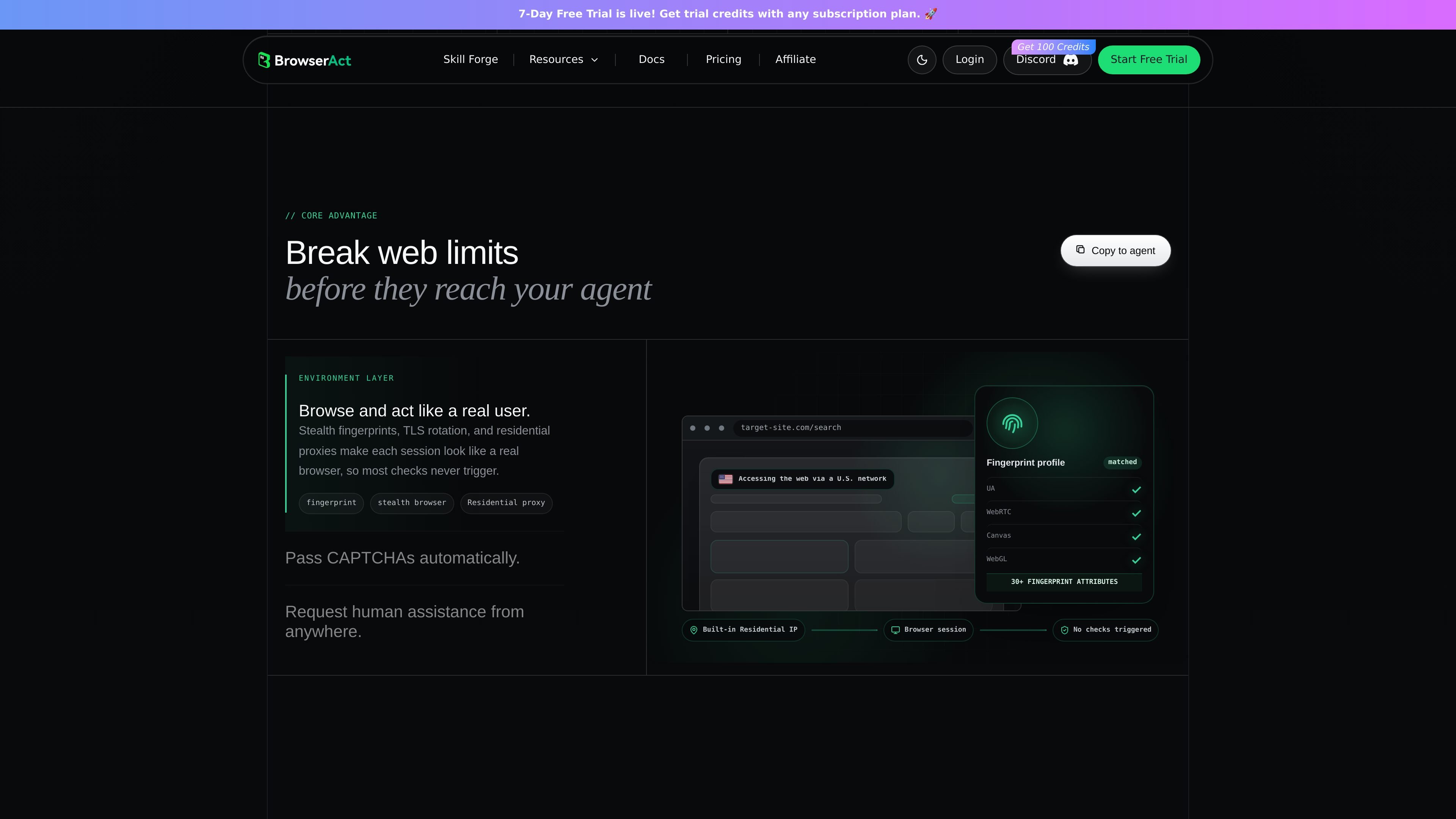
BrowserAct uses stealth fingerprints, TLS rotation, and related anti-blocking layers to help sessions pass blocked pages and reduce common web checks.

BrowserAct is a browser automation and web-data platform for AI agents. It helps agents browse live sites, handle logins and CAPTCHAs, and complete web tasks such as data extraction and CSV export.
BrowserAct is a browser automation and web-data platform for AI agents that need to interact with real websites instead of static pages or APIs. It is positioned as a browser layer that helps agents work through blocked pages, logins, CAPTCHAs, and other real-world web constraints while returning usable data.
The homepage shows BrowserAct being used to scrape Amazon best-seller pages, handle a CAPTCHA, and export results to CSV. The pricing page frames the product as a fully managed browser environment with separate infrastructure options for fingerprints, proxies, workflow execution, and a cloud browser product marked coming soon.
BrowserAct uses stealth fingerprints, TLS rotation, and related anti-blocking layers to help sessions pass blocked pages and reduce common web checks.
When a site presents a CAPTCHA, BrowserAct says it can handle the challenge automatically, with human assistance available as a backup path for harder stops.
The homepage describes multiple browser modes, including reuse of local Chrome login state, stealth private mode for bulk scraping, and fixed-identity mode for multi-account scenarios.
BrowserAct emphasizes separate identities and workspaces for parallel sessions so multiple agents can run at once without account mixups or state pollution.
The product is designed around agent-friendly output, including clean text, indexed interactions, and semantic memory to make web results easier for LLMs to use.
Pricing information indicates infrastructure components such as fingerprint browsers, dynamic proxies, static proxies, and workflow steps, suggesting BrowserAct combines browser access with supporting web-automation services.
Use BrowserAct when an agent needs to collect fresh data from a site that may block bots or present verification checks, such as product listings or marketplace pages.
Use the bulk-scraping mode when you need many parallel browser sessions with fresh identities and rotating proxies for repeated collection jobs.
Use the fixed-identity browser mode when one agent must manage multiple accounts without crossing cookies, sessions, or proxy state.
Use local Chrome reuse when a task depends on existing sign-in state, SSO, cookies, or extensions already present in the user's browser.
Use remote assist when a task reaches a hard verification step such as 2FA and needs a person to take over briefly before the agent continues.
BrowserAct is used to let AI agents browse websites, handle logins and CAPTCHAs, extract live web data, and complete web tasks end to end. The homepage frames it as a browser layer for agents that need to work through blocked pages and return clean data.
The pricing page shows BrowserAct as a fully managed browser environment with infrastructure products such as fingerprint browsers, proxies, workflow steps, and a cloud browser option marked coming soon. The site does not provide a single all-in-one public price for the full product.
The site describes browser modes for local Chrome login state, stealth private mode for bulk scraping, and stealth fixed-identity mode for multi-account scenarios. It also says each browser runs on the user's local machine for those modes shown on the homepage.
The homepage says BrowserAct can handle CAPTCHAs automatically and offers remote assist for hard stops such as 2FA or other verification steps. The pricing page also lists built-in proxy and CAPTCHA solving as part of a workflow step product marked coming soon.

CreateOS Sandbox is an isolated compute environment for running code and agent workloads inside Firecracker micro-VMs. It is designed for workflows that need machine-level isolation, private networking between sandboxes, and programmatic control through SDK, CLI, or MCP.

ByteAsk is a terminal-first AI coding agent for C and C++ that edits repositories and verifies changes with the real compiler, debugger, sanitizers, and tests before showing a diff. It offers a free tier plus paid plans, with editor connectors and zero-retention handling described in the source.

MeetStream is a meeting bot API for Zoom, Google Meet, Microsoft Teams, and Webex. It helps developers record, stream, and analyze meetings programmatically, with usage-based pricing and a $5 free credit to start.

Codex Plugins bundle reusable skills, app integrations, and MCP servers into workflows you can install in the Codex app or use from Codex CLI. They help extend Codex with connected-service tasks, reusable instructions, and shared team workflows.

hob is an independent workspace for coding agents that keeps agent sessions, terminals, history, and follow-up work organized around the tools and providers you already use. It is aimed at developers who want local control over routing, history, and workspace structure rather than a bundled model stack.

Wallie is an open-source AI streamer that watches your screen, hears chat, and generates live commentary in a configurable persona. It runs locally on your machine with your own keys and is aimed at faceless content, autonomous streams, and real-time reactions.