
Team managers
Organize related conversations into named teams with a manager that monitors progress, coordinates members, and surfaces decisions requiring user input.

CodeAF is a developer tool for coordinating multiple AI coding agents, teams, and task workflows from one interface. It helps software developers delegate implementation work, run checks, and monitor progress across projects.
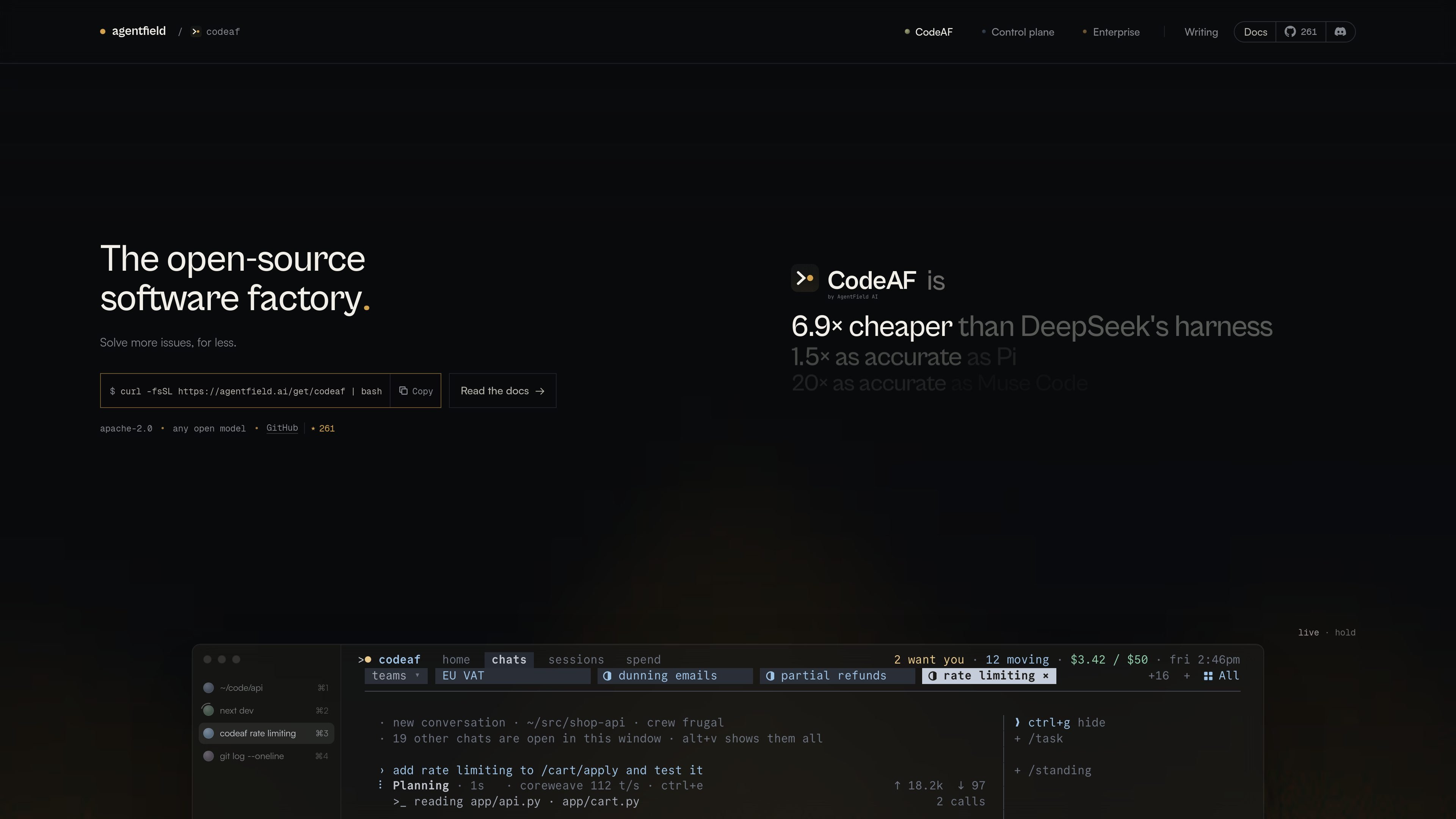
CodeAF is a coding-agent workspace for running multiple software-engineering agents from one window. It combines conversations, teams, task plans, sessions, checks, and spend tracking so users can delegate development work while retaining a view of what is running and what needs attention.
A request can be broken into dependent subtasks, assigned across a team, and checked as work lands. For larger or more specialized jobs, users can invoke a dedicated harness such as `senior-dev`; managers and specialists can continue work, report status, and ask the user only when a decision requires human input.
Organize related conversations into named teams with a manager that monitors progress, coordinates members, and surfaces decisions requiring user input.
Turn a request into a plan with nested tasks and dependencies, then claim ready work and run multiple tasks concurrently when they are independent.
Use complete, task-specific coding harnesses such as `senior-dev`. Specialists can run an engineering workflow from brief to checked result and continue independently for extended jobs.
Express recurring rules, scheduled reminders, and event-based watches in plain English, scoped to a chat, project, or broader workspace.
Run the conversation on a development machine and attach from other devices over SSH; the documentation states that closing the laptop does not stop active work.
Track spending and model allocation in the interface, with Pareto crewing selecting models for different task roles and the product describing cost-aware model assignment.
Describe a feature or bug fix, let CodeAF turn it into subtasks such as implementation and tests, and monitor which items are running, complete, or waiting for a decision.
Create a named team for a project such as storefront, billing, or a parser, then let a manager coordinate several focused conversations while keeping the project status in one view.
Invoke a specialist for work that benefits from a dedicated workflow, such as reviewing a pull request, migrating a package, or making a larger code change that needs independent checking.
Attach to a running development session from another device over SSH when moving between a desk, laptop, or phone, without making the network connection part of the active coding loop.
Define recurring instructions such as running tests before completion or notifying the team when an API changes, using plain-language standing orders rather than a separate configuration language.
Install CodeAF with the one-line command `curl -fsSL https://agentfield.ai/get/codeaf | bash`, then run `codeaf` in a project. The documentation presents creating a first team as the next setup step.
Yes. CodeAF groups conversations into named teams, each with a manager and member conversations. Managers coordinate work and ask the user when they encounter a decision they cannot make.
Specialists are started in a conversation with a command such as `/senior-dev` followed by a brief. A specialist runs as its own task, with an independent workflow and checked result; CodeAF can also suggest handing work to a specialist when the task fits.
The documented workflow includes planning a request into subtasks, running work, executing checks such as tests or build commands, and reporting the resulting status. The site also describes held-out acceptance criteria that are kept separate from the worker's task list.
The available evidence does not document pricing, plan limits, or a current integration inventory. The pricing URL provided for the product is a not-found page, so those details should be confirmed with the vendor.

CreateOS Sandbox is an isolated compute environment for running code and agent workloads inside Firecracker micro-VMs. It is designed for workflows that need machine-level isolation, private networking between sandboxes, and programmatic control through SDK, CLI, or MCP.

GitBot is a local browser-based workspace for creating reusable coding bots powered by Claude Code, Codex, or OpenCode. It helps developers run those agents across repository folders with persistent threads and configurable permissions.

SonOf connects to your repo and PM tool, audits the codebase and surrounding product context, and turns approved work into shipped tickets with senior engineering review. It is aimed at founders and engineering leaders who need backlog help without hiring a full team immediately.

ByteAsk is a terminal-first AI coding agent for C and C++ that edits repositories and verifies changes with the real compiler, debugger, sanitizers, and tests before showing a diff. It offers a free tier plus paid plans, with editor connectors and zero-retention handling described in the source.

hob is an independent workspace for coding agents that keeps agent sessions, terminals, history, and follow-up work organized around the tools and providers you already use. It is aimed at developers who want local control over routing, history, and workspace structure rather than a bundled model stack.

Manta AI is an autonomous web app testing tool for teams that want to map application behavior, catch regressions, and generate tests without writing scripts or maintaining selectors. It works from a URL and supports plain-English test flows, run results with screenshots, and scheduled or deployment-triggered checks.