
Context-specific digital cards
Create virtual cards with field-level control over what each recipient can see, so the same person can share different details in different contexts.

ConnectMachine is an AI-powered digital business card and contact management app for creating private virtual cards, capturing contacts, and querying your network in natural language.
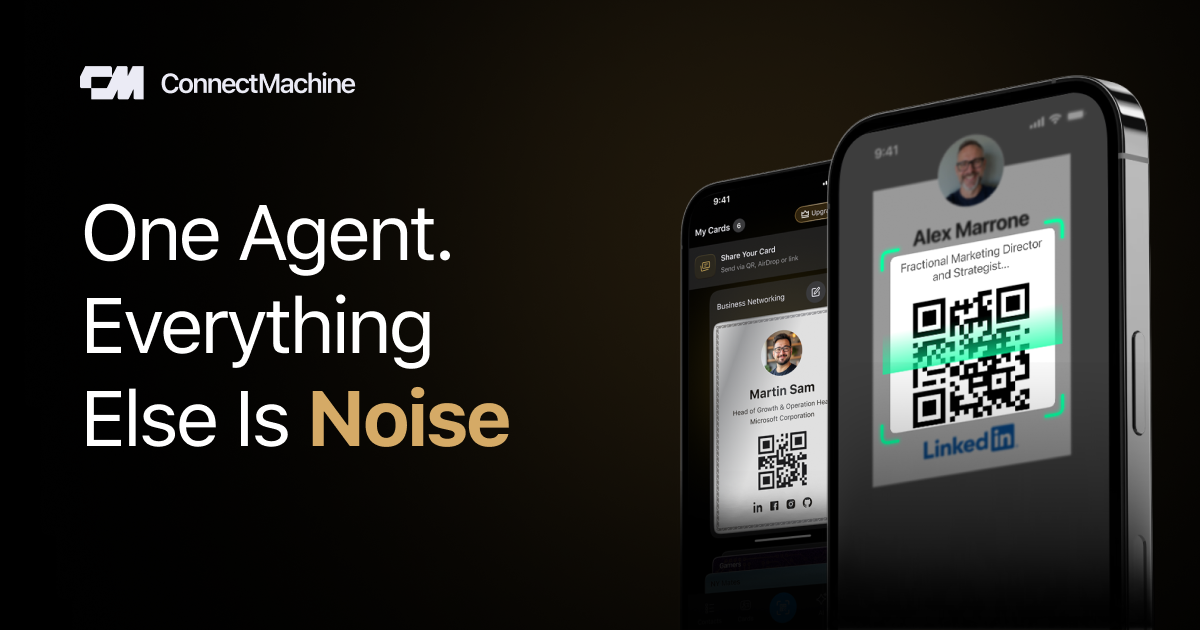
ConnectMachine is an AI-powered digital business card and contact management app. It lets users create private virtual cards, share them without requiring the recipient to install the app, and keep the resulting contacts organized in a searchable network.
The product pairs card sharing with AI-assisted recall. Users can scan physical cards, record meeting notes, attach context to contacts, and ask natural-language questions about their network, calendar, or past interactions. The help docs describe it as a private, agentic network focused on discreet, high-signal connections rather than public social features.
Create virtual cards with field-level control over what each recipient can see, so the same person can share different details in different contexts.
Share a card by QR code, link, NFC, or AirDrop. The recipient can open or save the details without installing the app.
Scan physical business cards and turn them into searchable contacts with no manual typing.
Record conversations and attach notes to a contact so you can remember the context of a meeting later.
Ask questions in natural language about people, places, events, and meetings, then get structured answers or actions such as scheduling and sharing.
Handle contact exports, Apple and Google Wallet access, and contact management workflows from the app.
Build separate cards for work, social, VIP, or other contexts and control exactly which fields each audience sees.
Capture business cards after meetings, attach notes to the contact, and later search by person, company, event, or follow-up context.
Use natural-language prompts to find people, recall where you met them, or ask the agent to schedule a meeting within your stated preferences.
Share a card in person through QR, NFC, or AirDrop when the other person does not have the app.
Use the team plan for centralized billing, seat management, team analytics, and admin controls across a shared rollout.
You install the app, sign up, and follow the guided steps to build your first digital card.
Use your unique QR code or share link. Recipients can view or save your details without needing the app.
Yes. The source says you can create cards for different contexts such as VIP, Friends, or Work.
Yes. Cards can be added to Apple Wallet from the card screen.
Yes. The help content says contact data can be exported to CSV from settings > Export Contacts.

recall is an AI flashcard app that turns reading and notes into study cards through Claude, ChatGPT, or another MCP client. It uses one-time lifetime access pricing and spaced repetition review.

Goldfish is an AI memory app for macOS that helps you reply, write, summarize, and continue using the context already on your Mac. It stores memory locally and writes in your tone.

Lasso is an ecommerce product data platform for enriching catalog records, processing supplier files, generating product content, and monitoring competitors. It combines a web app with a REST API, SDK, and MCP server for teams and developers.

Struere is an AI-native platform for turning spreadsheet data into structured operational software with dashboards, alerts, and automations. It is aimed at teams that want to replace manual spreadsheet workflows without building custom tools from scratch.

garden-md is an open-source Node.js CLI that turns meeting transcripts into a local company wiki. It links entities across transcripts, keeps the original text intact, and renders the result as a browsable wiki.

Falconer is an AI-powered company brain that keeps internal documentation accurate, searchable, and up to date by syncing with tools like GitHub, Slack, and Linear. It helps engineering and cross-functional teams centralize knowledge and answer questions from a shared source of truth.