
Request and response screening
Screen incoming prompts and outgoing responses for prompt injection and sensitive-data leakage before messages reach the model or leave the workspace.

Constellation Gate AI is a gateway for AI agents that screens requests, redacts sensitive data, records activity in a tamper-evident audit trail, and can reduce token usage. It supports desktop tools, CLI routing, and SDK-based setup without code changes.
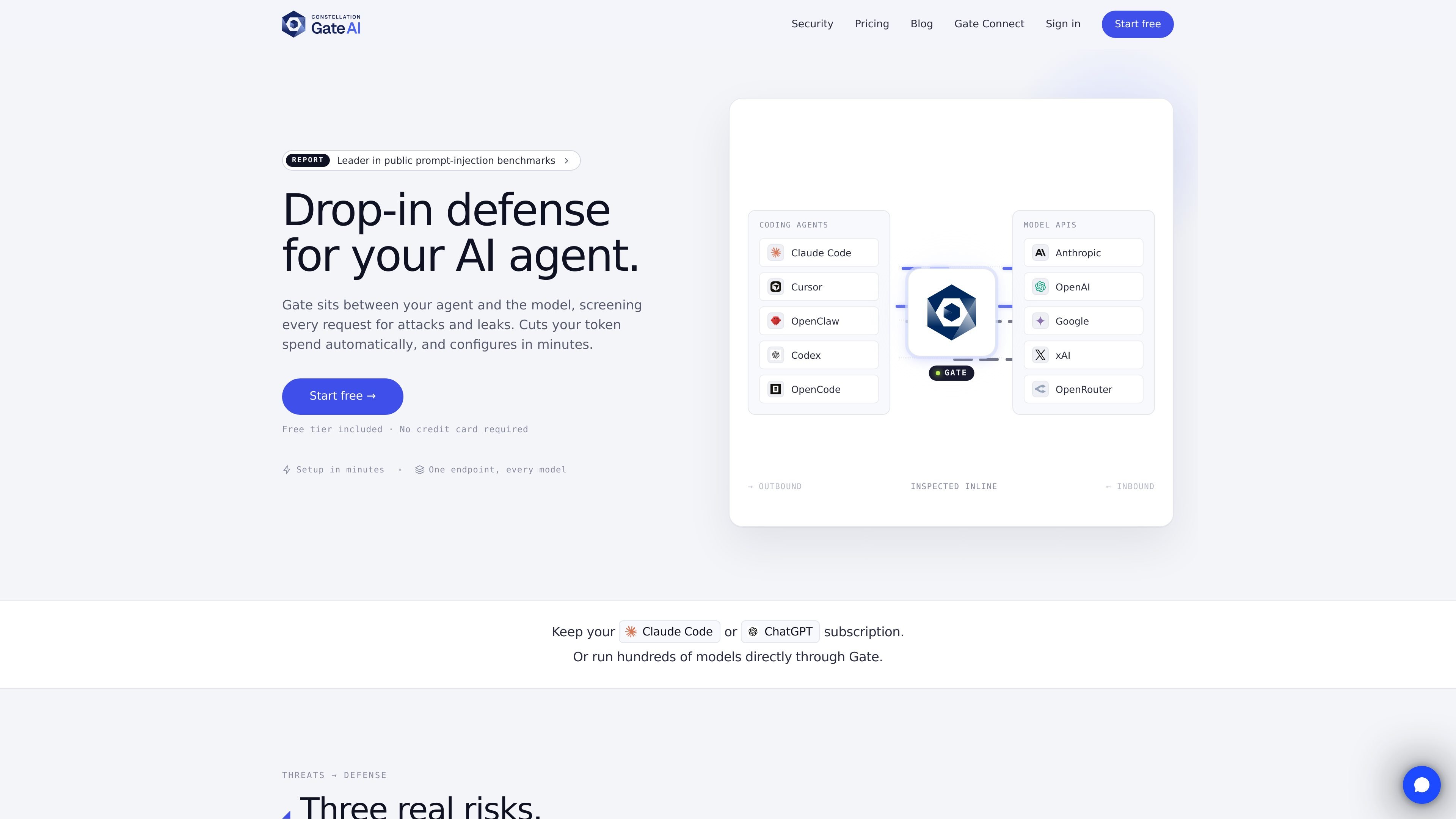
Constellation Gate AI is a gateway layer for AI agents and model traffic. It sits between your tools or SDKs and the model provider so requests can be screened, responses can be redacted, and activity can be recorded in a tamper-evident log.
The product is presented for teams that want to keep their existing tools and provider relationships while adding prompt-injection defense, secret scanning, spend controls, and request-level audit records. It can be used through Gate Connect for desktop tools, through a command-line connector, or by pointing an SDK at Gate’s endpoint.
Screen incoming prompts and outgoing responses for prompt injection and sensitive-data leakage before messages reach the model or leave the workspace.
Redact credentials, PII, and PHI from outputs so sensitive content is removed before downstream tools or logs can see it.
Write each allowed, flagged, blocked, or redacted decision into a hash-chained audit trail anchored to Constellation Digital Evidence.
Reduce token usage with lossless compression and prompt-cache-aware handling of reusable prefixes such as system instructions, tools, and conversation history.
Route AI tools through a desktop app or CLI without changing code, including one-click setup for supported tools and a base URL for SDKs.
Enforce spend, token, and rate caps at the organization, project, or API-key level to stop runaway agent loops.
Point existing agent workflows at Gate to screen prompts for injection attempts before they reach the model and to keep a record of each run.
Use the redaction layer when models may echo back customer records, credentials, or internal notes that should not appear in logs or downstream tools.
Set caps at the org, project, or key level to prevent retry loops or overly expensive runs from continuing unchecked.
Install Gate Connect on a desktop and connect tools such as Claude Code, Cursor, Codex, or OpenCode with minimal setup.
Keep using an existing OpenAI, Anthropic, or other provider account while adding screening and audit records in front of it.
Yes. The Free plan is free forever and does not require a credit card. Payment details are only needed if you upgrade to Pro or buy model usage through Gate’s keys.
Model usage is pay as you go per token when you run models through Gate’s keys. If you bring your own provider keys, you keep paying the provider directly.
Yes. Gate can sit in front of tools like Claude Code or ChatGPT, so existing subscriptions can continue while Gate screens and records requests.
On Pro, spend caps can be set at the organization, project, or API-key level. When a cap is reached, Gate stops the requests rather than letting them continue.
Yes. Plans are monthly and self-serve, and you can downgrade to Free from the billing page. Your workspace keeps routing, logs, and the audit trail, and nothing is deleted.

AakarDev AI helps teams manage AI provider access, project-level setups, logs, and analytics from one dashboard. It supports BYOK workflows and lists providers including OpenAI, Google Gemini, Anthropic, Groq, Mistral AI, and Perplexity AI.

CreateOS Sandbox is an isolated compute environment for running code and agent workloads inside Firecracker micro-VMs. It is designed for workflows that need machine-level isolation, private networking between sandboxes, and programmatic control through SDK, CLI, or MCP.

ByteAsk is a terminal-first AI coding agent for C and C++ that edits repositories and verifies changes with the real compiler, debugger, sanitizers, and tests before showing a diff. It offers a free tier plus paid plans, with editor connectors and zero-retention handling described in the source.

PromptScout tracks how ChatGPT, Gemini, Google AI Overviews, and Perplexity mention your brand or competitors, then pairs those results with source analysis and website audits. It helps teams decide what to fix in content, positioning, or site readiness next.

Sleek Analytics is a privacy-friendly web analytics tool with real-time visitor tracking, Core Web Vitals, and revenue attribution. It helps site owners understand traffic and conversions without cookie banners or a heavy setup.

Codex Plugins bundle reusable skills, app integrations, and MCP servers into workflows you can install in the Codex app or use from Codex CLI. They help extend Codex with connected-service tasks, reusable instructions, and shared team workflows.