
Global payments
Use hosted checkout and accept cards, PayPal, Apple Pay, Google Pay, and other payment methods while charging customers in their currency.

Creem is a payments and monetization platform for software and digital products. It provides checkout, billing, merchant-of-record services, usage-based pricing, payouts, affiliate tools, and developer interfaces for selling online.
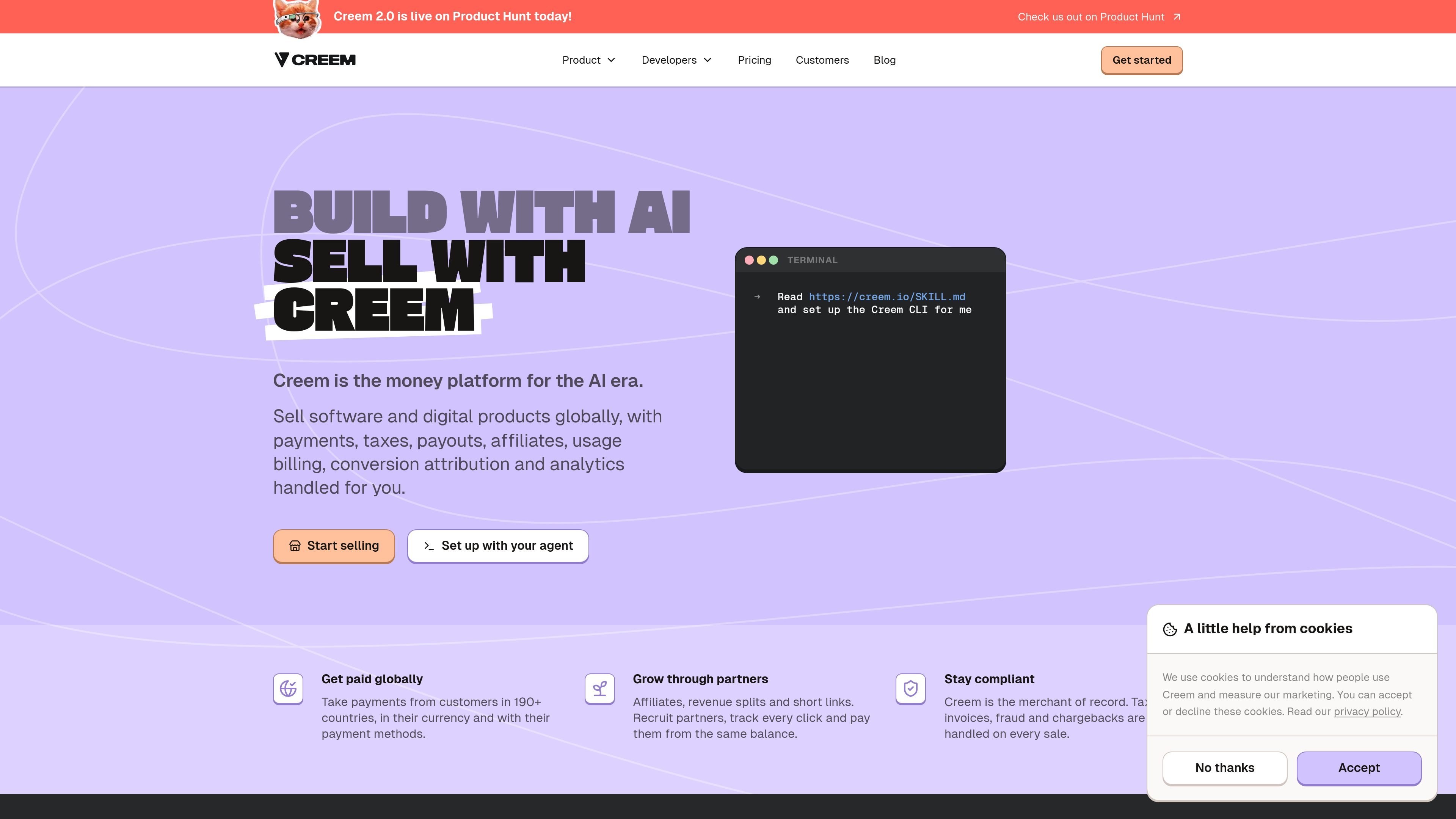
Creem is a payments and monetization platform for software and digital products. It combines checkout, payment processing, merchant-of-record services, billing, payouts, affiliate tools, attribution, and analytics so developers can sell without assembling each function separately.
The platform is designed for products with one-time purchases, subscriptions, prepaid credits, or usage-based charges. Creem handles payment and tax operations on sales, while its dashboard and developer interfaces support product setup, customer billing workflows, partner payouts, and usage-event tracking. It also supports AI-agent operation through an MCP server, CLI, API, SDKs, and webhooks.
Use hosted checkout and accept cards, PayPal, Apple Pay, Google Pay, and other payment methods while charging customers in their currency.
Creem acts as merchant of record and handles VAT, GST, and sales-tax calculation, collection, filing, and remittance, along with invoices, fraud screening, and chargebacks.
Sell prepaid credit packs or charge for measured consumption such as generations, API calls, minutes, tokens, images, or other defined units. Usage can include allowances and optional caps.
Configure subscriptions, free trials, discounts, seat-based billing, and custom meters from the dashboard, with usage visibility by customer and period.
Recruit affiliates, assign product- or affiliate-specific commissions, split revenue among collaborators, and pay participants from the same balance.
Create trackable short links and QR codes with options including password, geographic, and device targeting. Products and store actions can also be managed through the API, SDKs, CLI, MCP server, and webhooks.
Create a hosted checkout for a SaaS product, manage recurring plans, and provide billing-portal workflows for renewals, cancellations, discounts, and refunds.
Sell prepaid credit packs and deduct balances as customers consume generations, API calls, tokens, minutes, or other metered units.
Launch a product internationally while using Creem for payment collection, tax handling, invoices, fraud screening, chargebacks, and scheduled payouts.
Recruit partners, define commissions, split sale revenue among collaborators, and use short links or QR codes to attribute conversions.
Use the MCP server, CLI, API, or webhooks from an agent, Slack bot, cron job, or other automation to create products, monitor sales events, and trigger billing actions.
Creem provides hosted checkout, payment processing, subscription management, taxes, invoicing, fraud screening, chargeback handling, payouts, affiliates, revenue splits, usage billing, and sales attribution from one platform. The source does not document every setup step or workflow limitation.
Creem offers an MCP server, API, SDKs, CLI, webhooks, and a skill file for AI-agent workflows. The site shows agents creating products, opening checkouts, wiring verified webhooks, and performing actions such as creating discount codes, generating billing portal links, and issuing refunds.
The standard pay-as-you-go rate is 3.9% plus $0.40 USD per successful transaction, with no monthly or setup fees stated on the pricing page. Higher-volume businesses can contact Creem for custom pricing.
Creem says payouts are processed on the 1st and 15th of each month to a bank account or USDC wallet. Arrival time depends on the selected payout method.
Creem supports major credit and debit cards, Apple Pay, Google Pay, and additional payment methods. The site also describes customer charges in local currency and sales to customers in more than 190 countries; exact availability can vary by region and payment method.

MacSpoof ist ein MAC-Adressenwechsler für macOS: WLAN-MAC ändern oder randomisieren, um Verbindungen zu erneuern und die Protokollierung auf öffentlichem WLAN zu reduzieren.

DemoTV is an audience-ranked station for discovering and comparing independent product demos. Founders can submit videos, embed approved demos on their websites, collect viewer inquiries and optionally commission demo production or labelled promotion without buying ranking.

Ship It: Idle Dev Tycoon is an iPhone incremental simulation game about building apps, managing a software studio, and selling it for lasting progression benefits. It supports offline play, automated builds, adviser collection, and optional in-app purchases.

NomNak ist eine kostenlose Restaurant-Discovery-App für iPhone, mit der du Orte über Empfehlungen von Freunden statt über anonyme Bewertungen findest.

CAPTA is a mobile GPS waypoint app for quickly saving, organizing, and revisiting locations. It supports offline use, camera-based coordinate capture, optional cross-device synchronization, and GPX export for fishermen, explorers, and field professionals.

Ctrl+Shift+3 is a calm, text-first community platform with a chronological feed, profiles, RSS, and private groups called Clicks. It is built for reading, posting, and joining smaller communities without algorithmic ranking or vanity counts.