
Template-based editor
Choose from 26 original designs across essential, editorial, professional and creative styles, then switch templates while retaining the details you entered.

esigna is a browser-based email signature generator with 26 templates, contact fields, headshot or logo support and brand-color controls. It helps individuals and businesses create signatures for Gmail, Outlook, Apple Mail and other email workflows, then copy or export them in several formats.
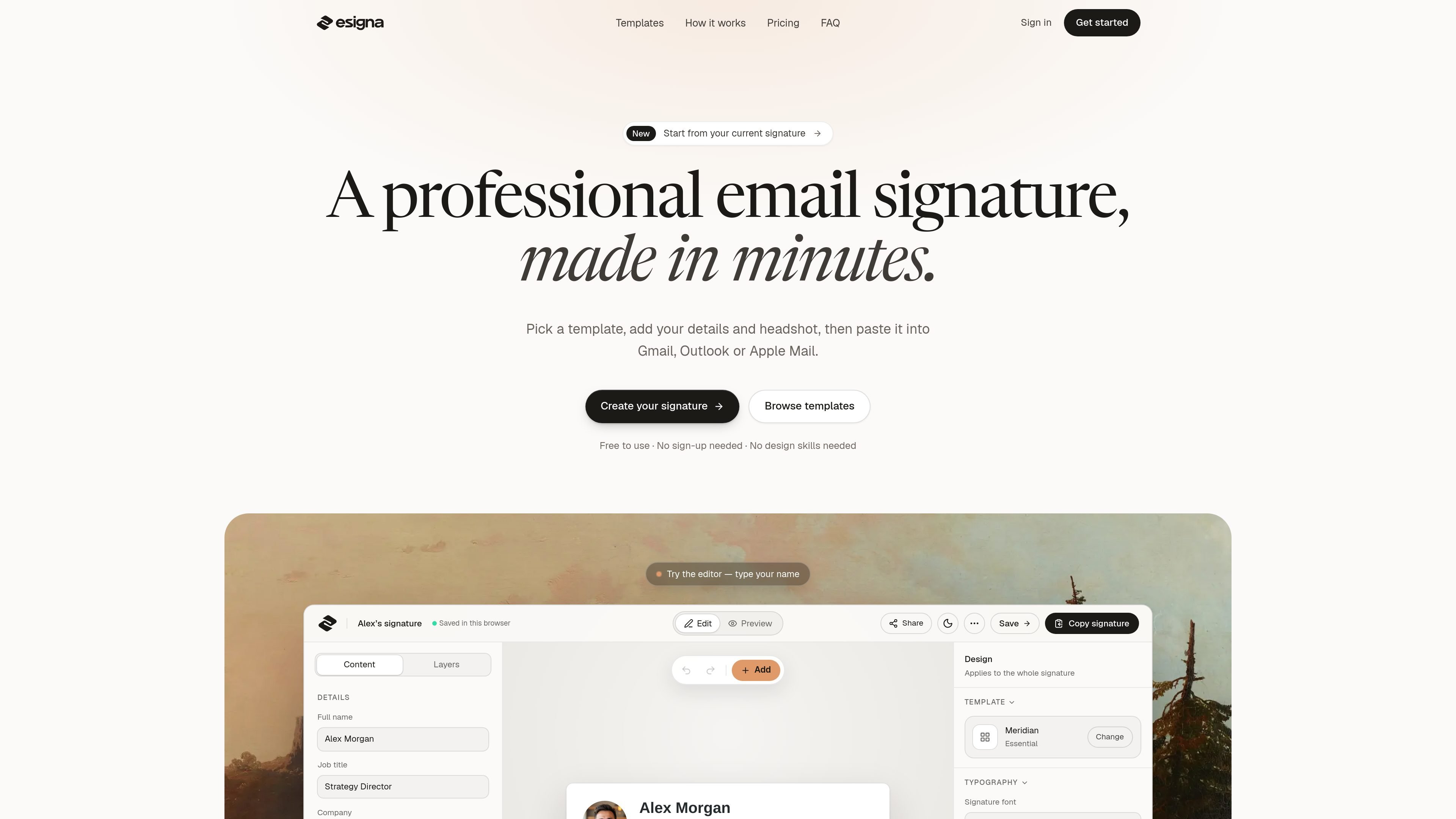
esigna is a browser-based email signature generator for creating branded signatures without design software or code. Users select a template, enter contact information, optionally add a headshot or logo, and preview the result before copying it into an email client.
The editor is designed around signatures that work in email rather than web pages. It supports structured contact fields, clickable contact and social links, email-safe HTML, dark-mode previews and exports in HTML, PNG and plain text. The site also offers profession-oriented template collections for photographers, freelancers, graphic designers, consultants, software developers, marketing managers and teachers.
Choose from 26 original designs across essential, editorial, professional and creative styles, then switch templates while retaining the details you entered.
Add a full name, job title, company, email, phone, website, booking link and social profiles. Empty fields can remain out of the finished signature.
Upload a headshot or company logo, zoom and drag to frame a photo, and apply one accent color across links, icons and dividers.
The signatures use email-oriented HTML with tables and inline styles, a format the site identifies as suitable for Gmail, Outlook and Apple Mail.
Preview signatures in light and dark inbox views and see examples for desktop and phone contexts before installing them.
Copy a signature with one click or export it as HTML, PNG or plain text. Existing signatures can also be pasted into the editor to populate their details.
Create a quiet signature with a portfolio link, studio or business name and one reachable phone number, so the signature supports client communication without competing with photographic work.
Build a compact professional identity around a service, portfolio or website and a preferred contact method when establishing a consistent freelance presence.
Use a role-specific layout with practice details, credentials, address, booking links or other relevant information for client-facing consulting, legal, medical and real-estate communication.
Select a minimal design with a name, role, company and public profile link for messages that may appear in mailing lists, code reviews or plain-text clients.
Give staff a repeatable starting point for signatures with company information, contact links and optional booking or social elements; the supplied evidence does not confirm centralized team deployment.
Choose one of esigna's 26 templates, enter your contact details, optionally add a headshot or company logo and select an accent color. You can then preview the result before copying it into your email settings.
The site provides copy-and-paste HTML for Gmail, Outlook and Apple Mail. It also describes workflows for Proton Mail and Thunderbird, and provides HTML, PNG and plain-text export formats.
Yes. The editor includes a workflow for copying an existing signature into esigna. The site says the first six pastes are free with an account and that copied details are placed into editable fields.
The homepage says esigna is free to use without signing up for the standard creation workflow. An account is required for the first six pastes in the existing-signature import workflow; the site also mentions a paid Signature plan, but the available pricing page does not provide further plan details.

MacSpoof ist ein MAC-Adressenwechsler für macOS: WLAN-MAC ändern oder randomisieren, um Verbindungen zu erneuern und die Protokollierung auf öffentlichem WLAN zu reduzieren.

DemoTV is an audience-ranked station for discovering and comparing independent product demos. Founders can submit videos, embed approved demos on their websites, collect viewer inquiries and optionally commission demo production or labelled promotion without buying ranking.

Ship It: Idle Dev Tycoon is an iPhone incremental simulation game about building apps, managing a software studio, and selling it for lasting progression benefits. It supports offline play, automated builds, adviser collection, and optional in-app purchases.

NomNak ist eine kostenlose Restaurant-Discovery-App für iPhone, mit der du Orte über Empfehlungen von Freunden statt über anonyme Bewertungen findest.

CAPTA is a mobile GPS waypoint app for quickly saving, organizing, and revisiting locations. It supports offline use, camera-based coordinate capture, optional cross-device synchronization, and GPX export for fishermen, explorers, and field professionals.

Ctrl+Shift+3 is a calm, text-first community platform with a chronological feed, profiles, RSS, and private groups called Clicks. It is built for reading, posting, and joining smaller communities without algorithmic ranking or vanity counts.