
Weekly content planning
Plan the week from a single dashboard, review suggested drafts, generate next week's posts, and keep your LinkedIn cadence visible.

FeedVector is a LinkedIn content planning and scheduling tool with AI-assisted drafting, commenting prompts, analytics, and automation. It also supports team workflows and an MCP server for compatible AI clients.
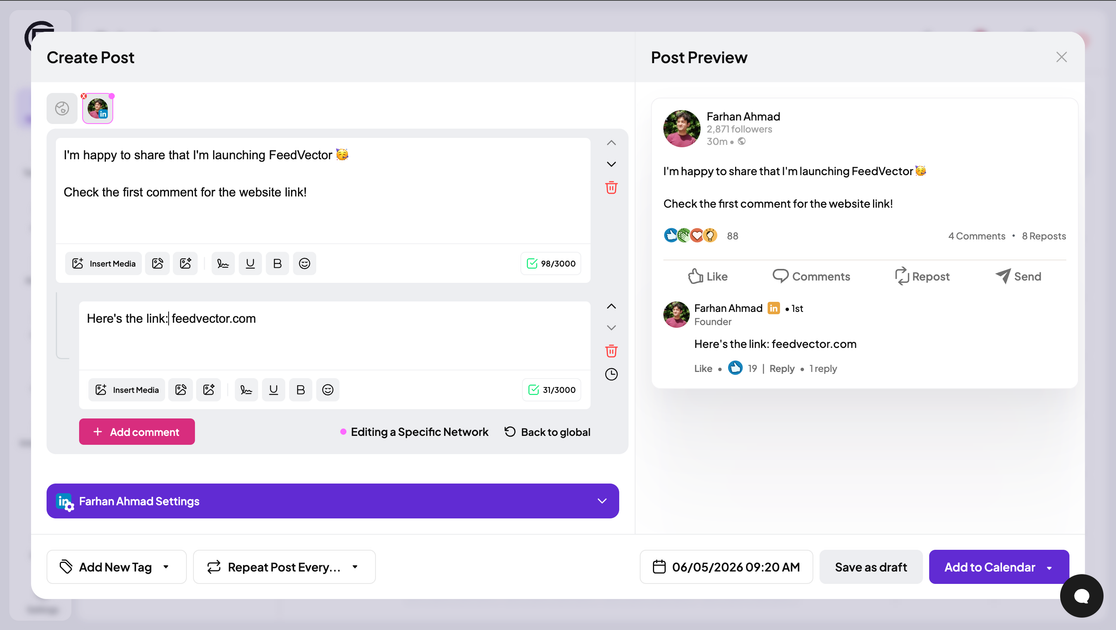
FeedVector is a LinkedIn content planning and scheduling product with AI-assisted creation, commenting prompts, analytics, and automation. It is designed to help individuals and teams manage the full workflow from idea generation through publishing and performance review.
The site also shows support for broader social account management on paid plans and an MCP server that lets compatible AI clients interact with a FeedVector account directly. That makes it useful both as a LinkedIn publishing tool and as a scheduling backend for AI-driven workflows.
Plan the week from a single dashboard, review suggested drafts, generate next week's posts, and keep your LinkedIn cadence visible.
Find fresh LinkedIn posts each day to comment on, which supports an audience-growth workflow centered on engagement.
Turn a web page, old LinkedIn post, or profile context into a new post idea, instead of starting from scratch every time.
Use AI-assisted drafting, AI autocomplete, and AI copilots to create LinkedIn posts and refine copy faster.
Track performance with analytics that surface the best format, strongest time, recommended topic, next-post direction, and engagement breakdowns.
Use the MCP server to connect AI clients such as Claude or Cursor and schedule posts through a tool-calling workflow.
Plan a weekly LinkedIn queue, review suggested drafts, and keep the next posting cadence visible from one dashboard.
Generate or repurpose post ideas from pages, existing posts, or profile context when you need new content quickly.
Use daily post suggestions and comment thoughtfully on relevant content to support audience growth through engagement.
Track which formats, hooks, topics, and posting times perform best, then adjust future posts based on the analytics readout.
Let a team draft, review, and approve LinkedIn content in one workspace before publishing.
FeedVector offers a 7-day trial. After the trial ends, you choose a paid plan to keep using the product for LinkedIn content planning, creation, scheduling, and analytics.
The pricing page shows a Pro plan at $29 per month after the trial.
The source materials show LinkedIn as the core workflow. The MCP page also says FeedVector can connect to multiple social media accounts, and the pricing page lists support for Instagram, X, Facebook, YouTube, and Bluesky on the Pro plan.
Yes. The pricing page says the Pro plan includes unlimited team members in one workspace and approval workflows for LinkedIn content.
Yes. The pricing page describes AI-assisted LinkedIn post drafting, AI copilots for LinkedIn content creation, and AI autocomplete for drafts.

Eine All-in-One AI-Plattform, die Werkzeuge für Bild, Video, Sprache, Schreiben und Chat kombiniert, um Kreativität und Zusammenarbeit zu fördern.

Slidesgo is a presentation template platform for Google Slides, PowerPoint, and selected Canva workflows. It offers free and Premium templates, plus AI-assisted presentation creation and team-friendly access options.

Wysera is an AI business platform that combines PostWyse for content and OpsWyse for CRM and revenue workflows, powered by the shared Wyse AI. It is built for solo operators, teams, and agencies that want approval-first automation across publishing, lead follow-up, and related operations.

Grok ist ein kostenloser KI-Assistent, der von xAI entwickelt wurde und darauf ausgelegt ist, Wahrheit und Objektivität zu priorisieren, während er fortschrittliche Funktionen wie Echtzeit-Informationszugriff und Bilderzeugung bietet.

Creativly is a web-based AI creative studio for generating visual concepts, mockups, and stylized images from short inputs. It is aimed at designers, creators, and entrepreneurs who want fast visual ideation without writing long prompts.

AI Song Maker is a web-based AI music generator that creates songs from text or lyrics and includes related tools such as vocal removal, track extension, and section replacement. It offers free and paid plans with credits, downloads, and commercial-use terms described on the pricing page.