
Import multiple content types
Import PDFs, ePUBs, DOCX files, pasted text, and URLs, or share articles from Safari, X, Reddit, and other apps directly into FocalRead.
FocalRead is a speed reading app for iPhone and iPad that uses RSVP to show one word at a time and help readers move through PDFs, web articles, posts, and documents at an adjustable pace.
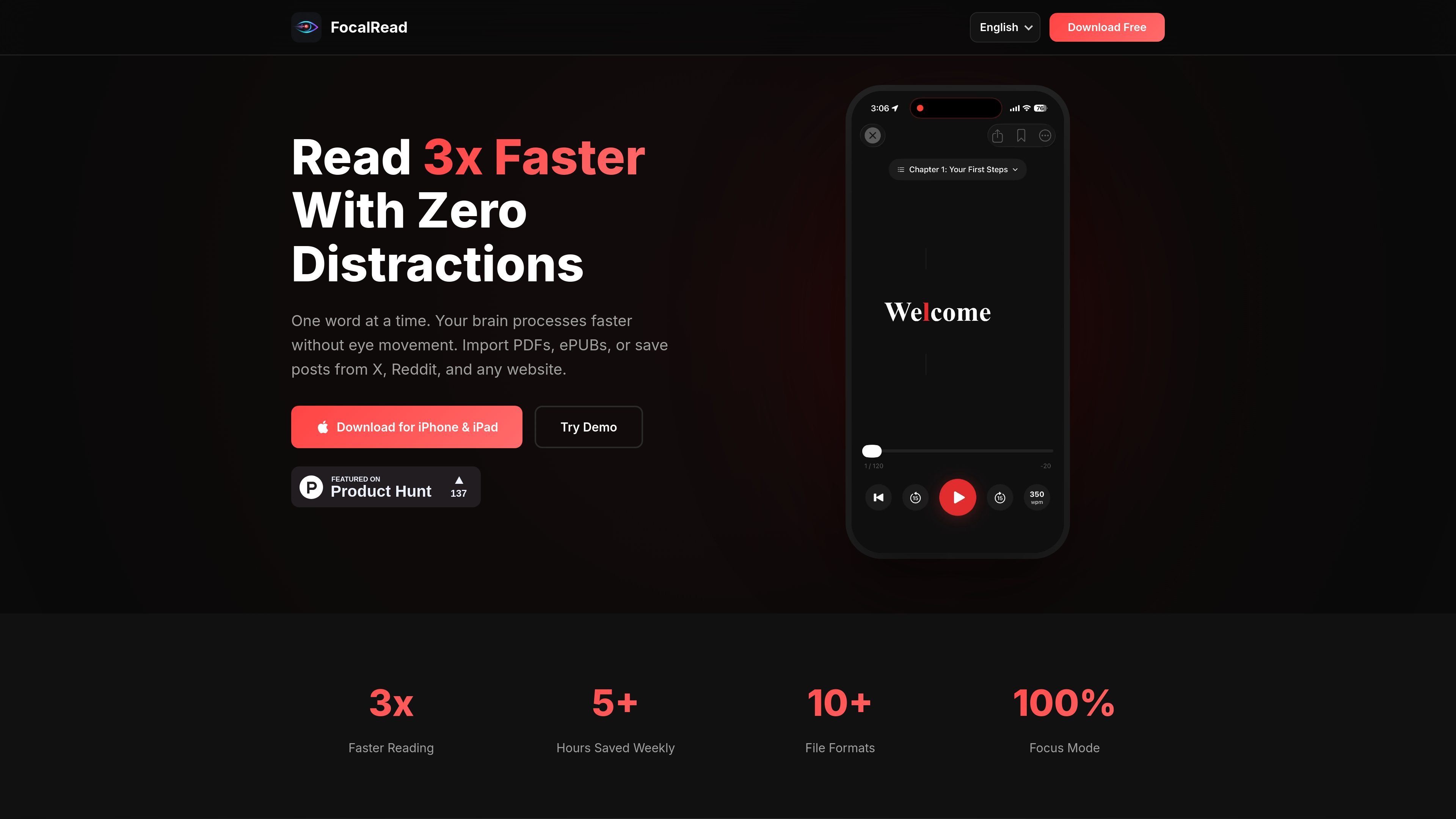
FocalRead is a speed reading app for iPhone and iPad built around RSVP, or Rapid Serial Visual Presentation. It shows one word at a time and uses a red ORP highlight to guide attention, with the goal of helping readers move through text faster while keeping comprehension in view.
The app is designed for reading PDFs, ePUBs, DOCX files, web articles, X posts, and Reddit threads. It supports direct import from files and from share flows in Safari, X, Reddit, and other apps, so users can move reading material into one place and continue at a chosen pace.
Import PDFs, ePUBs, DOCX files, pasted text, and URLs, or share articles from Safari, X, Reddit, and other apps directly into FocalRead.
Read one word at a time using RSVP, with a red ORP highlight that marks the optimal recognition point for each word.
Choose a pace from 150 to 1000+ words per minute and start at a comfortable speed before increasing over time.
Resume books and articles where you stopped, with progress saved automatically.
Save favorite passages as clips and bookmarks for later reference.
Read in a focused interface designed for iPhone and iPad with a zero-distraction layout.
Read longer documents in a distraction-light format when you want to keep your pace steady and revisit sections later.
Send articles, posts, or threads from Safari, X, or Reddit into the app instead of switching between multiple readers.
Increase reading speed gradually by starting at a comfortable WPM setting and working upward as the app suggests.
Save important passages as clips or bookmarks when you need to remember key details from a book or article.
It uses RSVP speed reading, showing one word at a time with an ORP highlight so you can read PDFs, ePUBs, web articles, X posts, and Reddit threads in the app.
The site says you can import PDFs, ePUBs, DOCX files, paste text, or save content from Safari, X, Reddit, and other apps into FocalRead.
Yes. The homepage says the app is free to download for iPhone and iPad.
FocalRead is presented as an iPhone and iPad app, and the site does not show a separate pricing page with plan details.
The site describes speed settings from 150 to 1000+ words per minute and says you can start slowly and increase your pace as you improve.

BeFreed is a personalized audio learning app that turns books and other knowledge sources into narrated listening experiences. It helps people learn on demand through interactive audio, voice selection, and built-in learning tools.

GameGrad turns PDF study material into quiz questions that appear inside arcade games, so users can practice active recall while they play. It offers a free tier with one PDF and a Pro plan with more uploads, more questions, and answer explanations.

LangPanda is a browser extension for learning languages from streaming video and other supported sites. It combines instant subtitle lookup, flashcard creation, vocabulary tracking, and spaced-repetition review for 36 languages.

Wallie is an open-source AI streamer that watches your screen, hears chat, and generates live commentary in a configurable persona. It runs locally on your machine with your own keys and is aimed at faceless content, autonomous streams, and real-time reactions.

nolainocr is an AI OCR tool that extracts structured data from PDF invoices, receipts, forms, contracts, and bank statements. It helps teams move document data into Excel, Google Sheets, JSON, or CSV without manual entry.

recall is an AI flashcard app that turns reading and notes into study cards through Claude, ChatGPT, or another MCP client. It uses one-time lifetime access pricing and spaced repetition review.