
Label text styles
Places a label beside each text style and provides a details card with the font, size in px/rem/em, line height, weight, contrast, and line length.

FontMeter is a Chrome extension for reviewing typography and visual details on live web pages. It identifies rendered fonts, type scale, contrast, spacing, and visible colors for designers and developers auditing interfaces.
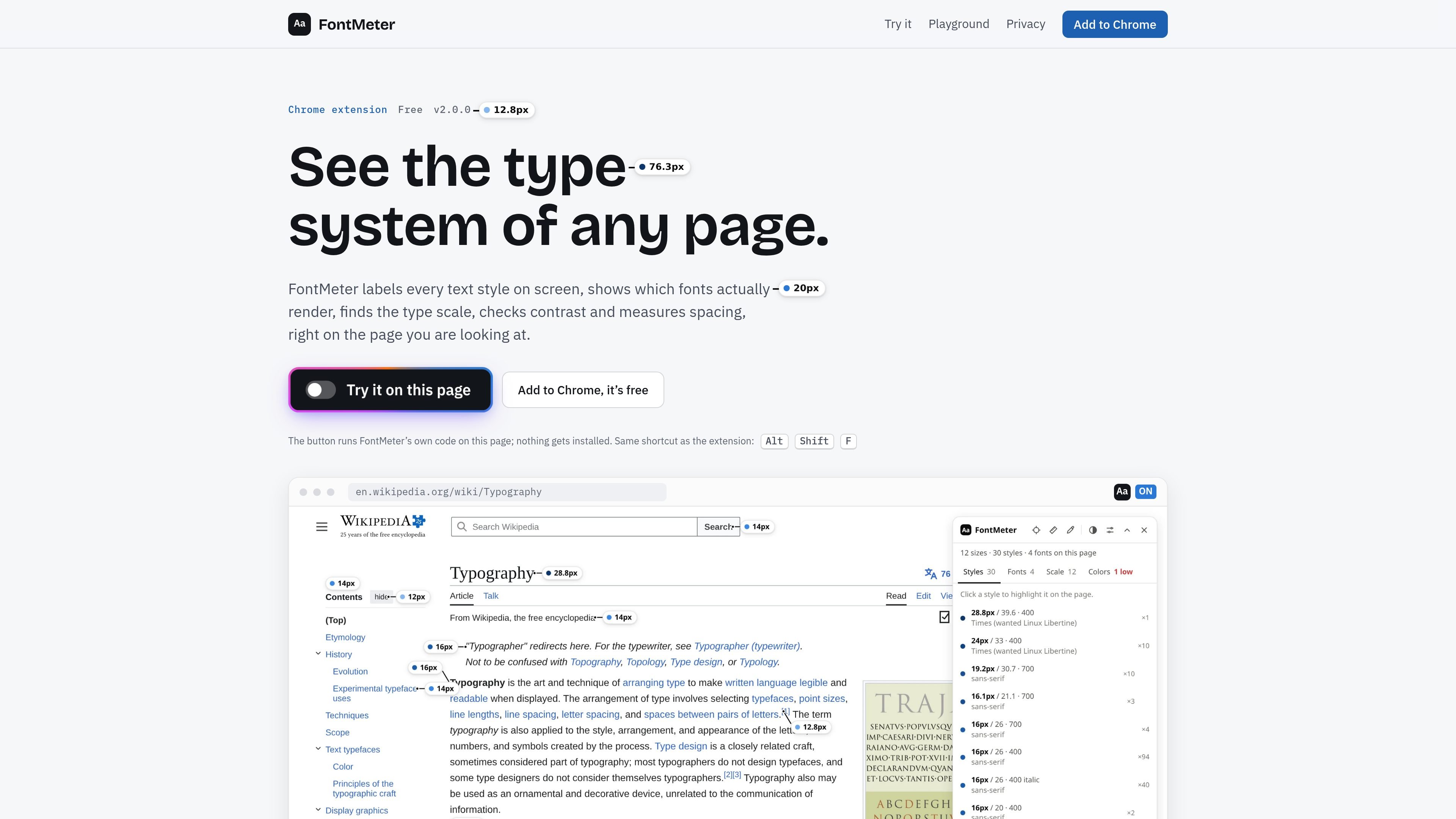
FontMeter is a browser extension for auditing the type system and visual details of a web page. It labels text styles in place, identifies the fonts that actually render, reports type scale and contrast information, and provides tools for inspecting spacing and colors without leaving the page.
The extension is designed for page-level review rather than checking only one selected element. Activate it on the current tab with the extension icon or Alt+Shift+F, then use its overlays and inspection tools to examine typography, layout, and visible color choices. It runs locally in the browser and states that it sends no page data to servers or analytics services.
Places a label beside each text style and provides a details card with the font, size in px/rem/em, line height, weight, contrast, and line length.
Reports the web font or installed font that actually renders, the weights in use, fallback fonts, and browser-faked bold.
Identifies the page's type scale and maps sizes to tokens such as sm, base, and lg. The scale can be exported as CSS, Tailwind, or JSON.
Lists text below WCAG AA contrast thresholds and can outline the affected elements directly on the page.
Shows spacing while hovering or pinning elements in the DOM tree, and includes a drag-to-measure ruler that snaps to element edges.
Includes an on-page color picker with a zoomed loupe and HEX, RGB, HSL, and OKLCH values, plus an “As seen” view that groups visible screen pixels by similarity.
Review a live page for inconsistent sizes, cramped line height, low-contrast text, and styles that fall outside the page’s apparent scale before making design changes.
Verify whether the requested web font and weight are actually rendered, identify fallbacks or faked bold, and compare what the browser displays with the intended type system.
Measure margins, padding, element-to-element distances, and DOM relationships directly on a live interface while investigating layout issues.
Sample visible colors, inspect their color-space values, and compare the screen’s apparent palette with colors declared in CSS, including colors from rendered gradients.
Capture the page’s type-scale tokens in CSS, Tailwind, or JSON form as a starting point for documenting or transferring an existing design system.
FontMeter is a Chrome extension. Install it from the Chrome Web Store, open a page, and click the extension icon or press Alt+Shift+F. The homepage also provides a try-on-this-page demo that runs the tool on that site without installing anything.
FontMeter supports Chrome 121 or newer and Chromium browsers that install extensions from the Chrome Web Store, including Edge, Brave, and Arc. Firefox and Safari are not currently supported.
It works on ordinary web pages after you explicitly activate it on the current tab. It cannot access browser pages such as chrome://settings, the Chrome Web Store, or the built-in PDF viewer, and text inside iframes is not analyzed yet.
No. The overlay is displayed in an isolated layer over the page. When Inspect, Ruler, or Color picker is active, clicks are intercepted so they do not activate controls on the underlying page.
Yes. FontMeter is free, requires no account, and the site states that there is nothing to pay. The supplied pricing URL currently returns a not-found page, so no additional plans or pricing details are documented.

imgcook is a design-to-code tool that converts design drafts into front-end code. It supports plugin-based and developer workflows for Sketch, Photoshop, VS Code, and CLI usage.

Beautiful.ai is an AI presentation platform for individuals, teams, and enterprises. It helps users create branded slide decks with Smart Slides, collaborative editing, and export options while reducing manual formatting work.

SlideSpeak Onbrand gives AI agents live access to approved brand assets and slide layouts so decks, one-pagers, and other collateral can start on brand. It is designed for Claude Code, Codex, Cursor, and other MCP clients.

GitFig is a Figma plugin that syncs design tokens and styles with GitHub in both directions. It supports repository files, branches, commits, and pull requests from inside Figma.

Decktopus AI is a web-based AI presentation maker that generates branded slide decks from prompts, pasted text, or PDFs. It is aimed at individuals, teams, and enterprises that want to produce presentations faster while keeping layouts and branding consistent.

Chronicle is an AI presentation maker for teams that need to turn notes, docs, or existing decks into polished business presentations. It supports AI slide generation, brand controls, collaboration, and export to PPT, PDF, or a published website.