
Motion transfer
Keep the original motion, camera movement, and timing while rebuilding the surrounding scene from new references. This is the mode used when the shot’s action is right but the setting or cast needs to change.

Higgsfield Genjutsu is a video editing and generation product that can swap characters, outfits, locations, and objects in an existing clip while preserving motion. It is positioned for creators making ads, music videos, recurring character content, and localized video variants.
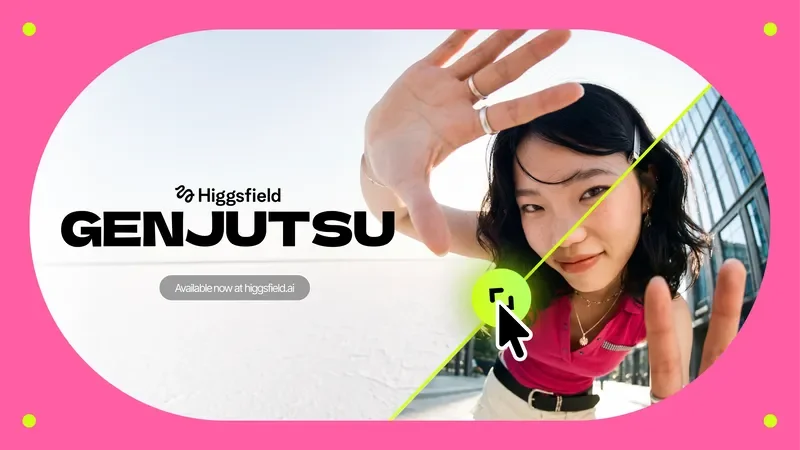
Higgsfield Genjutsu is a video editing and generation product focused on changing the content of an existing shot rather than starting from a blank prompt. Its own page describes it as “reality manipulation for video,” with examples that swap characters, outfits, locations, and objects, or keep only the motion and rebuild everything else around it.
The product appears aimed at creators who need controlled video variations: people making ads, music videos, character-driven clips, or localized versions of the same scene. The positioning on the site emphasizes preserving motion, camera behavior, and timing while changing the scene elements that matter for the final look.
Keep the original motion, camera movement, and timing while rebuilding the surrounding scene from new references. This is the mode used when the shot’s action is right but the setting or cast needs to change.
Swap a specific element in the shot, such as a character, outfit, product, location, or object, while preserving the rest of the video. This supports more selective edits than a full scene rebuild.
Use source and reference videos or images to guide what stays and what changes. The examples show combinations of original video, character reference, and location reference inputs.
Generate variations that keep a person visually consistent across multiple scenes, such as rooftop, dreamland, or park settings. The homepage presents this as a way to reuse one character across different environments.
Create multiple versions of a working ad, music video, or branded clip without changing the underlying edit or timing. The page highlights same-take comparisons where only the scene details change.
Produce localized or market-specific versions by changing characters, streets, or other scene details while keeping the same edit structure. The homepage frames this as a way to adapt one ad for different regions.
Recast performers or change costumes in a finished clip while preserving the action and camera movement. This fits scenes where the edit and timing are already right but the on-screen talent needs to change.
Move a scene into a different setting, such as a pastel valley or another location reference, while keeping the same fight choreography or camera flow. The homepage frames this as a way to restage a video without reshooting the movement.
Turn a single ad into fresh variants before performance fades by swapping the product, environment, or details. The site explicitly positions Genjutsu for multiplying ads into multiple versions.
Keep one character visually consistent across multiple scenes and backgrounds for influencer-style content or recurring series. The page highlights consistent-character examples across rooftop, dreamland, and park environments.
Localize one creative concept for different regions by changing characters and street environments while keeping the same underlying edit. The source presents this as “one ad, every market.”
Genjutsu transforms an existing video in two ways: it can transfer the motion into a new cast, location, or look, or it can swap selected elements while preserving the rest of the shot.
Motion Transfer keeps the motion, camera, and timing while rebuilding the scene from references. Object Swap changes a selected character, outfit, product, location, or object while leaving the rest of the original shot intact.
The source text shows Genjutsu being used for fight scenes, music videos, ads, influencer-style content, and localized creative variants, but it does not describe export formats, resolution settings, or a full setup workflow.
The pricing page says users can pick a plan to get access to more generations and priority access to new features, but the collected source does not expose the plan names, limits, or prices.

ngram is an AI video generator and editor for teams and individual creators. It turns prompts, uploaded files, or screen recordings into editable videos for demos, training, onboarding, sales enablement, explainers, and launches.

VIDEOAI.ME is an AI video generator for making spokesperson-style videos, ads, explainers, and social content from a script. It is aimed at founders, marketers, agencies, and creators who want to produce videos without filming.

Video Effects SDK adds real-time webcam effects such as background blur, background replacement or removal, denoising, framing, beautification, and color grading. It is built for teams shipping live video experiences on web, desktop, and mobile platforms.

Official HeyGen API documentation for building AI avatar videos, translations, lipsync, and interactive video-agent sessions. It supports direct API use plus MCP and CLI-style workflows for developers and AI agents.

DeepMotion is a web-based AI motion capture and 3D animation platform with Animate 3D for video-to-animation and SayMotion for text-to-animation. It helps creators and teams generate motion in a browser and export results in common production formats.

Zella is a screen recorder and on-device AI video editor for Mac and iPhone. It helps creators record screens or cameras, automatically clean up footage, add captions, reframe clips, and export videos without uploading the core project to the cloud.