
Voice transaction capture
Describe several purchases, a recurring subscription, and money lent to someone in one sentence. Honest Expenses separates them into individual categorized drafts for review.

Honest Expenses is a personal income and expense tracker for browser, phone, and Telegram use. It helps individuals and groups record transactions through text, voice, receipts, or Telegram, review categorized drafts, and analyze spending without connecting a bank account.
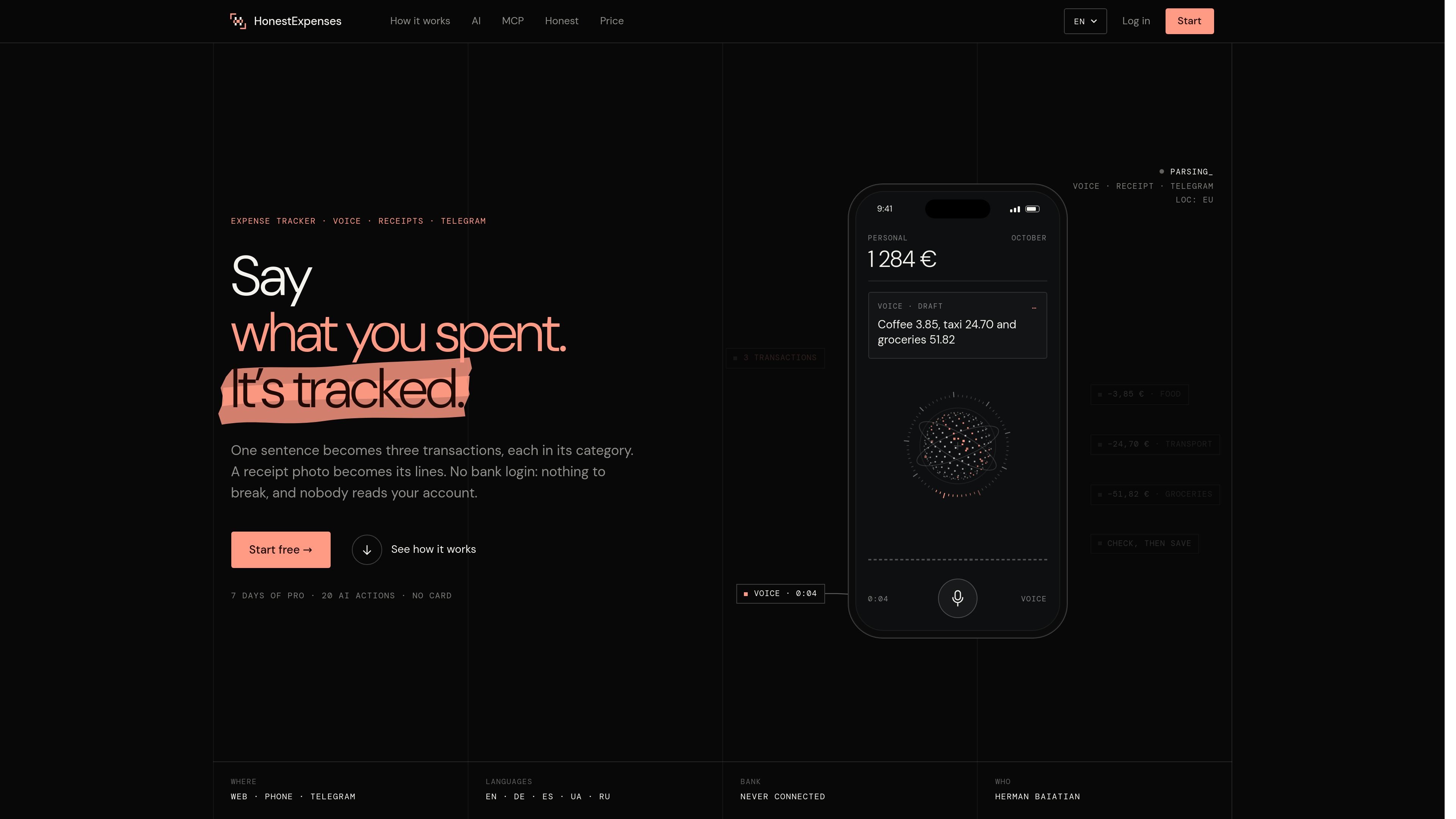
Honest Expenses is an income and expense tracker for recording transactions in a browser, on a phone, or through Telegram. It supports manual entry, voice notes, receipt photos, and Telegram messages, with categories and drafts designed to let you check transactions before saving them.
The service is built around keeping bank accounts disconnected: users enter or capture their own transactions, then review reports for selected periods and compare results month over month or year over year. It also includes an assistant for questions and proposed changes, plus shared projects for expenses involving multiple people.
Describe several purchases, a recurring subscription, and money lent to someone in one sentence. Honest Expenses separates them into individual categorized drafts for review.
Photograph a receipt to extract its line items into transactions. Items can be split by category before you save them.
Record spending manually or through the Telegram bot and Mini App. Telegram entries appear in the app, with common category choices available in the bot workflow.
View reports for any period and compare spending month over month or year over year. The assistant can return amounts and charts in the language used for the question.
Ask the assistant to propose transaction changes, such as moving Uber rides to a category. It waits for confirmation, and changes can be undone.
Create separate ledgers for trips, a flat, or a family budget. Invite editors or read-only participants by link, track who added each row, and receive activity notifications.
Speak a sentence containing several purchases while they are fresh. Review the resulting categorized drafts and save only the transactions that are correct.
Photograph a paper receipt after shopping and turn its lines into categorized transactions, including separate grocery and household amounts when needed.
Ask for spending totals or comparisons for a chosen period, then use the returned amounts or charts to understand categories such as food or transport.
Create a project for a trip or family budget, invite participants with different access levels, and see who added each expense along with project activity.
Connect the product to Claude or ChatGPT through its MCP connector, ask about spending in that AI client, and approve proposed changes in the chat before they run.
You can sign in with Telegram or email. The site also offers a seven-day Pro trial; the collected pricing page does not specify further plan prices or limits.
No bank login is required. You can enter transactions manually, send a voice note, photograph a receipt, or use the Telegram bot and Mini App.
Voice input creates separate drafts for items such as purchases, recurring subscriptions, and money lent to someone. Receipt photos can turn receipt lines into transactions, with categories applied or adjusted before saving.
The assistant can answer questions with amounts and charts. Requested changes are presented as a plan and only run after you tap Confirm; changes can be undone afterward.
Projects provide a separate shared ledger for a trip, household, or family budget. People can be invited by link as editors or read-only users, and entries show who added them.

Timebook is a time tracking, invoicing, and bookkeeping app for freelancers and single-member LLCs. It combines hours, invoices, and basic books in one place, with optional Plaid bank sync and AI-agent support.

Finchum is a personal finance planning tool that aggregates accounts and forecasts future balances for users in the US and Canada. It supports secure sync without sharing bank passwords, with OAuth where available and file-based imports as a fallback.

KlutterAI is an AI-powered expense tracker that helps people capture receipts, categorize spending, and monitor budgets from iOS or Android. The product also surfaces recurring charges, spending alerts, and exportable reports.

CashPylot is finance software for startups and freelancers that combines invoicing, expense tracking, cashflow monitoring, budgets, and client management in one platform. It offers a 7-day free trial on a single paid plan.

Finamie is a personal finance app that uses voice input to log expenses and generate financial insights automatically. It supports English and Spanish, with a free tier and a Premium plan for heavier use.

SimplyPortfolio is a manual portfolio tracker for stocks, ETFs, gold, and silver that combines multiple accounts into one dashboard. It supports multi-currency reporting, cost-basis tracking, and CSV export, with a free tier for up to 3 holdings.