
Double-press shortcut panel
Press the Command key twice to open a searchable shortcut panel for the app you are currently using. The page also says the trigger can work with Option or Control.

Keymap is a macOS menubar app that shows menu shortcuts for the app you are using and helps you inspect conflicts or remap keys locally on your Mac. It offers a free version and a $6.99 one-time Premium upgrade.
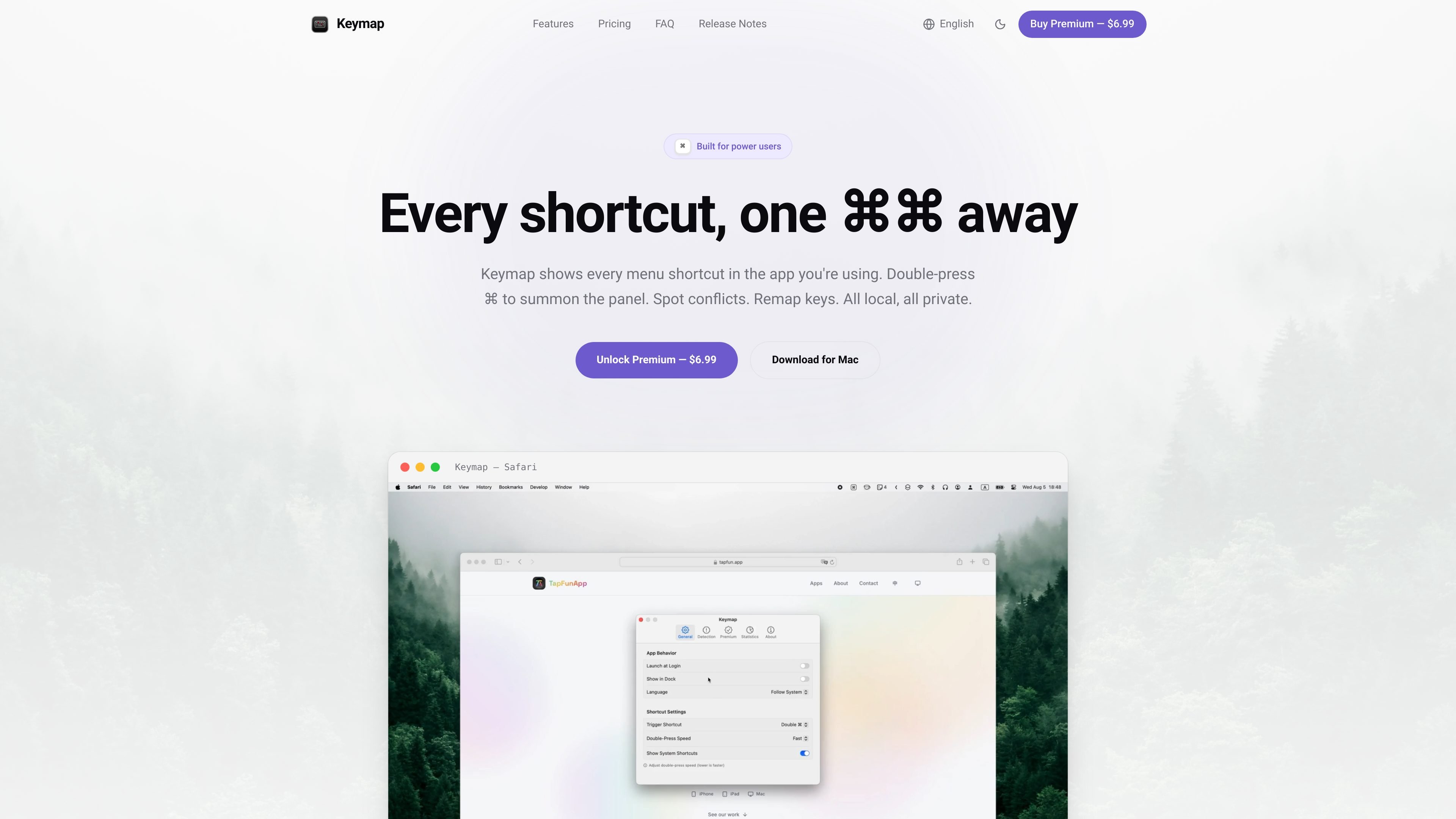
Keymap is a macOS menubar app that helps you discover and manage keyboard shortcuts in the app you are using. It shows menu shortcuts for the current app, and you can summon it by double-pressing the Command key.
The product is designed for local use on the Mac rather than cloud syncing or account-based workflows. It focuses on shortcut discovery, conflict checking, and remapping so power users can inspect and adjust shortcuts without leaving their current task.
Press the Command key twice to open a searchable shortcut panel for the app you are currently using. The page also says the trigger can work with Option or Control.
Keymap reads each app’s menu bar and lists its shortcuts automatically, so you do not need to configure supported apps by hand.
When shortcuts collide, Keymap marks the conflict with severity information and fix suggestions. The coverage is scoped to app menus and your own remaps.
Premium adds usage statistics, letting you review which shortcuts you actually use and your conflict-free rate over time.
Premium also includes global remapping, so you can change a shortcut to another key combo per app or across the system while protecting loops and system-reserved keys such as Command-Q.
Open the panel to see the shortcuts available in the app you are using right now, which is useful when you are learning an unfamiliar menu or trying to remember a rarely used command.
Review detected collisions when two shortcuts overlap, then use the suggested fixes to make a command easier to reach without guessing which binding is active.
Use global remapping to move a shortcut to a different key combination when an app’s default shortcut is awkward or clashes with your workflow.
Check which shortcuts you actually use and how often conflicts remain unresolved, giving you a usage-based view of your shortcut habits over time.
Keep the workflow local on your Mac when you want shortcut help without creating an account or sending data to a cloud service.
Keymap stores shortcut data locally on your Mac. The page says it uses no account, no cloud, and no telemetry.
One license covers up to 3 personal Macs. You can deactivate it on one Mac and move it to another.
Keymap requires Accessibility access so it can read menus and detect keys. The permission can be revoked later in System Settings.
No. Keymap can only detect conflicts that are visible in app menus and your own remapping rules. macOS does not expose a global shortcut registry, so global hotkeys and IME bindings are not available to the app.
The page states that if Keymap does not work for you, you can email [email protected] within 14 days for a full refund.

Goldfish is an AI memory app for macOS that helps you reply, write, summarize, and continue using the context already on your Mac. It stores memory locally and writes in your tone.

ArtDeck is a visual reference board app for iPhone, iPad, and Mac that lets artists collect mixed reference material on one canvas and study it with ToolBox lenses. It works offline, supports optional iCloud sync, and is sold as a one-time purchase with no account required.

Biji ist eine vielseitige Plattform, die entwickelt wurde, um die Produktivität durch innovative Werkzeuge und Funktionen zu steigern.

Malyatko is a baby tracker for logging feeding, sleep, growth, teething, and milestones in one app. It works on iPhone, Apple Watch, and widgets, with no sign-up, offline use, and family sharing through iCloud.

MacSpoof ist ein MAC-Adressenwechsler für macOS: WLAN-MAC ändern oder randomisieren, um Verbindungen zu erneuern und die Protokollierung auf öffentlichem WLAN zu reduzieren.

Redline is a budgeting tool for Claude Code that paces sessions to stay within time, token, cost, or plan-percentage limits. It uses Claude Code’s native hooks and statusline to help sessions finish with a usable result instead of stopping abruptly.