
Multi-inbox sending
Connect Google Workspace, Microsoft 365, or custom SMTP/IMAP inboxes, then send from the mailboxes your team already owns. OAuth connections do not store passwords.

LeadSnipper is a cold email and sales outreach platform for founders, agencies, and sales teams. It connects common business mailboxes or AWS SES infrastructure and combines lead verification, sequenced sending, deliverability safeguards, AI-assisted drafting, and campaign analytics.
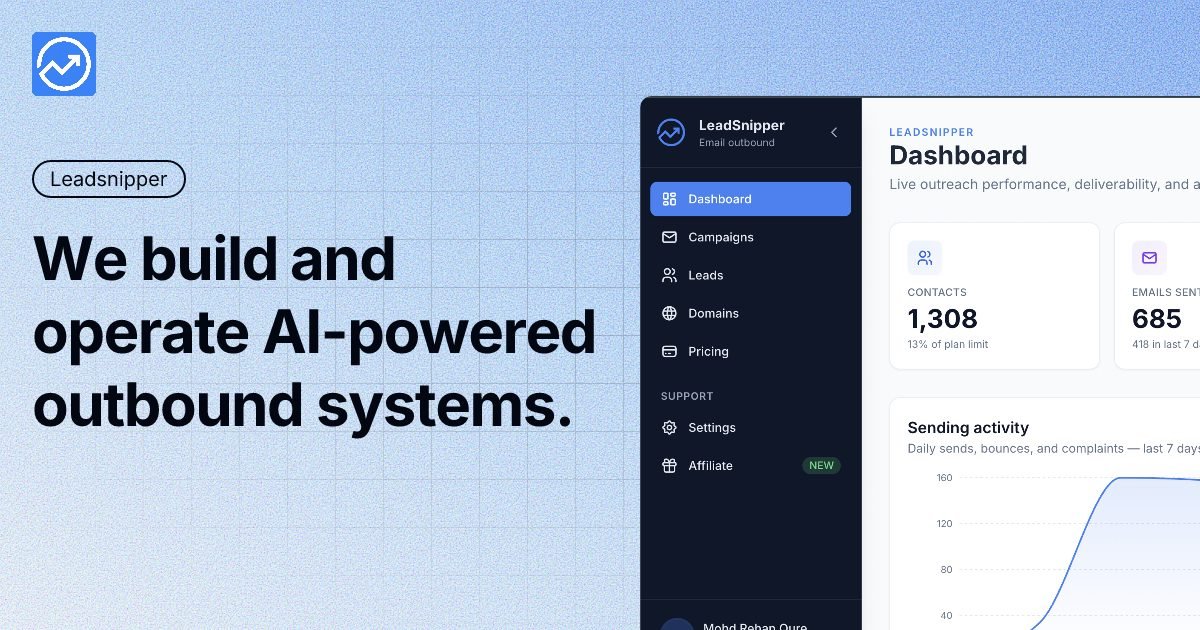
LeadSnipper is a cold email platform for founders, agencies, and sales teams that want to run outbound campaigns from Google Workspace, Microsoft 365, custom SMTP/IMAP accounts, or controlled AWS SES infrastructure. It combines mailbox connections, lead import, sequencing, email verification, sending controls, and campaign analytics in one workspace.
Its core focus is protecting sender reputation while campaigns run. The documented workflow covers domain authentication checks for SPF, DKIM, and DMARC, lead cleaning and deduplication, configurable sending windows, mailbox-aware caps, and automated responses to bounce or reputation signals. Teams can use managed sending or configure BYO AWS SES when they need more direct control of the sending layer.
Connect Google Workspace, Microsoft 365, or custom SMTP/IMAP inboxes, then send from the mailboxes your team already owns. OAuth connections do not store passwords.
Build multi-step follow-up campaigns with configurable cadence and send windows. Sequences stop automatically when a prospect replies.
Validate SPF, DKIM, and DMARC records, monitor domain health, and track bounce and complaint signals in a central dashboard.
Apply per-mailbox and per-domain daily caps, rotate across connected inboxes, and adjust sending limits as campaign signals change.
Generate initial email drafts and subject-line variants with AI, then edit the copy before sending. Spintax can create variations of subjects and body text.
Review campaign health, reply categories, sentiment signals, and performance analytics, with CSV export, API, and webhooks listed as available capabilities.
Connect several Google Workspace or Microsoft 365 inboxes, distribute sending across them, and use per-mailbox limits to avoid concentrating volume in one account.
Run multiple client or internal campaigns from one workspace, using sequences, reply categorization, sentiment detection, analytics, and CSV exports to review results.
Use BYO AWS SES when the team wants direct ownership of the sending layer, while keeping verification, pacing, domain health, and campaign management in LeadSnipper.
Import a prospect list from CSV, a CRM, or Clay, clean and deduplicate it, generate AI-assisted drafts, and launch a paced sequence after human review.
Yes. You can connect Google Workspace or Microsoft 365/Outlook accounts through OAuth without storing passwords. Custom SMTP/IMAP accounts, including providers such as Zoho, Fastmail, and GoDaddy, are also supported through host and credential configuration.
The platform validates SPF, DKIM, and DMARC records, monitors bounce and complaint signals, and can reduce sending limits or pause campaigns when risk increases. Hard bounces can trigger an immediate campaign pause, while sending can resume when inbox health recovers.
You can import leads by CSV, sync from a CRM, or pull them from Clay. The documented workflow also includes automatic cleaning and deduplication during import, followed by sequence setup with a cadence and sending windows.
LeadSnipper includes an AI email writer for first drafts and subject-line variations. The product documentation recommends human editing to improve authenticity before sending; the AI writer is presented as a drafting aid rather than a replacement for copywriters.
BYO AWS SES gives teams direct control of their sending infrastructure. Basic AWS configuration is required, and LeadSnipper provides step-by-step guidance; managed sending is available for teams that do not want to configure AWS themselves.

Podium is an AI lead generation and lead management platform for local businesses. It centralizes lead conversations, automated follow-up, reviews, payments, and booking, with a 24/7 AI Employee available as an add-on.

Blinked is a free Chrome extension for LinkedIn outreach that helps users research leads, draft personalized messages, and manage follow-ups inside LinkedIn. It is local first, with outreach data kept in the browser rather than on Blinked’s servers.

Ninjō AI is an AI sales agent platform for creators and agencies that qualifies leads, handles sales conversations, and supports multi-channel follow-up. It can also be controlled from Claude or ChatGPT through MCP for users who want to manage agents by chat.

Sumora is an autonomous outreach agent for finding, qualifying, warming, and booking leads through LinkedIn and Instagram. It helps users manage replies from one inbox while keeping final sends under review.

Liam is an AI copilot for managing inboxes, writing replies, prioritizing email, and scheduling meetings. It is offered free for individuals, with custom pricing for teams and enterprise.

Topple.lol is a public pay-to-rank leaderboard where listings start at $1 and their bid balance decays over time and with clicks. It helps makers and marketers buy short-term visibility for product sites or X profiles while tracking live board stats.