
First-screen message editor
Create the text people see first when a Mac is locked, such as a return prompt or a short owner-contact message.

LockLines is a macOS utility for designing plain-text lock screen messages with a short visible section and optional scroll-down details. It helps Mac owners, offices, schools, and support teams create readable return instructions, contact notes, asset labels, and device context.
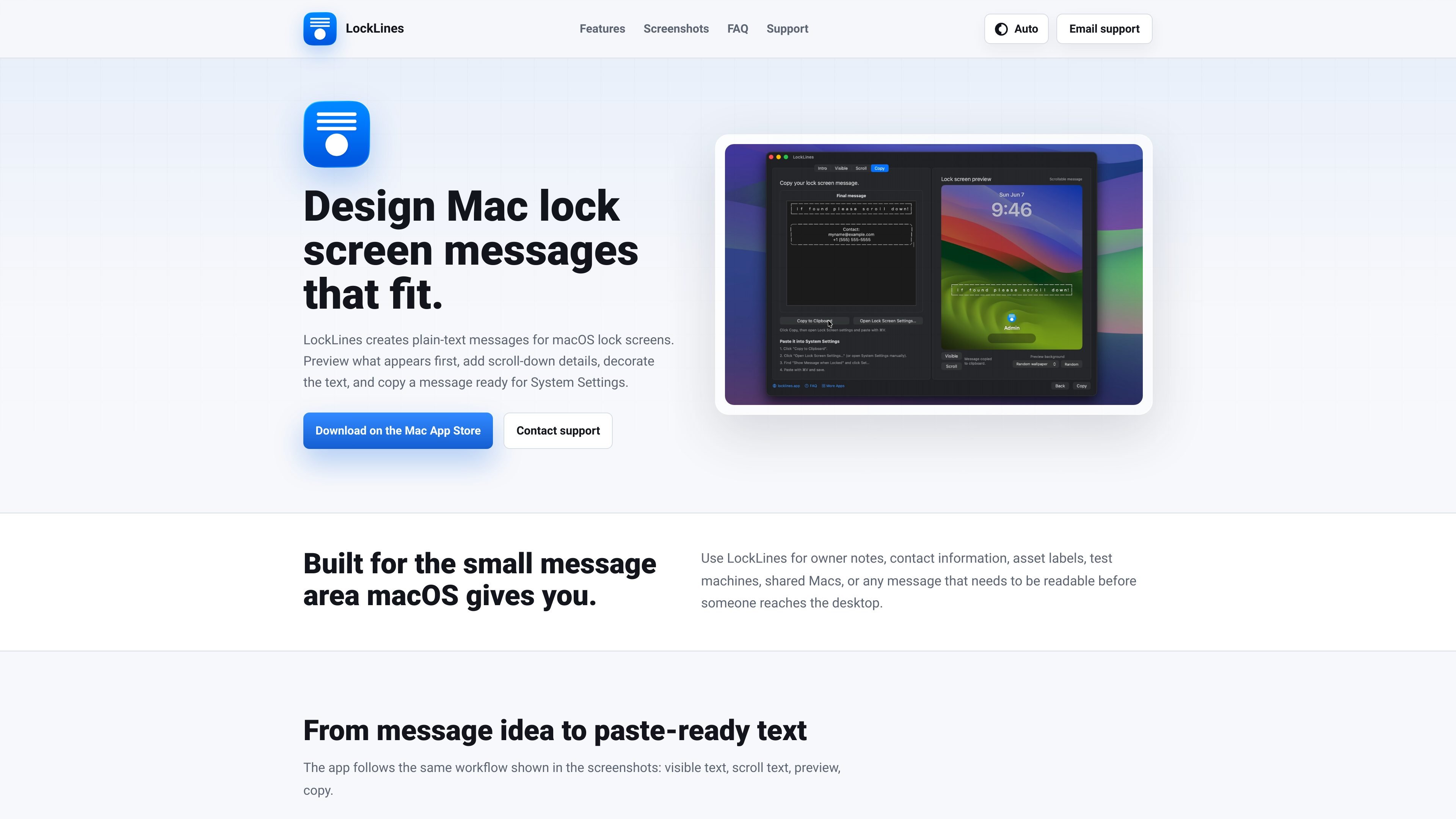
LockLines is a macOS app for designing plain-text messages for the lock screen. It separates the text shown initially from additional details revealed by scrolling, allowing users to plan a short first impression and a longer explanatory note in one message.
The app is intended for situations where a locked Mac needs context before anyone reaches the desktop. Users can preview both lock screen states, copy the resulting plain-text message, and apply it through macOS System Settings.
Create the text people see first when a Mac is locked, such as a return prompt or a short owner-contact message.
Add longer instructions, pickup details, asset labels, or test-machine information that appears after scrolling.
Switch between visible and scroll previews to inspect both lock screen states before applying the message.
Use repeated-character borders and other plain-text decoration to organize the message within the lock screen’s small message area.
Copy the complete generated message and paste it into macOS Lock Screen settings.
Provide a way to contact the owner and explain how to return a misplaced Mac before anyone logs in.
Leave owner contact notes on a shared or unattended computer so the relevant person can be identified from the lock screen.
Add department, room, or asset information to Macs used in schools and offices, with longer details available below the initial label.
Identify conference or demo equipment and include context that helps staff recognize its intended use.
Give repair, laboratory, or test machines a visible identity and add handling or test-related notes beneath it.
LockLines creates a plain-text message with a first-screen section and optional scroll-down details. After copying it, open System Settings, go to Lock Screen, enable “Show Message When Locked,” choose “Set,” paste the message, and save.
Yes. The app provides separate previews for the first visible message and the scrollable details, showing how the text appears before and after scrolling.
LockLines is designed for plain-text lock screen messages. The site describes repeated-character borders and styled plain-text boxes, but does not document support for rich-text formatting or other media.
The site describes LockLines as a macOS app and provides a Mac App Store download link. Specific supported macOS versions are not stated in the available product information.

MacSpoof ist ein MAC-Adressenwechsler für macOS: WLAN-MAC ändern oder randomisieren, um Verbindungen zu erneuern und die Protokollierung auf öffentlichem WLAN zu reduzieren.

DemoTV is an audience-ranked station for discovering and comparing independent product demos. Founders can submit videos, embed approved demos on their websites, collect viewer inquiries and optionally commission demo production or labelled promotion without buying ranking.

Ship It: Idle Dev Tycoon is an iPhone incremental simulation game about building apps, managing a software studio, and selling it for lasting progression benefits. It supports offline play, automated builds, adviser collection, and optional in-app purchases.

NomNak ist eine kostenlose Restaurant-Discovery-App für iPhone, mit der du Orte über Empfehlungen von Freunden statt über anonyme Bewertungen findest.

CAPTA is a mobile GPS waypoint app for quickly saving, organizing, and revisiting locations. It supports offline use, camera-based coordinate capture, optional cross-device synchronization, and GPX export for fishermen, explorers, and field professionals.

Ctrl+Shift+3 is a calm, text-first community platform with a chronological feed, profiles, RSS, and private groups called Clicks. It is built for reading, posting, and joining smaller communities without algorithmic ranking or vanity counts.