
Real-time folder watching
Watch any folder in real time and automatically index incoming screenshots, downloads, or design assets. The app can either archive files into a central library or index them where they already sit.

mirowl is a local-first AI screenshot and visual memory app for macOS. It watches folders, extracts text from images, and helps users organize and search screenshots and other visual files by content and context.
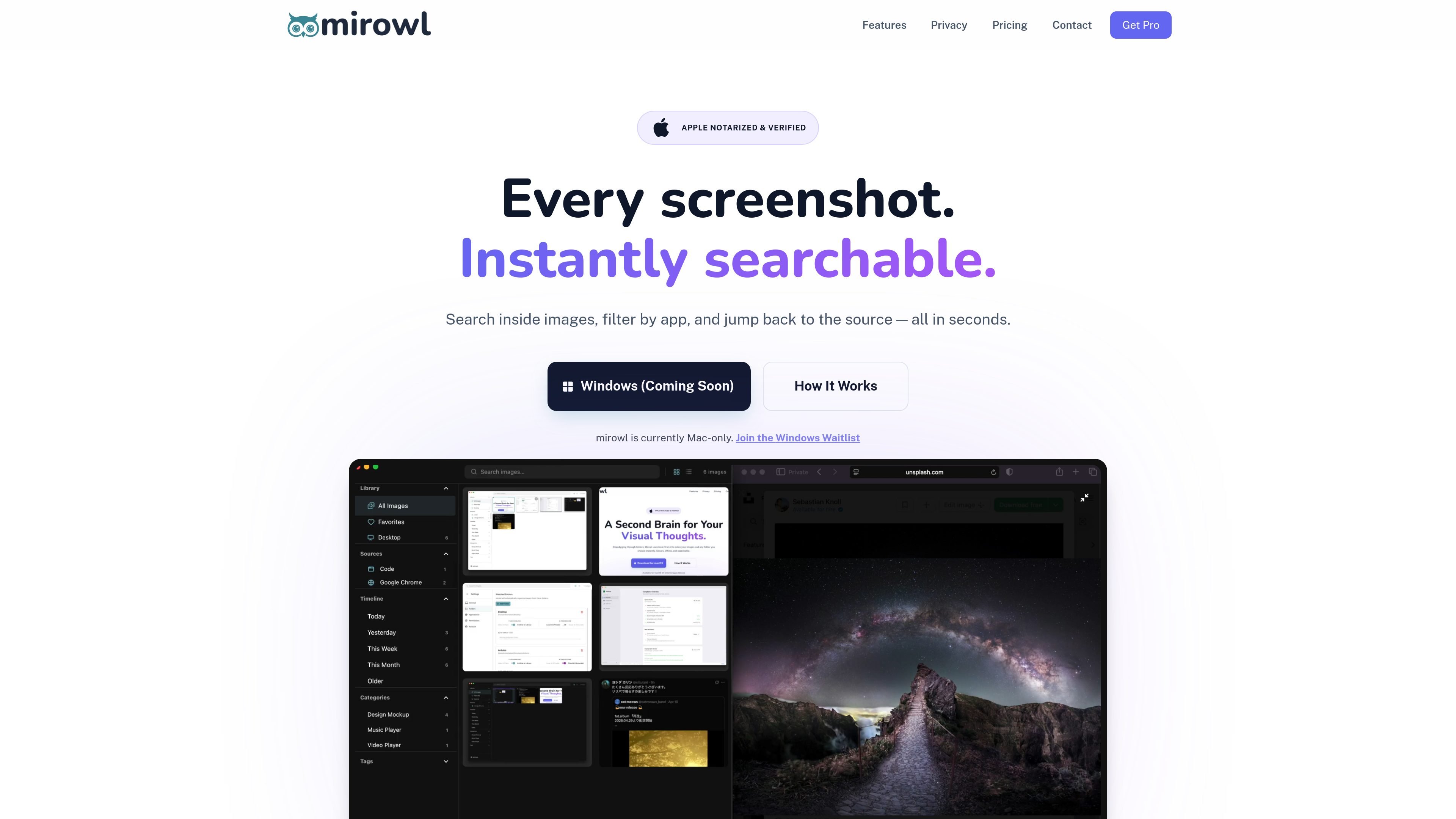
mirowl is an AI screenshot and visual memory app for macOS, built to watch folders, index images, and make screenshot libraries searchable. It combines local OCR, automatic categorization, and source-aware tagging so you can find images by text, app, or context instead of by filename.
The product is positioned as local-first: core features run on your Mac, files stay on your machine, and cloud AI is optional. The homepage also shows a Windows waitlist, so the publicly available app is currently Mac-only while Windows support is still coming soon.
Watch any folder in real time and automatically index incoming screenshots, downloads, or design assets. The app can either archive files into a central library or index them where they already sit.
Use OCR to make image text searchable, then search by content, source app, or URL so you can return to the original context of a screenshot.
Let mirowl automatically tag the source app and URL for captured images, preserving context that is often lost in screenshot folders.
Use local AI categorization for private processing, or opt into cloud-based image understanding on Pro for richer descriptions and metadata.
Keep processing on-device by default. The site describes mirowl as local-first, with OCR and search running locally and no account required.
Use the app to clean up a cluttered desktop by routing files into a structured mirowl library with archive rules.
Keep desktop screenshots, downloads, and other visual files organized without manual drag-and-drop. mirowl watches folders in real time and can route files into a library automatically.
Find a screenshot by the words inside it, even when the filename is meaningless. OCR and search-by-content make it easier to recover code snippets, notes, receipts, or reference images.
Track the app and source context behind captured images so you can return to the original workflow. This is useful when screenshots come from browsers, Slack, or development tools.
Manage design assets or working files in place while still building a searchable visual archive. The app can index folders without necessarily moving every file into one central location.
Use local processing for sensitive screenshots or opt into cloud image understanding on Pro when richer descriptions are worth it. That gives individual users a privacy-conscious way to separate routine and advanced workflows.
Your files stay on your hard drive. mirowl is described as a local-first app, and its FAQ says original high-resolution images are not stored on mirowl's servers, even when cloud AI features are used.
Yes. The source says the core features — folder watching, local OCR, and basic categorization — work offline. Cloud-powered deep analysis requires an internet connection and a Pro subscription.
You can watch any folder on your computer. The homepage specifically mentions Desktop, Screenshots, Downloads, Work, and Design folders as examples.
No. The FAQ says personal screenshots are not used for training. It also notes that local processing uses pre-trained models, while cloud processing uses the Gemini API.
Pro licenses are hardware-locked to a single device, but you can deactivate one device and move the license to another in the app's settings.

Goldfish is an AI memory app for macOS that helps you reply, write, summarize, and continue using the context already on your Mac. It stores memory locally and writes in your tone.

Dcyde is a decision log for product teams that captures what was decided, the reasoning behind it, and the source in one shared place. It supports pinning decisions from Slack, Figma, or inside Dcyde and keeps the record searchable over time.

Snapmark is a VS Code extension that lets you annotate clipboard screenshots before pasting them into AI chats. It supports blur redaction, numbered callouts, and automatic resizing for large images.

Lasso is an ecommerce product data platform for enriching catalog records, processing supplier files, generating product content, and monitoring competitors. It combines a web app with a REST API, SDK, and MCP server for teams and developers.

Biji ist eine vielseitige Plattform, die entwickelt wurde, um die Produktivität durch innovative Werkzeuge und Funktionen zu steigern.

Codex Plugins bundle reusable skills, app integrations, and MCP servers into workflows you can install in the Codex app or use from Codex CLI. They help extend Codex with connected-service tasks, reusable instructions, and shared team workflows.