
Now Playing in the notch
Shows artwork, a live equalizer, and playback controls for Spotify, Apple Music, and other media sources in the area around the notch.

Notchware is a native macOS utility that turns the MacBook notch into a configurable display for Now Playing, battery, volume, brightness, Focus, and network status. Its Pro upgrade adds local alerts for Codex, Claude Code, and Cursor, plus Lock Screen music controls.
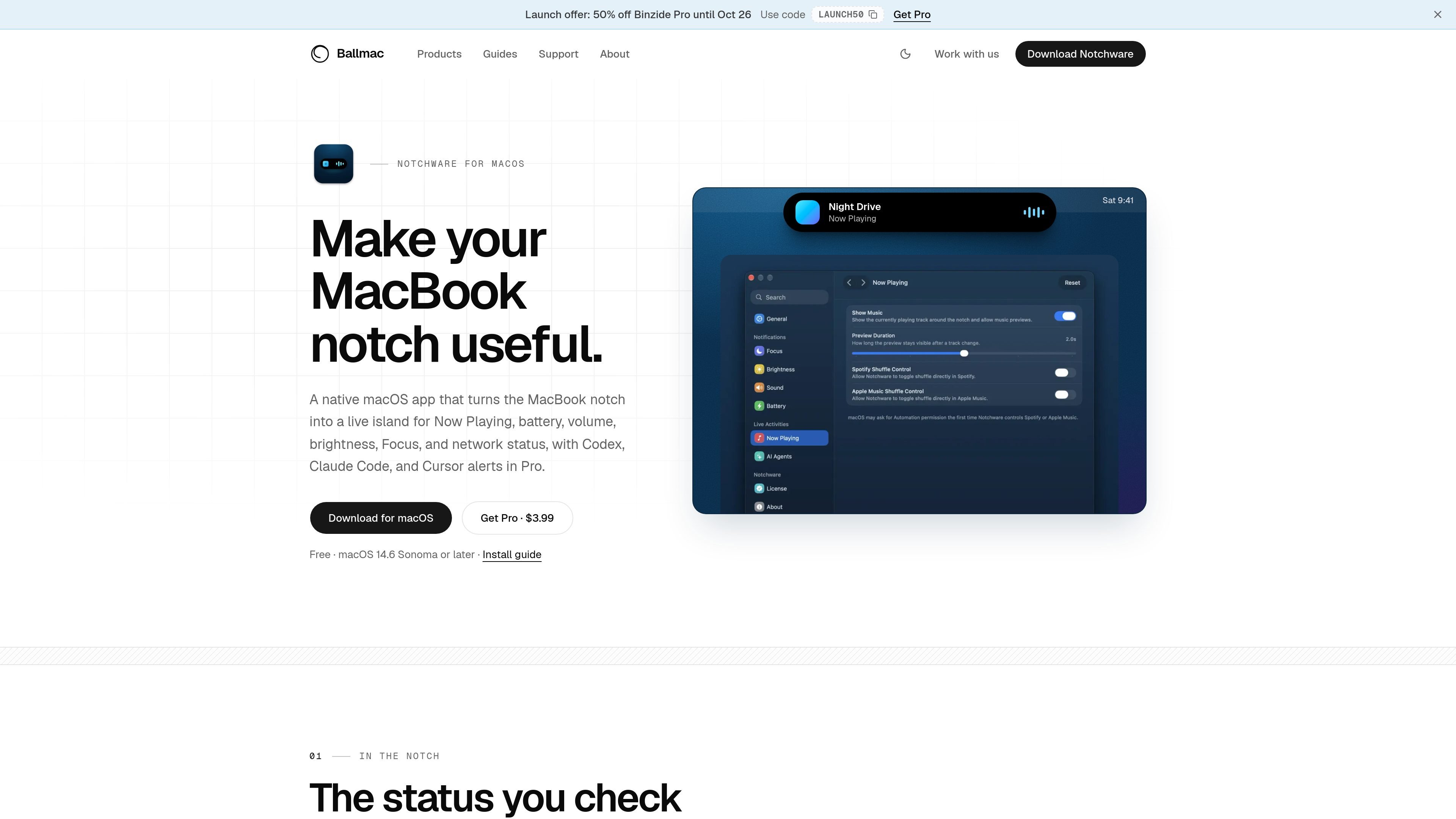
Notchware is a native macOS utility that turns the space around a MacBook's notch into a configurable status display. It surfaces media playback, battery, volume, brightness, Focus, and network changes without requiring a separate status window.
The app is designed for local use and runs on Apple silicon and Intel Macs. Its free version covers the core indicators and display behavior; the one-time Pro upgrade adds notifications for supported AI coding agents and additional Lock Screen music controls.
Shows artwork, a live equalizer, and playback controls for Spotify, Apple Music, and other media sources in the area around the notch.
Displays charging and low-battery status, with a user-selected low-battery threshold.
Presents volume and brightness changes as either a line or percentage, and provides short animations for Focus mode changes.
Reports Wi-Fi or Personal Hotspot connections and indicates when internet access returns.
In Pro, Codex, Claude Code, and Cursor can show approval requests and task completion in the notch, with optional sounds.
Pro adds Lock Screen playback controls and an option to hide the Lock Screen profile photo and name while artwork is expanded.
Keep playback visible while working in another app, using notch-based controls for supported Spotify, Apple Music, and other media sources instead of switching to a separate player window.
Use the notch as a compact place to notice charging, low battery, volume, brightness, Focus changes, and network recovery while moving between work contexts.
Receive a visible prompt when Codex, Claude Code, or Cursor needs approval, or a notice when an agent finishes, without repeatedly checking the terminal. Pro users can enable sounds as well.
Control music from the Lock Screen and optionally hide the profile photo and name when expanded artwork is shown. These controls are available with Pro.
Notchware requires macOS 14.6 Sonoma or later and runs natively on Apple silicon and Intel Macs. The app is distributed as a DMG download from ballmac.com.
Open Notchware once from Applications, then use System Settings › Privacy & Security to choose Open Anyway when macOS blocks the app because it is not yet notarized. On macOS 14 Sonoma, Control-click the app, choose Open, and confirm. macOS may require this again after a future download.
AI alerts use local hook commands that you can review in Settings › AI Agents before installation. The hooks write small status events and do not read prompts or responses. Supported agents are Codex, Claude Code, and Cursor.
Notchware runs locally without an account, analytics service, or cloud backend. Its agent alerts use inspectable local hooks. When controlling Spotify or Apple Music for the first time, macOS may request Automation permission.
The free version includes the notch indicators and controls, display and fullscreen options. A one-time Pro purchase adds AI agent alerts, approval and completion sounds, Lock Screen music controls, and the option to hide the Lock Screen profile. The license key is activated from Settings › License.

MacSpoof ist ein MAC-Adressenwechsler für macOS: WLAN-MAC ändern oder randomisieren, um Verbindungen zu erneuern und die Protokollierung auf öffentlichem WLAN zu reduzieren.

DemoTV is an audience-ranked station for discovering and comparing independent product demos. Founders can submit videos, embed approved demos on their websites, collect viewer inquiries and optionally commission demo production or labelled promotion without buying ranking.

Ship It: Idle Dev Tycoon is an iPhone incremental simulation game about building apps, managing a software studio, and selling it for lasting progression benefits. It supports offline play, automated builds, adviser collection, and optional in-app purchases.

NomNak ist eine kostenlose Restaurant-Discovery-App für iPhone, mit der du Orte über Empfehlungen von Freunden statt über anonyme Bewertungen findest.

CAPTA is a mobile GPS waypoint app for quickly saving, organizing, and revisiting locations. It supports offline use, camera-based coordinate capture, optional cross-device synchronization, and GPX export for fishermen, explorers, and field professionals.

Ctrl+Shift+3 is a calm, text-first community platform with a chronological feed, profiles, RSS, and private groups called Clicks. It is built for reading, posting, and joining smaller communities without algorithmic ranking or vanity counts.