
Session types for different speech workflows
Choose between voice-agent, translation, and transcription session types based on whether the app needs responses, live translation, or transcript-only output.

An OpenAI API guide for choosing the right speech architecture for live audio, translation, transcription, speech generation, and audio-capable chat. It helps developers map each speech application to the appropriate session type, endpoint, and connection method.
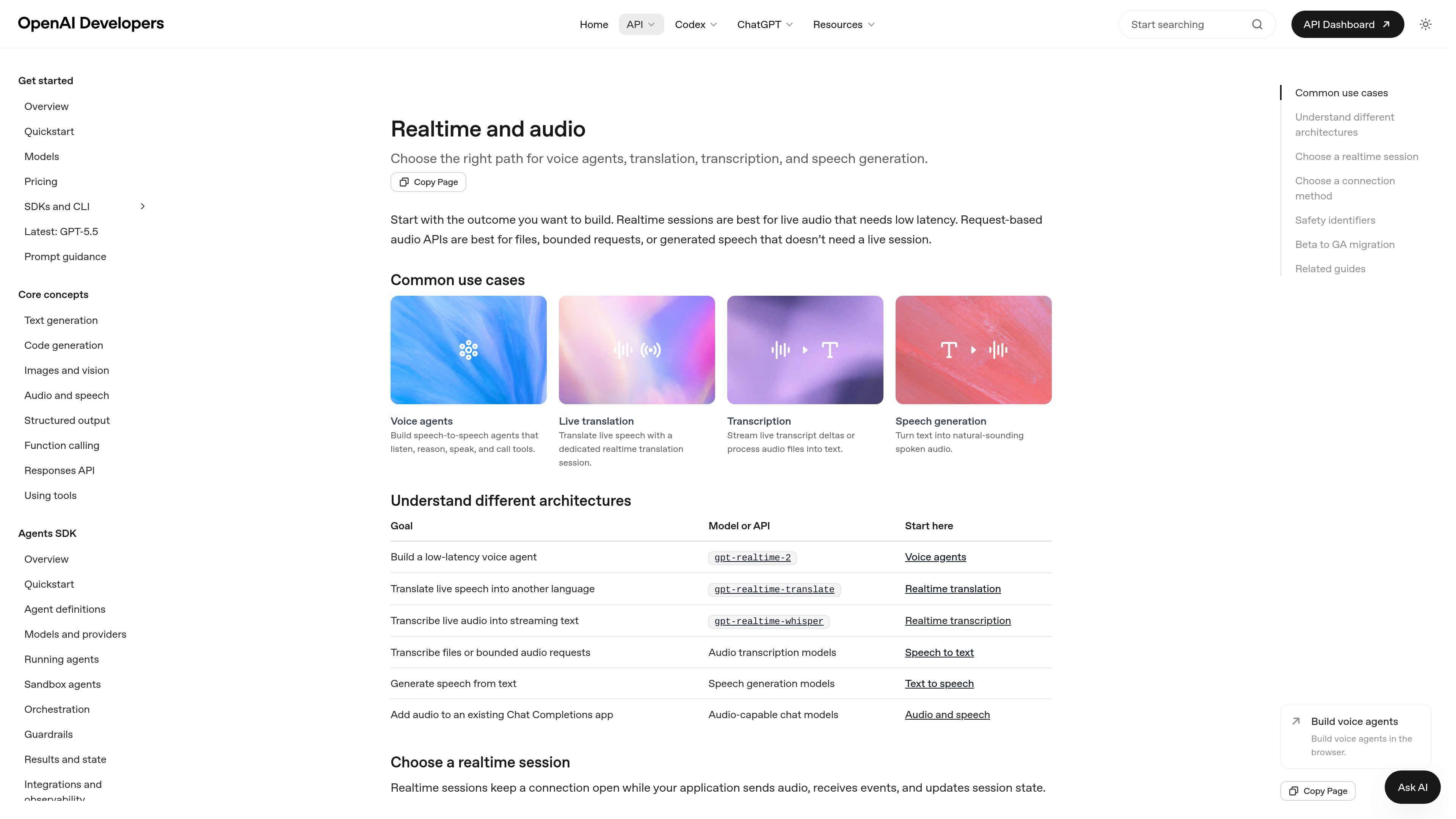
Realtime and audio is an OpenAI API guide for choosing the right speech architecture for a specific application. It distinguishes between Realtime sessions for live, low-latency audio and request-based audio APIs for file-based, bounded, or generated speech workflows.
The guide covers voice agents, live translation, realtime transcription, speech generation, and audio-capable chat models. It also explains session types, transport choices, safety identifiers, and the changes needed when migrating a beta Realtime integration to the GA interface.
Choose between voice-agent, translation, and transcription session types based on whether the app needs responses, live translation, or transcript-only output.
Keep a Realtime session open while the client sends audio, receives events, and updates session state in real time.
Build browser voice agents with the Agents SDK and WebRTC, with the option to connect to server-side tools.
Use a dedicated translation endpoint for continuous speech translation instead of the standard assistant turn lifecycle.
Tune realtime transcription with gpt-realtime-whisper latency controls so you can trade off earlier partial text against transcript quality.
Select WebRTC, WebSocket, or SIP based on where audio is captured and played, from browser clients to telephony systems.
Build an assistant that listens to live audio, responds to the user, calls tools, and maintains conversation state in the same session.
Translate speech as it is spoken using a dedicated realtime translation session that streams translated audio and transcript deltas.
Turn streaming audio into transcript deltas, or process audio files into text when you do not need model-generated spoken responses.
Generate natural-sounding spoken audio from text with request-based speech generation models.
Add audio to an existing Chat Completions app using audio-capable chat models when you want to extend a text-first workflow.
Use the Realtime and audio guidance when you are choosing between a live session and a request-based audio API. Realtime sessions are best for live audio that needs low latency, while request-based audio APIs are better for files, bounded requests, or generated speech that does not need a live session.
Use a voice-agent session when the application should respond to the user, call tools, and manage conversation state. The guide also points browser voice agents toward the Voice agents guide, which uses the Agents SDK with WebRTC for browser audio and can connect to server-side tools.
Use a translation session when the app should continuously translate speech as it arrives, and use a transcription session when the app needs live transcript deltas from streaming audio without model-generated spoken responses.
WebRTC is for browser and mobile clients that capture or play audio directly. WebSocket is for server-side media pipelines, call systems, or workers that already receive raw audio, and SIP is for telephony voice agents.
The guide recommends adding a stable, privacy-preserving safety identifier for Realtime API requests when your application identifies individual end users. It should be sent in the OpenAI-Safety-Identifier header and kept stable across sessions for the same user.

SpeakoFlow is a free, open-source desktop voice-to-text app for Windows, macOS, and Linux. It supports dictation into any app, voice-driven writing with Flow, cleanup, translation, and a screen-aware assistant.

Flunkey is a voice-first productivity layer for Windows that converts speech into text, AI-assisted outputs, and remembered context. It is built for users who want to capture ideas and actions without leaving the app they are working in.

Eine All-in-One AI-Plattform, die Werkzeuge für Bild, Video, Sprache, Schreiben und Chat kombiniert, um Kreativität und Zusammenarbeit zu fördern.

Gemma AI is a phone call reminder app that calls you with scheduled reminders instead of push notifications. It helps people who want a more direct way to stay on schedule, with Google Calendar sync and conversational call interactions.

Tactiq is an AI note taker for Google Meet, Zoom, and Microsoft Teams that transcribes meetings live and turns them into summaries, action items, and follow-up outputs. It is built around a Chrome extension and supports team workflows through sharing and integrations.

Wallie is an open-source AI streamer that watches your screen, hears chat, and generates live commentary in a configurable persona. It runs locally on your machine with your own keys and is aimed at faceless content, autonomous streams, and real-time reactions.