
AI-assisted scene building
Describe an experience and the built-in AI agent can create scenes, generate or place assets, wire up physics and animation, and set geospatial anchors inside the project.

ReactVision Studio is a browser-based editor for building AR and VR scenes, previewing them on real devices with StudioGo, and shipping them natively through ViroReact in React Native apps.
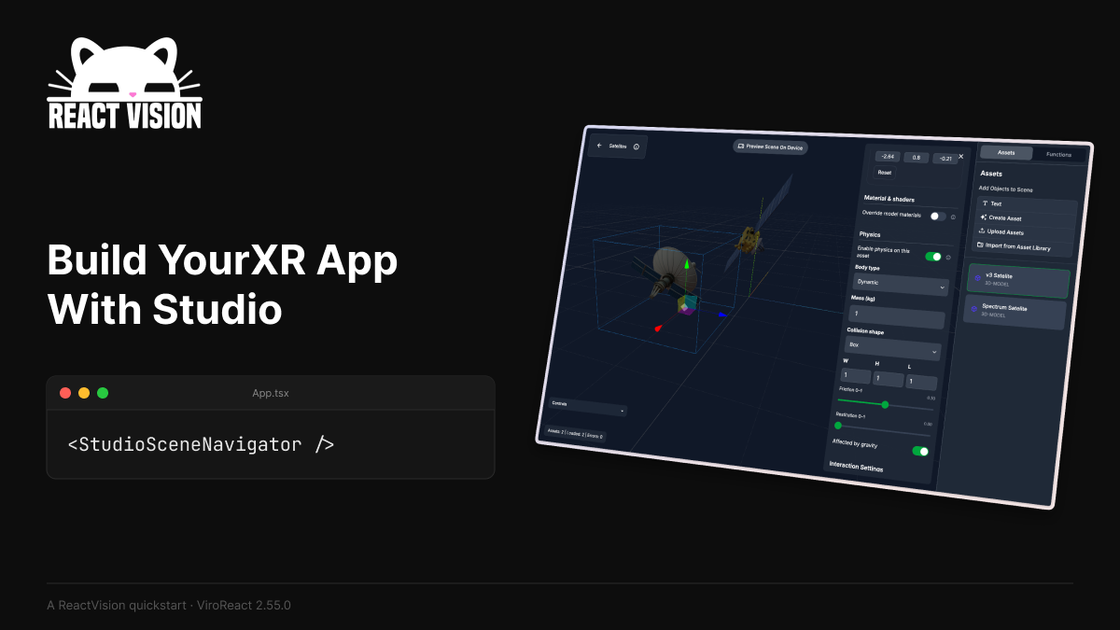
ReactVision Studio is a browser-based visual editor for building AR and VR scenes for the ReactVision stack. It lets you author scenes on a canvas, preview them on a phone or headset with StudioGo, and ship them natively through ViroReact in a React Native app.
The product combines visual scene editing, an AI agent that can create scenes and assets from prompts, and platform services for cloud and geospatial anchors. ReactVision positions Studio as the editor for teams that want to build once and run on iOS, Android, and Meta Quest without re-authoring for each runtime.
Describe an experience and the built-in AI agent can create scenes, generate or place assets, wire up physics and animation, and set geospatial anchors inside the project.
Build scenes in a browser editor by dragging components onto a canvas, then preview them in real time before shipping.
Link a Studio project to StudioGo and view updates on a real iOS or Android device without rebuilding the app.
Studio outputs one scene format that ViroReact renders natively on iOS, Android, and Meta Quest using each platform's runtime.
Cloud Anchors, Geospatial Anchors, and Asset Storage are available through ReactVision Platform from the same Studio project.
Drop `StudioSceneNavigator` into a React Native app to load Studio content at runtime, so the scene can iterate without app rebuilds.
Designers and developers can sketch an AR or VR scene in the browser, then review the result on a real phone or headset before committing it to an app release.
Teams can let the built-in AI agent assemble a first draft of the experience, including assets, anchors, physics, and triggers, then refine the result by hand.
React Native teams can load Studio content at runtime with `StudioSceneNavigator`, making scene iteration possible without rebuilding the host app every time.
Products that rely on persistent or location-based AR can use Cloud Anchors and Geospatial Anchors from the same ReactVision project.
Teams building for iOS, Android, and Meta Quest can keep one scene format and let ViroReact handle platform-specific rendering differences underneath.
ReactVision Studio is a browser-based visual editor for building AR and VR scenes. You drag components onto a canvas, preview them on a device with StudioGo, and ship the scene inside a React Native app through ViroReact.
The source says ReactVision Studio is open to everyone and that StudioGo is available from a Studio account. It also describes Studio as being in public alpha.
Studio builds scenes in the browser, while StudioGo mirrors those scenes on a phone or headset for live AR preview. When the scene is ready, you can load it in a React Native app with StudioSceneNavigator through ViroReact.
The page says Studio supports iOS, Android, and Meta Quest today. It also notes that Apple Vision Pro is in internal preview and Android XR is coming soon.
The source says StudioGo requires a physical device for AR testing and that simulators are not supported. It also says no native build is required to preview in StudioGo.

Speculos is a deployment tool for Claude Code that publishes what you built to a shareable URL. It supports private, org-wide, or public apps and adds team controls for company domains, data connections, and customer-cloud deployments.

MakerLoft is a chat-first AI app builder for non-developers who want to create static sites or full-stack apps from a GitHub repository. It supports a free GitHub Pages path and a DigitalOcean-backed app path with sign-ins, payments, and an admin dashboard.

ByteAsk is a terminal-first AI coding agent for C and C++ that edits repositories and verifies changes with the real compiler, debugger, sanitizers, and tests before showing a diff. It offers a free tier plus paid plans, with editor connectors and zero-retention handling described in the source.

CreateOS Sandbox is an isolated compute environment for running code and agent workloads inside Firecracker micro-VMs. It is designed for workflows that need machine-level isolation, private networking between sandboxes, and programmatic control through SDK, CLI, or MCP.

hob is an independent workspace for coding agents that keeps agent sessions, terminals, history, and follow-up work organized around the tools and providers you already use. It is aimed at developers who want local control over routing, history, and workspace structure rather than a bundled model stack.

Ably Chat is a chat API platform for building custom realtime chat applications. It supports room-based messaging, typing indicators, presence, reactions, and message updates, with usage-based pricing options for different deployment stages.