
Multiple launcher layouts
Mount Persona as a floating launcher, a docked panel, or a full-height assistant. The homepage shows that you can switch between these layouts by changing launcher config rather than rewriting the app.

Persona is an open-source vanilla JavaScript library for adding streaming AI chat to websites. It supports floating, docked, and fullscreen layouts, plus WebMCP-powered page tools and SSE backends.
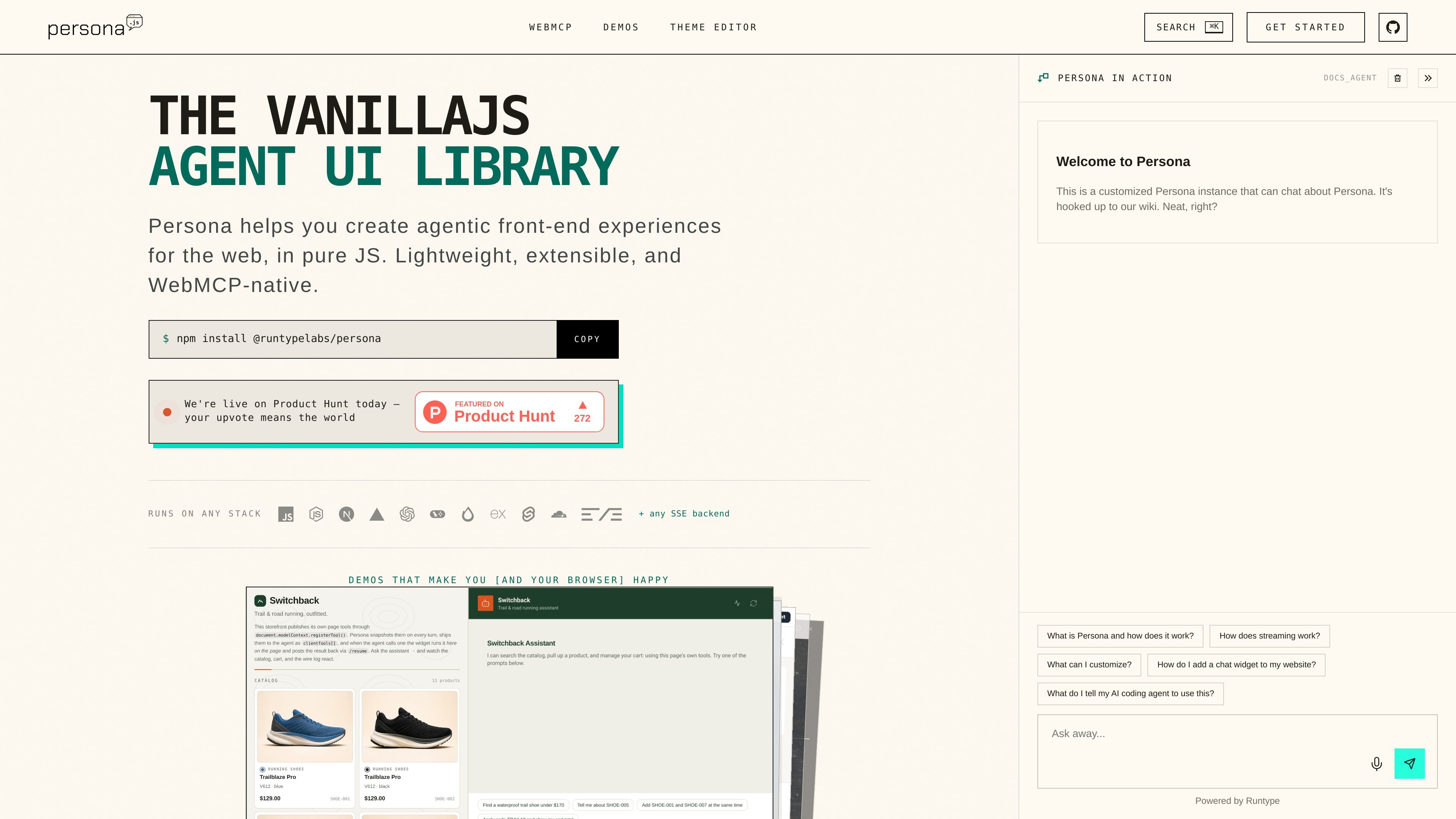
Persona is an open-source agent UI library for vanilla JavaScript that adds a streaming AI chat experience to a website. It is positioned as a lightweight, extensible widget that can run on any stack with an SSE backend or through the site’s installer workflow.
The product supports several presentation modes, including a floating launcher, a docked copilot panel, and a fullscreen assistant. It also includes WebMCP support so the agent can discover page tools already exposed by the site, ask for approval, and then execute actions such as search or cart operations directly in the browser.
Mount Persona as a floating launcher, a docked panel, or a full-height assistant. The homepage shows that you can switch between these layouts by changing launcher config rather than rewriting the app.
Install with a package import or a script tag. The homepage includes both an npm setup and a CDN installer, which makes it usable in framework and framework-free pages.
Connect the widget to streaming backends that speak SSE. The docs say the transport is pluggable, with support for custom request and event parsing through customFetch and parseSSEEvent.
Expose page actions as WebMCP tools so the agent can use existing site features such as search, carts, bookings, or forms. The agent asks before calling tools, and the result streams back into the chat.
Keep widget styles isolated from host-page styles using Shadow DOM rendering and prefixed CSS. The site explicitly says this prevents style leakage in both directions.
Customize the chat experience with a layered token system, dark mode, and a live theme editor. The homepage positions theming as a way to match the host brand without forking the widget.
Add a streaming chat launcher to a support, documentation, sales, or onboarding page without building a custom chat shell from scratch.
Embed a copilot beside a workspace or dashboard when you want the assistant to live alongside the user’s main task instead of replacing the page.
Build a fullscreen assistant surface for an app-like workflow that needs the chat UI to own the page and optionally show an artifact pane.
Expose existing site functionality, such as search, cart actions, bookings, or forms, to an agent through WebMCP tools with user approval.
Use the demo patterns and advanced examples as references for approval flows, voice input and output, artifact sidebars, or streaming UI behaviors before wiring your own backend.
Persona mounts a chat widget that streams responses from your backend. The site shows it being initialized with a target element and an API URL, or via a script tag installer for a faster setup path.
The product page says Persona works with any SSE backend and provides example integrations for stacks such as Hono, Express, SvelteKit, LangGraph.js, OpenAI Agents SDK, Vercel AI SDK, and others. It also supports custom adapters through customFetch and parseSSEEvent.
The site presents three launcher modes: floating, docked, and fullscreen. It also mentions a default floating launcher, a docked side panel, and a full-height assistant layout.
Persona supports WebMCP page tools. The docs say you can register tools on the page, let the agent discover them through document.modelContext, and require user approval before tool execution.
The pricing page is currently unavailable at /pricing, so the site does not provide a pricing structure there. The homepage and docs emphasize open-source usage and installation via npm or a CDN script.

CreateOS Sandbox is an isolated compute environment for running code and agent workloads inside Firecracker micro-VMs. It is designed for workflows that need machine-level isolation, private networking between sandboxes, and programmatic control through SDK, CLI, or MCP.

Ably Chat is a chat API platform for building custom realtime chat applications. It supports room-based messaging, typing indicators, presence, reactions, and message updates, with usage-based pricing options for different deployment stages.

AakarDev AI helps teams manage AI provider access, project-level setups, logs, and analytics from one dashboard. It supports BYOK workflows and lists providers including OpenAI, Google Gemini, Anthropic, Groq, Mistral AI, and Perplexity AI.

Arduino VENTUNO Q is an edge AI computer for AI and robotics applications. It combines AI inference and deterministic control on a single board and is designed to work with Arduino App Lab.

ByteAsk is a terminal-first AI coding agent for C and C++ that edits repositories and verifies changes with the real compiler, debugger, sanitizers, and tests before showing a diff. It offers a free tier plus paid plans, with editor connectors and zero-retention handling described in the source.

Codex Plugins bundle reusable skills, app integrations, and MCP servers into workflows you can install in the Codex app or use from Codex CLI. They help extend Codex with connected-service tasks, reusable instructions, and shared team workflows.